

IVS Go is made and published by Rain Tonic Srl. AppBrain is an independent app data site and isn't affiliated with Rain Tonic Srl. The app name, icon, screenshots and description belong to Rain Tonic Srl and are shown as published on the App Store.
AppBrain's verdict
- Last updated
- September 15, 2026
Rankings
App Store top chartsApp Store Rankings for IVS Go
Competitors
Similar apps and more from Rain Tonic SrlAlso available on Google Play

Releases
Updates seen on the App Store- Version
- 1.17.0
- Launched
- March 2025
No changelog data
User feedback
Ratings and reviews on the App StoreComments on IVS Go for iOS
We don't have enough comments to show example comments. Please check back later.
Technology
Found in the app by AppBrain- Price
- Free
- App size
- 124.6 MB
- Content rating
- Everyone
Technologies used by IVS Go
About the app and developer
About IVS Go
IVS Go is an utilities app developed by Rain Tonic Srl.
What is the rating of IVS Go?
IVS Go has no ratings yet.
Is IVS Go free?
IVS Go is free. The app size is 124.55 MB. The latest version available is 1.17.0. The last update was on September 15, 2026.
What are the requirements for IVS Go?
The app has a content rating of Everyone. The app has been available on the App Store since March 2025.
Developer information for Rain Tonic Srl
Address:
Frequently asked questions about IVS Go
Is IVS Go free?
Yes. IVS Go is free on the App Store.
Is IVS Go still available?
Yes. IVS Go is on the App Store, and the last update we saw was on September 15, 2026.
How large is IVS Go?
IVS Go is 124.55 MB.
Is IVS Go suitable for children?
App Store rates the content of IVS Go as suitable for everyone.
Who made IVS Go?
IVS Go was developed by Rain Tonic Srl. It is listed in the utilities category on the App Store.
Store listing
By Rain Tonic Srl, from the App Store




Description by Rain Tonic Srl Written by the developer, not by AppBrain. Click to read.
Cosa puoi fare con IVS Go?
- Vedere le immagini live o registrate di qualunque impianto di videosorveglianza basato su DVR o NVR IVS.
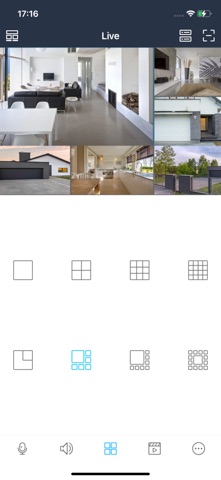
- Scegliere la modalità di visualizzazione a singolo canale o multicanale con varie tipologie di mosaici disponibili, tutti personalizzabili.
- Effettuare snapshot o registrazioni direttamente sul proprio smartphone e condividerle
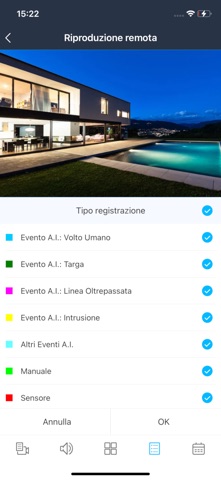
- Navigare e consultare immediatamente le registrazioni. Eventuali eventi di allarme o anomalie sono facilmente riconoscibili grazie a marcatori colorati
- Regolare i parametri di ciascun canale (luminosità, tonalità, saturazione, contrasto…)
- Ascoltare l’audio per ciascun canale e attivare la funzione talk back (parla-ascolta) per le telecamere dotate di altoparlante
- Attivare notifiche push per eventi specifici
- Gestire gli allarmi per ciascun canale
- Comandare e muovere lo zoom delle telecamere motorizzate delle Speed dome.
- Visualizzare e gestire le telecamere fisheye con 4 diverse modalità dedicate.
- Personalizzare l’accesso all’app e renderlo sicuro tramite l’utilizzo di una password
- Visualizzare le immagini delle telecamere in orizzontale o in verticale in base all’orientamento del dispositivo.
Semplicità di configurazione e P2P
Configurare l’app IVS Go e associarla a dispositivi di registrazione NVR/DVR è davvero semplice, anche grazie alla connessione di tipo P2P su server proprietario. È sufficiente inquadrare un semplice QR Code e tutta la configurazione verrà immediatamente appresa. Stessa cosa per la condivisione su altri smartphone.