It doesn't have enough ratings yet to judge what users think.
iWordsMill 15 Languages Search is made and published by
LIGHT,WAY.
AppBrain is an independent app data site and isn't affiliated with LIGHT,WAY.
The app name, icon, screenshots and description belong to LIGHT,WAY. and are shown as
published on the App Store.
About iWordsMill 15 Languages Search
iWordsMill 15 Languages Search is a reference app developed by LIGHT,WAY.
What is the rating of iWordsMill 15 Languages Search?
iWordsMill 15 Languages Search is rated 2.00 out of 5 stars, based on one rating ratings.
Is iWordsMill 15 Languages Search free?
iWordsMill 15 Languages Search is free. The app size is 94.90 MB. The latest version available is 1.1. The last update was on April 18, 2024.
What are the requirements for iWordsMill 15 Languages Search?
The app has a content rating of Everyone. The app has been available on the App Store since October 2017.
Description by LIGHT,WAY.(from the App Store)
*** Look up the definition of words with the offline dictionaries of iOS ***
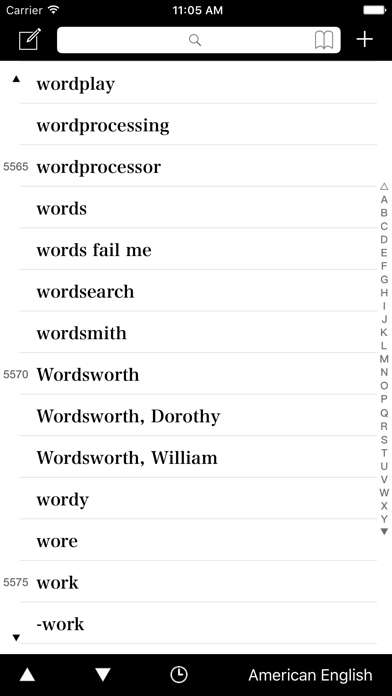
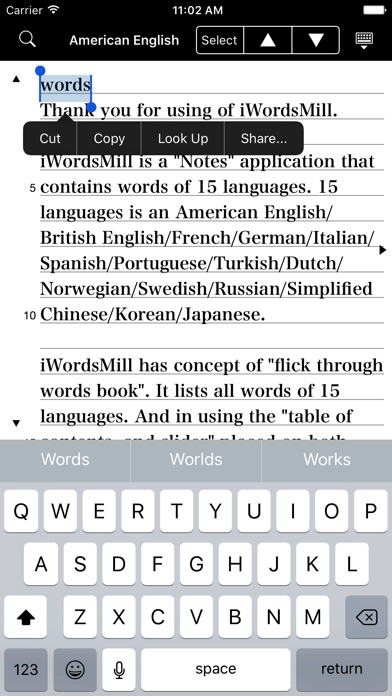
iWordsMill is a "Word Search" and "Notes" application that contains words of 15 languages.
15 languages is an American English/British English/French/German/Italian/Spanish/Portuguese/Turkish/Dutch/Norwegian/Swedish/Russian/Simplified Chinese/Korean/Japanese.
iWordsMill has concept of "flick through words book". It lists all words of 15 languages. And in using the "table of contents, and slider" placed on both sides of words list, you will be able to quickly access to a collection of words. In addition, since words list of iWordsMill contains most entry words (more than 99%) of the offline dictionaries of iOS, Look up the definition of words from the "Notes" menu bar You can. Please collect a lot of noticed words from words list to notes, and use in such as "idea note of text making" and "language learning".
iWordsMill Features * Lists all words of 15 languages. * Operation of "flick through words book" using table of contents, and slider. * When you tap a words of words list, enters a words to notes. * You can search words from the search bar. * You can bookmark a noticed word. * You can jump to words list from bookmarks. * You can view the history of words that was used previously. * You can setting the view of words list. (Font, Background color, Line numbers, Number of items). * You can look up the definition of words, by using "Menu bar" of notes function of iOS.
Each subscription will automatically renew 3 days before the expiration date for
the same time period. Subscriptions can be cancelled at any time before the renewal.