

J2ME Emulator is made and published by Phuc Pham. AppBrain is an independent app data site and isn't affiliated with Phuc Pham. The app name, icon, screenshots and description belong to Phuc Pham and are shown as published on the App Store.
AppBrain's verdict
- Rating on App Store
- 2.00
- 8 ratings
- Last updated
- August 29, 2026
It doesn't have enough ratings yet to judge what users think.
Rankings
App Store top chartsApp Store Rankings for J2ME Emulator
Competitors
Similar apps and more from Phuc PhamAlternatives to J2ME Emulator


More from Phuc Pham


Releases
Updates seen on the App Store- Version
- 1.1.0
- Launched
- June 2026
No changelog data
User feedback
Ratings and reviews on the App StoreComments on J2ME Emulator for iOS
We don't have enough comments to show example comments. Please check back later.
Technology
Found in the app by AppBrain- Price
- Free
- App size
- 13.2 MB
- Content rating
- Everyone
Technologies used by J2ME Emulator
About the app and developer
About J2ME Emulator
J2ME Emulator is a games app developed by Phuc Pham.
User Ratings
J2ME Emulator is rated 2.00 out of 5 stars. The rating is based on 8 ratings.
App Information
J2ME Emulator is freely available from the App Store. The app size is 13.24 MB. The latest version available is 1.1.0. The last update was on August 29, 2026.
Technical Requirements
The app has a content rating of Everyone. The app has been available on the App Store since June 2026.
Developer information for Phuc Pham
Address:
Frequently asked questions about J2ME Emulator
Is J2ME Emulator free?
Yes. J2ME Emulator is free on the App Store.
Is J2ME Emulator still available?
Yes. J2ME Emulator is on the App Store, and the last update we saw was on August 29, 2026.
How large is J2ME Emulator?
J2ME Emulator is 13.24 MB.
Is J2ME Emulator suitable for children?
App Store rates the content of J2ME Emulator as suitable for everyone.
How do people rate J2ME Emulator?
J2ME Emulator scores 2.00 out of 5 stars, from 8 ratings on the App Store.
Who made J2ME Emulator?
J2ME Emulator was developed by Phuc Pham. It is listed in the games category on the App Store.
What are the best alternatives to J2ME Emulator?
People looking at J2ME Emulator also look at these games apps: CoffeeCat - J2ME Game Emulator, JarBox, REmu — Retro Emulator, GammaWave - Advanced Emulator, LunaDS - 3DS and DS Emulator.
Store listing
By Phuc Pham, from the App Store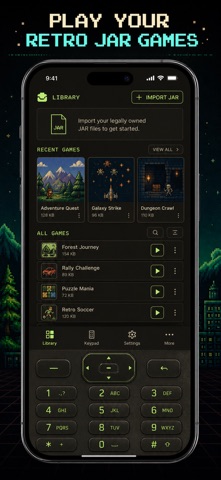



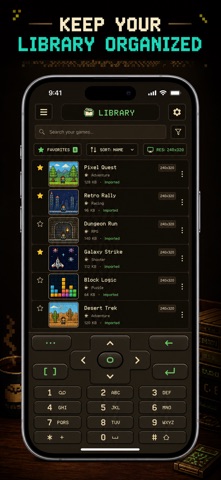
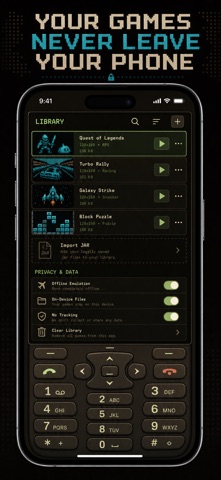
Description by Phuc Pham Written by the developer, not by AppBrain. Click to read.
Jemu ships with no games and downloads nothing. You bring your own legally obtained .jar MIDlet files, import them once, and they run fully on-device with a real on-screen phone keypad. No streaming, no accounts, no cloud — just the emulator core and your own library.
WHAT YOU GET
- Run classic J2ME (Java ME) .jar games natively on iOS
- Import your own .jar files with the built-in file picker
- A tidy library that reads each title, vendor and version straight from the JAR
- An authentic on-screen keypad: number pad, D-pad and soft keys mapped to MIDP controls
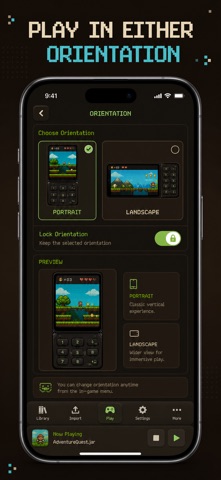
- Pick the emulated screen size — presets from 128x128 up to 480x800, portrait or landscape
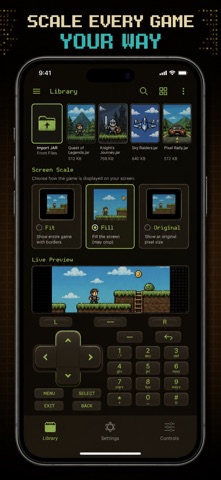
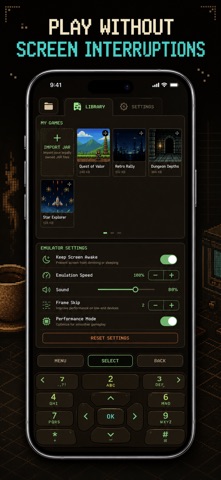
- Fit, Fill or Original scaling, plus keep-screen-on and sound toggles for long sessions
PERFECT FOR
- Retro gamers chasing the feature-phone titles of the 2000s
- Collectors preserving their own legally owned .jar files
- Java ME tinkerers who want a real MIDlet runtime in their pocket
- Anyone who misses the snake, puzzle and arcade games from old phones
WHY NOT JUST USE AN OLD PHONE
Your old handset is dead, the screen is cracked and the charger is long gone. Jemu keeps the exact same games playable on the device you already carry — scaled up, full-brightness and touch-friendly — with none of the hardware to hunt down.
PRIVACY
Everything stays on your device. Your imported games live in the app sandbox, nothing is uploaded, and the emulator runs completely offline. No account and no tracking of your library.
FULL ACCESS
Jemu unlocks with Jemu Pro, which opens the full app so you can import and play your whole library with no limits. Choose the plan that fits: Weekly, Yearly, or a one-time Lifetime unlock. Prices are shown in-app before you confirm; subscription plans renew until cancelled and can be managed anytime in your App Store settings.
Import your first .jar and press play.
Terms of Use (EULA): https://web-levi.web.app/terms
Privacy Policy: https://web-levi.web.app/privacy-policy
Questions? https://web-levi.web.app/#contact