

Japanese Office Simulator
Japanese Office Simulator is made and published by toru sugitani. AppBrain is an independent app data site and isn't affiliated with toru sugitani. The app name, icon, screenshots and description belong to toru sugitani and are shown as published on the App Store.
AppBrain's verdict
Established- Rating on App Store
- 2.33
- 3 ratings
- Last updated
- December 30, 2025
It doesn't have enough ratings yet to judge what users think.
Rankings
App Store top chartsApp Store Rankings for Japanese Office Simulator
Competitors
Similar apps and more from toru sugitani








Releases
Updates seen on the App Store- Version
- 1.9.14
- Launched
- October 2019
No changelog data
User feedback
Ratings and reviews on the App StoreComments on Japanese Office Simulator for iOS
We don't have enough comments to show example comments. Please check back later.
Technology
Found in the app by AppBrain- Price
- Free
- App size
- 301.5 MB
- Content rating
- Low
Technologies used by Japanese Office Simulator
About the app and developer
About Japanese Office Simulator
Japanese Office Simulator is a games app developed by toru sugitani.
User Ratings
Japanese Office Simulator is rated 2.33 out of 5 stars. The rating is based on 3 ratings.
App Information
Japanese Office Simulator is freely available from the App Store. The app size is 301.45 MB. The latest version available is 1.9.14. The last update was on December 30, 2025.
Technical Requirements
The app has a content rating of Low Maturity. The app has been available on the App Store since October 2019.
Developer information for toru sugitani
Address:
Frequently asked questions about Japanese Office Simulator
Is Japanese Office Simulator free?
Yes. Japanese Office Simulator is free on the App Store.
Is Japanese Office Simulator still available?
Yes. Japanese Office Simulator is on the App Store, and the last update we saw was on December 30, 2025.
How large is Japanese Office Simulator?
Japanese Office Simulator is 301.45 MB.
Is Japanese Office Simulator suitable for children?
App Store gives Japanese Office Simulator a low maturity rating, so it is meant for older children and up.
How do people rate Japanese Office Simulator?
Japanese Office Simulator scores 2.33 out of 5 stars, from 3 ratings on the App Store.
Who made Japanese Office Simulator?
Japanese Office Simulator was developed by toru sugitani. It is listed in the games category on the App Store.
What are the best alternatives to Japanese Office Simulator?
People looking at Japanese Office Simulator also look at these games apps: ぼくのボッタクリBAR2 -超倍速-, Go! Driving School Simulator, Walking smartphones is danger, 人気の育成 放置ゲーム パチモン工場, LoveMemorys.
Store listing
By toru sugitani, from the App Store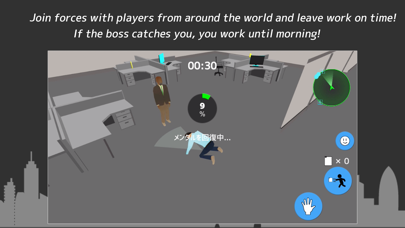
Description by toru sugitani Written by the developer, not by AppBrain. Click to read.
The four of us working together to get out of the office on time while avoiding our bosses.
It's an online multi-retirement game.
The company in which the game takes place is an unbelievably black company.
You have to stay up all night every day and your body and mind are at their limits.
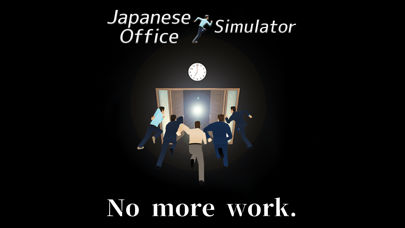
You have to go home on time today.
You've got to go home on time today!
▼The rules are simple
Let's leave the office within three minutes of being on time!
Let's not forget to get the daily report.
The door is locked in multiple layers, so we'll call labor to get it open!
If your boss finds you on the way, he'll dump you for a job.
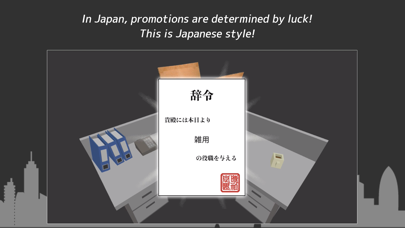
▼Get your title in the Gacha.
I'm going to fly out to work with the title I got from the mess!
You can combine multiple titles to create your own unique title!
--Automatic recurring billing (on-time passport)
●Automatic recurring billing is priced at $2.49 per month.
●Automatic recurring billing is billed via your iTunes account.
●Automatic recurring billing is billed via your iTunes account. Automatic recurring ●billing is auto-renewed and can be stopped at least 24 hours before the end of the ●subscription period.
●Automatic recurring billing renewals are processed between 24 hours prior to the end of the subscription period and the end of the subscription period.
You can change your subscription or stop the automatic renewal process in the Apple ID settings screen after you purchase.
EULA
https://staminatech.wixsite.com/statech/eula
Privacy Policy
https://staminatech.wixsite.com/statech/plivacy-policy ...
●Confirmation and cancellation
You can check the status and cancel automatic updates from the following pages.
Go to Settings > User Name > iTunes & AppStore.
2. tap the Apple ID that appears at the top of the screen.
Tap Show Apple ID. 4.
Tap Register. 5.
Tap the subscription content you want to manage. 6.
Select the subscription management options as appropriate. 7.
Tap Cancel Registration to cancel the subscription.
These steps will stop the automatic renewal from the next automatic timing.
● Notes.
Those who have been billed in the app cannot cancel using any other method.
We do not accept cancellations for the current month.
Translated with www.DeepL.com/Translator (free version)