

Jigsaw: Photo Puzzle Maker
Jigsaw: Photo Puzzle Maker is made and published by Haruhiko Kishi. AppBrain is an independent app data site and isn't affiliated with Haruhiko Kishi. The app name, icon, screenshots and description belong to Haruhiko Kishi and are shown as published on the App Store.
AppBrain's verdict
- Last updated
- October 22, 2026
Rankings
App Store top chartsApp Store Rankings for Jigsaw: Photo Puzzle Maker
Competitors
Similar apps and more from Haruhiko KishiAlternatives to Jigsaw: Photo Puzzle Maker


More from Haruhiko Kishi


Releases
Updates seen on the App Store- Version
- 1.3.8
- Launched
- September 2026
No changelog data
User feedback
Ratings and reviews on the App StoreComments on Jigsaw: Photo Puzzle Maker for iOS
We don't have enough comments to show example comments. Please check back later.
Technology
Found in the app by AppBrain- Price
- Free
- App size
- 9.56 MB
- Content rating
- Everyone
Technologies used by Jigsaw: Photo Puzzle Maker
About the app and developer
About Jigsaw: Photo Puzzle Maker
Jigsaw: Photo Puzzle Maker is a games app developed by Haruhiko Kishi.
What is the rating of Jigsaw: Photo Puzzle Maker?
Jigsaw: Photo Puzzle Maker has no ratings yet.
Is Jigsaw: Photo Puzzle Maker free?
Jigsaw: Photo Puzzle Maker is free. The app size is 9.56 MB. The latest version available is 1.3.8. The last update was on October 22, 2026.
What are the requirements for Jigsaw: Photo Puzzle Maker?
The app has a content rating of Everyone. The app has been available on the App Store since September 2026.
Developer information for Haruhiko Kishi
Address:
Store listing
By Haruhiko Kishi, from the App Store

Description by Haruhiko Kishi Written by the developer, not by AppBrain. Click to read.
Liquid Glass pieces. Photos reimagined with Apple Intelligence. A puzzle that starts with a word to Siri.
Pick a picture you love and it becomes a jigsaw with the newest feel iOS 27 has.
And you do not have to solve it alone.
Send one link and a friend joins the same table from anywhere.
■ Built from scratch for iOS 27
- Liquid Glass: the pieces and controls are iOS 27's new glass material. They catch the light under your finger and flow together when they touch
- One app across the latest iPhone, iPad and Mac, with a table that grows to fit the screen
- Siri and Shortcuts: say "Make a puzzle in Jigsaw", or start from Spotlight
- Touch and sound: a click you can hear and feel the moment a piece seats
■ Apple Intelligence turns your photo into a whole new picture
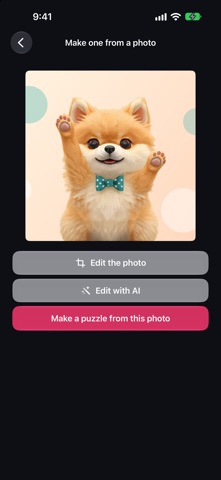
On iPhone and iPad with Apple Intelligence, rework your photo in Image Playground before it becomes a puzzle.
"As a watercolour." "At night." "In anime style." Write it, and one photo becomes a dozen different puzzles.
Bold colour and crisp outlines make a completely different hunt from the original.
Your original photo is left untouched.
■ How it works
1. Pick a photo from your library, or take one now
2. Choose the part you want (and reimagine it with Apple Intelligence here)
3. Pick a size: 3x3, 4x4 or 5x5
4. Move the scattered pieces into place
Real interlocking jigsaw shapes, not squares.
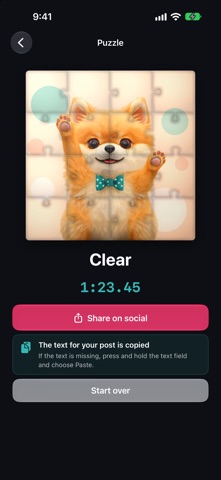
When the last piece lands, a brush sweeps glue over the picture and it dries to a lit gloss.
The finish becomes a 15-second video with a QR code, ready to share.
■ Solve it together
Tap the invite button on the board and send the link.
Your friend opens the app and joins the very same puzzle.
Whoever seats a piece, both screens agree at once.
■ Open it like a book, for two (iPhone Duo and iPad)
Tap the book button and the puzzle opens like a book, one half on each side.
Sit side by side and each take a half of the picture. Some of your pieces land on your partner's side, so you pass them across the middle as you go.
Stand iPhone Duo open like a book on the table and the fold becomes the line between your two halves.
No ads.
■ Jigsaw Pro
- Invite friends to as many puzzles as you want
- Save a puzzle part-solved and come back to it
- Open your saved puzzles from a list, swipe left to delete
- Pick up where you left off on iPhone, iPad and Mac
- Works with Family Sharing: your whole family can use Pro
■ Philosophy
Look.
Fit.
Flow.
Not just a photograph, but a quiet hour spent putting it back together.
Created by MusicFlow Tokyo.