

Journal 2024 is made and published by alkesh dudhat. AppBrain is an independent app data site and isn't affiliated with alkesh dudhat. The app name, icon, screenshots and description belong to alkesh dudhat and are shown as published on the App Store.
AppBrain's verdict
- Last updated
- January 5, 2024
Rankings
App Store top chartsApp Store Rankings for Journal 2024
Competitors
Similar apps and more from alkesh dudhatAlternatives to Journal 2024








More from alkesh dudhat







Releases
Updates seen on the App Store- Version
- 1.4
- Launched
- July 2023
No changelog data
User feedback
Ratings and reviews on the App StoreComments on Journal 2024 for iOS
We don't have enough comments to show example comments. Please check back later.
Technology
Found in the app by AppBrain- Price
- Free
- App size
- 32.1 MB
- Content rating
- Everyone
Technologies used by Journal 2024
About the app and developer
About Journal 2024
Journal 2024 is a productivity app developed by alkesh dudhat.
User Ratings
The app has no ratings yet.
App Information
Journal 2024 is freely available from the App Store. The app size is 32.06 MB. The latest version available is 1.4. The last update was on January 5, 2024.
Technical Requirements
The app has a content rating of Everyone. The app has been available on the App Store since July 2023.
Developer information for alkesh dudhat
Address:
Frequently asked questions about Journal 2024
Is Journal 2024 free?
Yes. Journal 2024 is free on the App Store.
Is Journal 2024 still available?
Yes. Journal 2024 is on the App Store, and the last update we saw was on January 5, 2024.
How large is Journal 2024?
Journal 2024 is 32.06 MB.
Is Journal 2024 suitable for children?
App Store rates the content of Journal 2024 as suitable for everyone.
Who made Journal 2024?
Journal 2024 was developed by alkesh dudhat. It is listed in the productivity category on the App Store.
What are the best alternatives to Journal 2024?
People looking at Journal 2024 also look at these productivity apps: LifeChanger App, TimeCircle: FocusTime,Calendar, Day Schedule & Routine Planner, Calendrier, Welldone Daily Routine Planner.
Store listing
By alkesh dudhat, from the App Store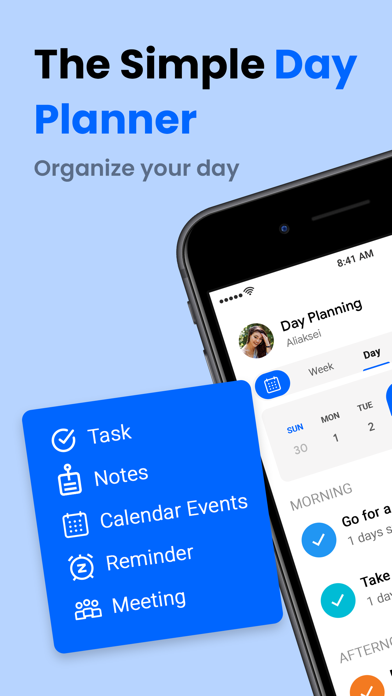


Description by alkesh dudhat Written by the developer, not by AppBrain. Click to read.
Daily Planner: To-Do List app simplifies project management by creating personalized tasks and subtasks, with four reminder types: one-time, daily, weekly, and monthly. This ensures you always meet deadlines and important events, ensuring you always remember important tasks.
Key Features:
• Manage and schedule tasks on your phone.
• Effortful, fast, easy, intuitive, beautiful, simplicity.
• Distinguish between done and to-do tasks using a check sign in the list.
• Create task reminders, and notes, and prioritize them.
• Create reminders for important deadlines to avoid forgetting them.
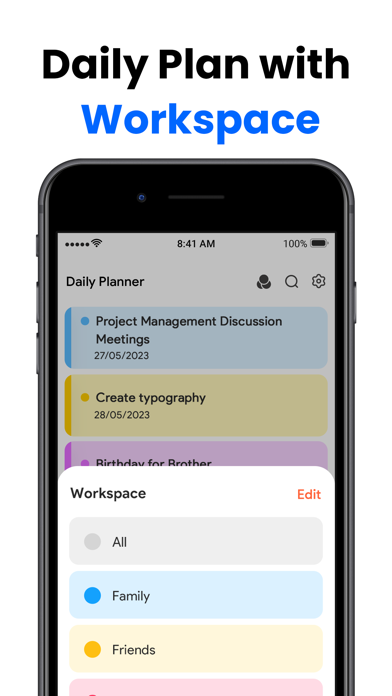
• Create lists to organize home, work, and other to-dos.
• Track work progress using a colorful progression circle.
• Collaborate on to-do lists with family, friends, and colleagues.
• Be productive from anywhere with your iPhone or iPad.
The main functions are: Create, edit, copy, postpone, create, delete, manage the timeline, display statistics, reminders, data backup, and switch themes.
• Task Manager and Organiser:
Daily Planner is an advanced iOS task manager app that simplifies daily tasks, captures notes, and builds to-do lists. It blurs the line between a task manager and a note-taking app, allowing users to capture tasks and to-do lists in a rich-text editor. Users can schedule tasks for specific dates and keep related jobs organized with shareable tags.
• Manage daily tasks:
Daily task planner simplifies chaotic time management by displaying task names, periods, and reminders. It helps avoid missing time and overlapping tasks, ensuring efficient and effective time management.
• Timeline management
The calendar page displays daily tasks in a timeline, arranged from top to bottom and left and right, with time displayed from top to bottom.
• Task Statistics
The Displays time statistics and classified statistics for specific months, counting workload and usage time for each task type. It displays data in a bar chart, with height representing time and horizontal comparisons between days and categories.
• Organised Tasks and Different Views
Advanced filtering, organizing, customizable views, and a visually appealing interface simplify tedious task management.
Daily Planner: To-Do List offers an intuitive design and user interface suitable for individuals of all ages and backgrounds seeking productivity and organization. It caters to busy professionals and college students, helping them manage multiple tasks and deadlines.
The app is an efficient tool for daily life, offering a user-friendly interface and customizable features. It helps stay organized and motivated, allowing users to achieve their goals.
------ Subscription Details -----
1. One Monthly
- Subscription price: $14.99
2. Life Time
- Subscription price: $44.99
You can choose different subscription options.
Subscription with a free trial period will automatically renew to a paid subscription.
Payment will be charged to iTunes Account at confirmation of purchase
Subscription automatically renews unless auto-renew is turned off at least 24-hours before the end of the current period
Account will be charged for renewal within 24-hours prior to the end of the current period, and identify the cost of the renewal
No cancellation of the current subscription is allowed during active subscription period
Any unused portion of a free trial period, if offered, will be forfeited when the user purchases a subscription to that publication, where applicable
Note:-
Privacy Policy :- https://www.privacypolicycenter.com/alkesh_dudhat_ios/privacy.html
Terms Of Use :- https://www.privacypolicycenter.com/view_custom.php?v=VERWVDZLTnFmTVVqYnJaWTBzQ2xiQT09&n=Terms-Of-Use