

JSON Tools: XLSX CSV to JSON
JSON Tools: XLSX CSV to JSON is made and published by Muhammad Awais Younas. AppBrain is an independent app data site and isn't affiliated with Muhammad Awais Younas. The app name, icon, screenshots and description belong to Muhammad Awais Younas and are shown as published on the App Store.
AppBrain's verdict
- Rating on App Store
- 2.67
- 12 ratings
- Last updated
- October 31, 2024
It doesn't have enough ratings yet to judge what users think.
Rankings
App Store top chartsApp Store Rankings for JSON Tools: XLSX CSV to JSON
Competitors
Similar apps and more from Muhammad Awais YounasAlternatives to JSON Tools: XLSX CSV to JSON




More from Muhammad Awais Younas


Also available on Google Play

Releases
Updates seen on the App Store- Version
- 1.0
- Launched
- October 2024
No changelog data
User feedback
Ratings and reviews on the App StoreComments on JSON Tools: XLSX CSV to JSON for iOS
We don't have enough comments to show example comments. Please check back later.
Technology
Found in the app by AppBrain- Price
- Free
- App size
- 39.0 MB
- Content rating
- Everyone
Technologies used by JSON Tools: XLSX CSV to JSON
About the app and developer
About JSON Tools: XLSX CSV to JSON
JSON Tools: XLSX CSV to JSON is a productivity app developed by Muhammad Awais Younas.
User Ratings
JSON Tools: XLSX CSV to JSON is rated 2.67 out of 5 stars. The rating is based on 12 ratings.
App Information
JSON Tools: XLSX CSV to JSON is freely available from the App Store. The app size is 38.98 MB. The latest version available is 1.0. The last update was on October 31, 2024.
Technical Requirements
The app has a content rating of Everyone. The app has been available on the App Store since October 2024.
Developer information for Muhammad Awais Younas
Address:
Frequently asked questions about JSON Tools: XLSX CSV to JSON
Is JSON Tools: XLSX CSV to JSON free?
Yes. JSON Tools: XLSX CSV to JSON is free on the App Store.
Is JSON Tools: XLSX CSV to JSON still available?
Yes. JSON Tools: XLSX CSV to JSON is on the App Store, and the last update we saw was on October 31, 2024.
How large is JSON Tools: XLSX CSV to JSON?
JSON Tools: XLSX CSV to JSON is 38.98 MB.
Is JSON Tools: XLSX CSV to JSON suitable for children?
App Store rates the content of JSON Tools: XLSX CSV to JSON as suitable for everyone.
How do people rate JSON Tools: XLSX CSV to JSON?
JSON Tools: XLSX CSV to JSON scores 2.67 out of 5 stars, from 12 ratings on the App Store.
Who made JSON Tools: XLSX CSV to JSON?
JSON Tools: XLSX CSV to JSON was developed by Muhammad Awais Younas. It is listed in the productivity category on the App Store.
What are the best alternatives to JSON Tools: XLSX CSV to JSON?
People looking at JSON Tools: XLSX CSV to JSON also look at these productivity apps: NoteList: Todo and Markdown, Qloset, Collection of Inspiration, Export Contacts CSV Fast, Notepad Notes: Simple Notebook.
Store listing
By Muhammad Awais Younas, from the App Store

Description by Muhammad Awais Younas Written by the developer, not by AppBrain. Click to read.
Key Tools:
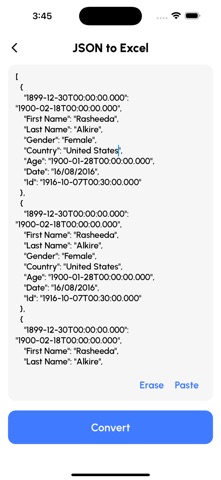
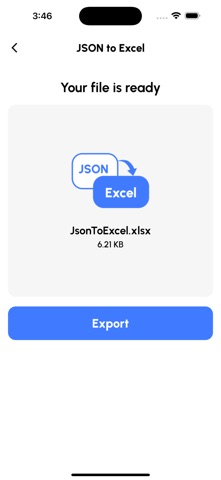
XLSX to JSON Converter:
Seamlessly convert Excel files to JSON.
CSV to JSON Converter:
Easily transform CSV data into JSON format.
XML to JSON Converter:
Convert XML files to JSON for versatile data use.
JSON to CSV, XML, XLSX:
Quickly convert JSON data back to various formats.
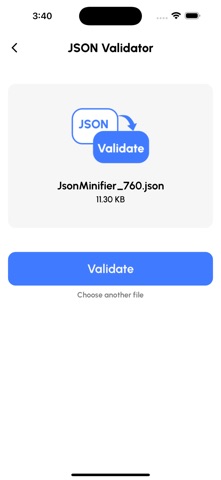
JSON Validator:
Ensure your JSON files are properly structured and error-free.
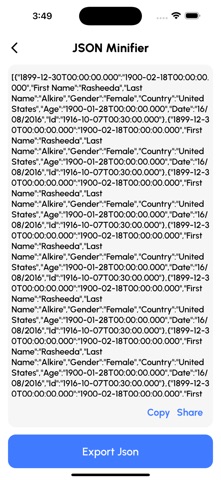
JSON Minify:
Optimize your JSON files for faster loading and performance.
JSON Viewer:
View and analyze JSON data in a user-friendly format.
Why JSON Tools?
JSON Tools: XLSX CSV to JSON simplifies complex data conversions, making it easy to work across multiple data formats. Whether you’re a developer managing JSON integrations or an analyst needing accurate data transformation, JSON Tools ensures that your data is always organized, valid, and ready to use.
Key Features:
Efficient Data Conversion:
Handle all major JSON conversion needs in one app.
Comprehensive JSON Support:
Convert JSON to and from CSV, XML, and XLSX.
Streamlined Validation & Minification:
Validate JSON structures and minify files for optimized use.
Developer-Friendly Interface:
Designed for quick data manipulation, allowing smooth workflows.
Accurate Data Processing:
No more format errors—our tools provide clean, accurate results every time.
Ideal for:
Developers who need reliable JSON tools for integrations and API development.
Data Analysts working with various data formats to gain insights.
Technical Professionals managing large data sets and seeking precise conversion tools.
Download JSON Tools: XLSX CSV to JSON today to streamline your data management processes and enjoy accurate, easy-to-use conversions.