

Just Color by Number is made and published by Kyle Maynard. AppBrain is an independent app data site and isn't affiliated with Kyle Maynard. The app name, icon, screenshots and description belong to Kyle Maynard and are shown as published on the App Store.
AppBrain's verdict
- Rating on App Store
- 5.00
- 5 ratings
- Last updated
- September 10, 2026
It doesn't have enough ratings yet to judge what users think.
Rankings
App Store top chartsApp Store Rankings for Just Color by Number
Competitors
Similar apps and more from Kyle MaynardAlternatives to Just Color by Number


Releases
Updates seen on the App Store- Version
- 2.0
- Launched
- July 2026
No changelog data
User feedback
Ratings and reviews on the App StoreComments on Just Color by Number for iOS
We don't have enough comments to show example comments. Please check back later.
Technology
Found in the app by AppBrain- Price
- Free
- App size
- 179.7 MB
- Content rating
- Everyone
Technologies used by Just Color by Number
About the app and developer
About Just Color by Number
Just Color by Number is a games app developed by Kyle Maynard.
User Ratings
Just Color by Number is rated 5.00 out of 5 stars. The rating is based on 5 ratings.
App Information
Just Color by Number is freely available from the App Store. The app size is 179.67 MB. The latest version available is 2.0. The last update was on September 10, 2026.
Technical Requirements
The app has a content rating of Everyone. The app has been available on the App Store since July 2026.
Developer information for Kyle Maynard
Address:
Store listing
By Kyle Maynard, from the App Store



Description by Kyle Maynard Written by the developer, not by AppBrain. Click to read.
Just Color by Number is a quiet place to make something pretty, one shape at a time. No timers, no guilt, no ads, and nothing to buy — ever.
PAINT — NEW IN 2.0
Pick a color, then brush it into the shapes that carry that number. Paint goes on wet and dark and settles as it dries, and as you cover a shape the original artwork shows through — you're not filling in flat color, you're uncovering the real picture underneath. Curves stay curved. Zoom in and the brush gets finer, so the zoom control is also your brush size. It feels less like a puzzle and more like painting.
PIXEL — THE CLASSIC
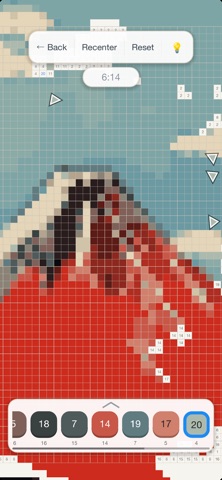
Tap a number, fill the matching cells, watch a picture resolve out of the grid. Every 1.x picture is still here, exactly as it was.
WHAT'S INSIDE
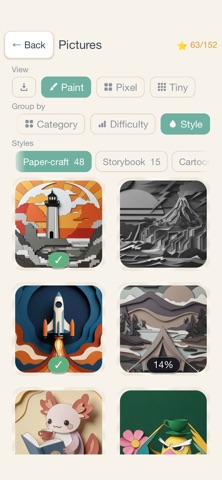
• 183 pictures — 152 of them playable in both Paint and Pixel. Animals, places, people, space, nature, cartoons, papercraft, and a few famous paintings.
• Turn your own photos into puzzles, in either mode. Import from your library or share a photo straight into the app. Photos never leave your device.
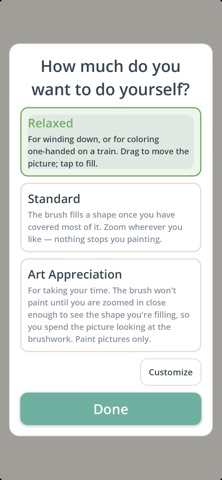
• Three difficulty presets, from Relaxed to Art Appreciation — or open Custom and set each knob yourself: how much of a shape counts as filled, brush size, whether one stroke means one shape, whether a tap fills one cell or the whole area, when numbers appear, how many hints you get.
• A hint button that finds the shape you're missing, and gentle arrows pointing to what's left off-screen.
• Hold your finger still while panning and a map of the whole picture appears, so one thumb-sweep crosses the entire canvas.
• A new featured puzzle every day, and a streak if you want one.
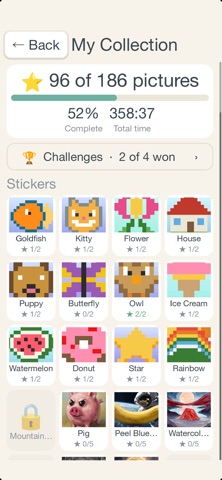
• Collect stars and stickers as you complete pictures.
• Save a time-lapse replay of a finished Pixel picture as a GIF.
• Challenge a friend: send a finished Pixel puzzle and your time, and see if they can beat it.
• Layered music that grows as you finish more pictures — or silence, if you'd rather.
• Light and dark modes, adjustable text size, high-contrast and extra-large numbers.
Free, ad-free, and private. Nothing is collected, nothing is uploaded, nothing is for sale.