

just3things is made and published by Chad Adams. AppBrain is an independent app data site and isn't affiliated with Chad Adams. The app name, icon, screenshots and description belong to Chad Adams and are shown as published on the App Store.
AppBrain's verdict
- Last updated
- July 21, 2025
Rankings
App Store top chartsApp Store Rankings for just3things
Releases
Updates seen on the App Store- Version
- 1.0
- Launched
- July 2025
No changelog data
User feedback
Ratings and reviews on the App StoreComments on just3things for iOS
We don't have enough comments to show example comments. Please check back later.
Technology
Found in the app by AppBrain- Price
- Free
- App size
- 58.7 MB
- Content rating
- Everyone
Technologies used by just3things
About the app and developer
About just3things
just3things is a productivity app developed by Chad Adams.
User Ratings
The app has no ratings yet.
App Information
just3things is freely available from the App Store. The app size is 58.68 MB. The latest version available is 1.0. The last update was on July 21, 2025.
Technical Requirements
The app has a content rating of Everyone. The app has been available on the App Store since July 2025.
Developer information for Chad Adams
Address:
Frequently asked questions about just3things
Is just3things free?
Yes. just3things is free on the App Store.
Is just3things still available?
Yes. just3things is on the App Store, and the last update we saw was on July 21, 2025.
How large is just3things?
just3things is 58.68 MB.
Is just3things suitable for children?
App Store rates the content of just3things as suitable for everyone.
Who made just3things?
just3things was developed by Chad Adams. It is listed in the productivity category on the App Store.
Store listing
By Chad Adams, from the App Store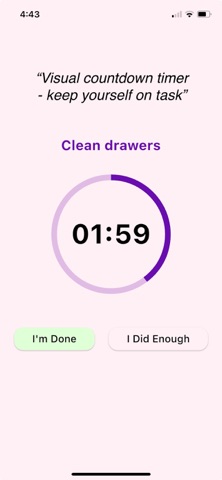

Description by Chad Adams Written by the developer, not by AppBrain. Click to read.
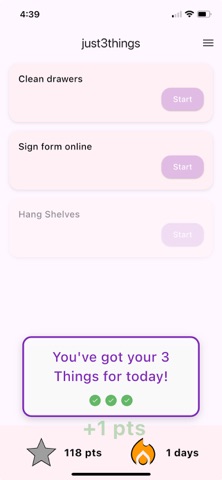
You can only add three things at a time.
Why?
Because life is overwhelming. ADHD or not, looking at a massive TODO list can feel paralyzing. JustThreeThings invites you to focus — not on everything — but on just three. Knock those out, then reset the board.
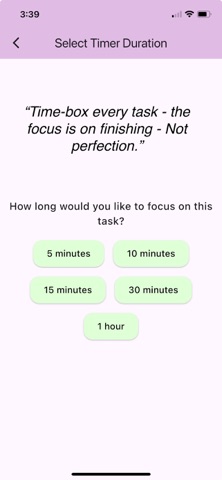
Each task you enter is celebrated with encouraging messages and a growing green-light progress bar. Start a task and you’ll choose how much time you want to spend — a circular countdown timer helps you stay on track, complete with a full-screen 3…2…1 countdown to get you in the zone.
Want a speed boost? Swipe left-to-right and you’re in Speed Run Mode — a 5-minute timer launches, perfect for quick wins.
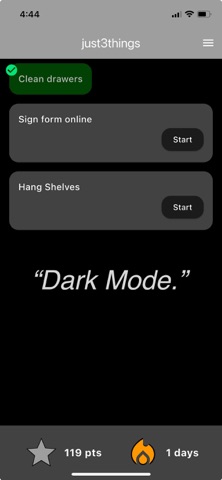
As you check off tasks, they light up green with a satisfying checkbox and floating “score points” that drift upward like Mario coin bonuses. You earn points for finishing tasks and for keeping a daily streak. Oh — and it works in light and dark mode.
And if you’re curious, all your completed TODOs are saved in a history view, so you can look back and feel proud.