

KAI Robotics
KAI Robotics is made and published by Franckh-Kosmos Verlags-GmbH & Co. KG. AppBrain is an independent app data site and isn't affiliated with Franckh-Kosmos Verlags-GmbH & Co. KG. The app name, icon, screenshots and description belong to Franckh-Kosmos Verlags-GmbH & Co. KG and are shown as published on the App Store.
AppBrain's verdict
- Rating on App Store
- 3.58
- 12 ratings
- Last updated
- October 18, 2024
It doesn't have enough ratings yet to judge what users think.
Rankings
App Store top chartsApp Store Rankings for KAI Robotics
Competitors
Similar apps and more from Franckh-Kosmos Verlags-GmbH & Co. KGAlternatives to KAI Robotics







More from Franckh-Kosmos Verlags-GmbH & Co. KG








Also available on Google Play

Releases
Updates seen on the App Store- Version
- 3.8.6
- Launched
- June 2023
No changelog data
User feedback
Ratings and reviews on the App StoreComments on KAI Robotics for iOS
We don't have enough comments to show example comments. Please check back later.
Technology
Found in the app by AppBrain- Price
- Free
- App size
- 67.6 MB
- Content rating
- Everyone
Technologies used by KAI Robotics
About the app and developer
About KAI Robotics
KAI Robotics is an education app developed by Franckh-Kosmos Verlags-GmbH & Co. KG.
User Ratings
KAI Robotics is rated 3.58 out of 5 stars. The rating is based on 12 ratings.
App Information
KAI Robotics is freely available from the App Store. The app size is 67.63 MB. The latest version available is 3.8.6. The last update was on October 18, 2024.
Technical Requirements
The app has a content rating of Everyone. The app has been available on the App Store since June 2023.
Developer information for Franckh-Kosmos Verlags-GmbH & Co. KG
Franckh-Kosmos Verlags-GmbH & Co. KG
Address:
Store listing
By Franckh-Kosmos Verlags-GmbH & Co. KG, from the App Store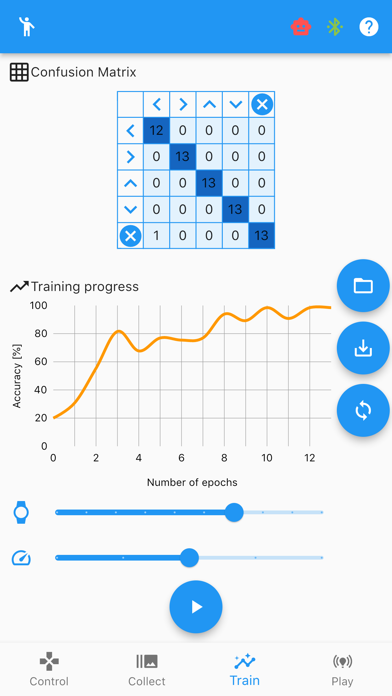
Description by Franckh-Kosmos Verlags-GmbH & Co. KG Written by the developer, not by AppBrain. Click to read.
With the physical expeiment kit, build your own six-legged, artificial intelligence robot that moves by reacting to the gestures and sounds that you make!
There are three steps to create a functioning AI model that allows you to control your robot using poses or sounds:
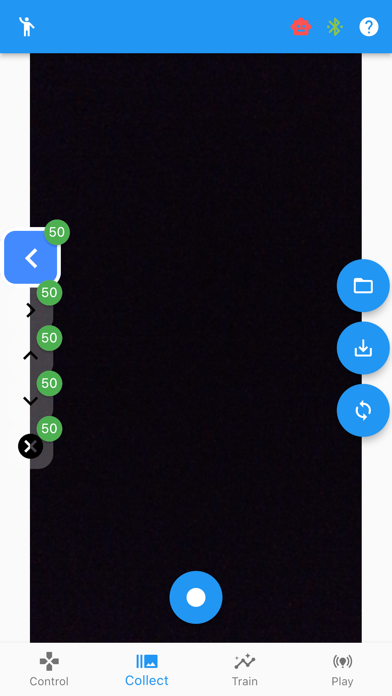
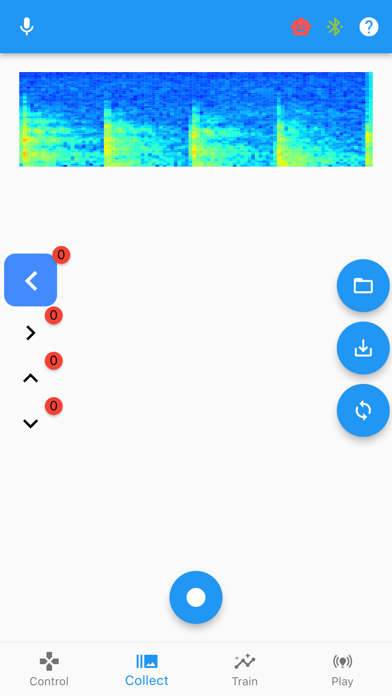
1. Collect data.
2. Train the AI model with your data.
3. Play with your robot using the AI model.
Collect data:
Use the app to easily collect the data you need to assign your own movements or sounds to your robot's functions, enabling it to walk, turn, and stop; explore the concept of machine learning as your AI robot learns the gestures and sounds to better perform the assigned functions.
Gesture recognition:
Choose a gesture or movement to assign to a specific function of your physical robot. For example, you can raise your right arm to trigger the "move right" function.
Sound recognition:
Choose a sound to assign to a specific function of your physcial robot. For example, you can whistle or clap to trigger the "move right" function.
Train the AI model:
The data you collected forms a dataset which is then used to create an AI model that your robot can learn from.
Play with your robot:
Now you can perform the poses or sounds you assigned to various actions and control your robot to move in specific ways!
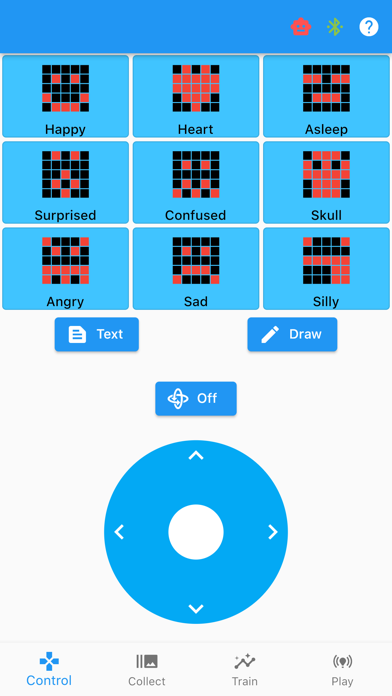
Additionally, the app allows you to play with the robot in remote control mode:
- Use the virtual joystick or position sensor of your phone/tablet to move your robot without utilizing any of its AI functions.
- Tap on predetermined facial expressions to change the face on the robot’s LED display, or use the draw or text button to customize the facial expression or text that appears on the LED display.
The app has been developed to keep your data as safe and private as possible. The app works completely offline, without connection to the Internet, meaning that all calculations are made locally on your device and no image or audio data is stored by the app. This has been confirmed by an independent data protection expert.
The full functionality of the app is only available in combination with the physical KAI: The Artificial Intelligence Robot STEM Experiment Kit.
*****
Questions or suggestions for improvements:
Mail to apps@kosmos.de
We are looking forward to your feedback!
****