Kailash HealthCare App is made and published by
KAILASH HEALTHCARE LIMITED.
AppBrain is an independent app data site and isn't affiliated with KAILASH HEALTHCARE LIMITED.
The app name, icon, screenshots and description belong to KAILASH HEALTHCARE LIMITED and are shown as
published on the App Store.
About Kailash HealthCare App
Kailash HealthCare App is a medical app developed by KAILASH HEALTHCARE LIMITED.
What is the rating of Kailash HealthCare App?
Kailash HealthCare App has no ratings yet.
Is Kailash HealthCare App free?
Kailash HealthCare App is free. The app size is 120.86 MB. The latest version available is 1.4.2. The last update was on September 9, 2026.
What are the requirements for Kailash HealthCare App?
The app has a content rating of High Maturity. The app has been available on the App Store since May 2020.
Description by KAILASH HEALTHCARE LIMITED(from the App Store)
Description:
This App is basically for individual purpose of the user so that he can book prior Appointments with the best Doctors & manage appointment history. The App can be used by registered users & provides organised process to access healthcare consultation & medical solution including lab tests & medicines.
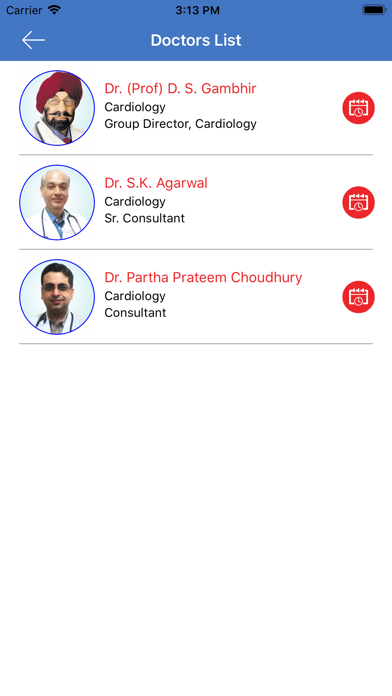
User can log in to this App through their Email id & created Password, then click Submit. After logging in, user gets various functionality options like ‘Find a Doctor’, Book an Appointment, Lab reports & many more. For e.g if the user chooses to Find the best Doctor with related speciality then he needs to click on ‘Find a Doctor’. It directs user to select the Hospital & Speciality from the drop down list. After clicking Submit, a list of Doctors opens for reference. To view all the details of the Doctor, the user clicks on View profile & to book appointment, user can select among one of the slots from Doctor’s OPD schedule.
User can Book prior Appointment with a Doctor, by clicking on Book an Appointment, which directs the user to a new page where user selects the preferred hospital & speciality from the drop down list. After selecting the preferences & clicking submit, a new page opens with list of Doctors available in the respective speciality. Clicking on any one of them brings user to a new page with his OPD schedule with Day, Timing, shift time. On clicking prefered appointment slot, a calendar opens where the user user can select the date & then available consultation time & proceed to book appointment. The next page asks the user to either enter UHID number/ Patient ID or if not registered fill in the form to register & pay online securely for the appointment through cards/ UPI or E-wallets getting the booking confirmation finally.
Each subscription will automatically renew 3 days before the expiration date for
the same time period. Subscriptions can be cancelled at any time before the renewal.