

Keeb: Codex Keyboard is made and published by 蓓 许. AppBrain is an independent app data site and isn't affiliated with 蓓 许. The app name, icon, screenshots and description belong to 蓓 许 and are shown as published on the App Store.
AppBrain's verdict
- Last updated
- September 5, 2026
- Size
- 5.96 MB
User feedback
Ratings and reviews on the App StoreComments on Keeb: Codex Keyboard for iOS
We don't have enough comments to show example comments. Please check back later.
Store listing
By 蓓 许, from the App Store




Description by 蓓 许 Written by the developer, not by AppBrain. Click to read.
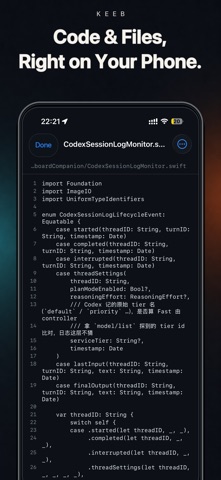
Keeb is an independently developed companion app for viewing, directing, and managing Codex tasks that run on your computer. It brings task switching, live status, approvals, follow-up instructions, and voice input into a focused, keyboard-inspired command deck.
IMPORTANT
Keeb requires:
• A compatible device running iOS 17 or later
• A computer running macOS, Windows, or Linux
• Keeb CLI running on that computer
• Compatible Codex software installed, signed in, and available on that computer
• Both devices connected to the same local network
WHAT YOU CAN DO
• Switch between multiple Codex tasks from one dashboard
• Review task history and live progress
• Create tasks and send follow-up instructions
• Handle command-execution and file-change approval requests
• Answer structured questions from Codex
• Start, steer, or interrupt active work
• Use voice input, Skills, Plan mode, model selection, Fast mode, and reasoning controls when supported by your Codex setup
HOW IT WORKS
Run Keeb CLI on your computer, then scan the QR code displayed in the terminal. The devices connect through an encrypted local-network connection, and only a paired device can control Keeb CLI.
Keeb does not ask you to enter your Codex credentials in the mobile app and does not copy your complete project repository to the mobile device. Your computer remains the host where Codex and your project files run.
Keeb does not provide a cloud-hosted AI agent, a Codex subscription, or cross-internet remote access. Your computer must remain powered on, Keeb CLI must remain running, and both devices must stay on the same local network.
Keeb is independently developed and is not affiliated with, sponsored by, or endorsed by OpenAI.
Safety and technology
Found in the app by AppBrain- Price
- Free
- App size
- 5.96 MB
- Content rating
- Everyone
Technologies used by Keeb: Codex Keyboard
Releases
Updates seen on the App Store- Version
- 1.0.2
- Launched
- August 2026
No changelog data
Rankings
App Store top chartsApp Store Rankings for Keeb: Codex Keyboard
About the app and developer
About Keeb: Codex Keyboard
Keeb: Codex Keyboard is an overall app developed by 蓓 许.
User Ratings
The app has no ratings yet.
App Information
Keeb: Codex Keyboard is freely available from the App Store. The app size is 5.96 MB. The latest version available is 1.0.2. The last update was on September 5, 2026.
Technical Requirements
The app has a content rating of Everyone. The app has been available on the App Store since August 2026.
Developer information for 蓓 许
Address: