

Kipin: Save Links & Notes
Kipin: Save Links & Notes is made and published by sanghun jeong. AppBrain is an independent app data site and isn't affiliated with sanghun jeong. The app name, icon, screenshots and description belong to sanghun jeong and are shown as published on the App Store.
AppBrain's verdict
- Rating on App Store
- 5.00
- 3 ratings
- Last updated
- October 18, 2026
It doesn't have enough ratings yet to judge what users think.
Rankings
App Store top chartsApp Store Rankings for Kipin: Save Links & Notes
Competitors
Similar apps and more from sanghun jeongMore from sanghun jeong


Also available on Google Play

Releases
Updates seen on the App Store- Version
- 1.1.1
- Launched
- July 2026
No changelog data
User feedback
Ratings and reviews on the App StoreComments on Kipin: Save Links & Notes for iOS
We don't have enough comments to show example comments. Please check back later.
Technology
Found in the app by AppBrain- Price
- Free
- App size
- 85.9 MB
- Content rating
- Everyone
Technologies used by Kipin: Save Links & Notes
About the app and developer
About Kipin: Save Links & Notes
Kipin: Save Links & Notes is a productivity app developed by sanghun jeong.
User Ratings
Kipin: Save Links & Notes is rated 5.00 out of 5 stars. The rating is based on 3 ratings.
App Information
Kipin: Save Links & Notes is freely available from the App Store. The app size is 85.94 MB. The latest version available is 1.1.1. The last update was on October 18, 2026.
Technical Requirements
The app has a content rating of Everyone. The app has been available on the App Store since July 2026.
Developer information for sanghun jeong
Address:
Frequently asked questions about Kipin: Save Links & Notes
Is Kipin: Save Links & Notes free?
Yes. Kipin: Save Links & Notes is free on the App Store.
Is Kipin: Save Links & Notes still available?
Yes. Kipin: Save Links & Notes is on the App Store, and the last update we saw was on October 18, 2026.
How large is Kipin: Save Links & Notes?
Kipin: Save Links & Notes is 85.94 MB.
Is Kipin: Save Links & Notes suitable for children?
App Store rates the content of Kipin: Save Links & Notes as suitable for everyone.
How do people rate Kipin: Save Links & Notes?
Kipin: Save Links & Notes scores 5.00 out of 5 stars, from 3 ratings on the App Store.
Who made Kipin: Save Links & Notes?
Kipin: Save Links & Notes was developed by sanghun jeong. It is listed in the productivity category on the App Store.
Store listing
By sanghun jeong, from the App Store



Description by sanghun jeong Written by the developer, not by AppBrain. Click to read.
'Links you saved somewhere but can't find anymore'
Screenshots getting completely lost in your messy camera roll...
Now, keep them neat and aesthetic in Kipin!
Save recipe, outfit, cafe links, screenshots & notes in 1 tap! Easily collect your inspiration with this ultimate bookmark manager.
Open Kipin when:
Wishlists (Links): Travel spots, recipes you wanna try. Just share the link and it automatically gets a pretty thumbnail and title.
Hotspots & Inspo (Images): Aesthetic cafes, pretty outfits from shops! Share screenshots instantly. Your gallery stays clean.
Diary & Notes: Good quotes from books, sudden ideas, or important news. Leave them like cute post-its.
The magic that keeps your flow: "Share to Save"
You don't even need to open the app! Found something you like on Instagram, Chrome, or YouTube?
Tap the [Share ] button at the bottom.
Choose Kipin, select a category, and you're done!
Save things to your personal space without breaking your shopping or SNS flow!
Categories tailored to your vibe
Wishlist, diet plans, date courses, fandoms, self-care... Create categories based on your interests. Saved content is neatly sorted into [Links / Images / Notes] tabs.
Pro tips for using Kipin 200%
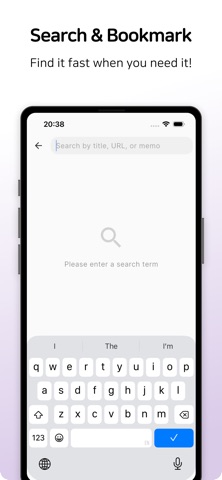
1-sec Search: Forgot the name of that restaurant you saved? Find it with just one word.
My Bests: Swipe the list and tap the star (bookmark) to collect only your absolute favorite items.
My Aesthetic Theme: Decorate Kipin with your favorite accent color. (Dark mode supported)
Offline Mode: Even without data on a flight or traveling abroad, you can view your saved screenshots and notes, and even save new ones!
(Note: Data connection is required to visit saved links.)
Your 100% private secret vault (Data is safe)
Kipin does not use external servers.
All saved records are kept ONLY on your smartphone. Not even the Kipin operators can see them, so save with peace of mind!
Note: If you delete the app, your data will also be deleted. To protect your precious records, please use Kipin Pro's 'Google Drive Backup'. (It saves only to a hidden folder in your account, so even Google can't peek into it.)
Kipin Pro (Optional)
Need a more powerful personal space?
Create unlimited categories
Safe even if you delete the app or change phones! Cloud backup & restore
Fingerprint & PIN lock for perfect privacy
Completely removes annoying ads
Download Kipin right now and organize without missing a thing!
Terms of Use (EULA): https://www.apple.com/legal/internet-services/itunes/dev/stdeula/