

Kirin Sudoku is made and published by Rikuten Lab. AppBrain is an independent app data site and isn't affiliated with Rikuten Lab. The app name, icon, screenshots and description belong to Rikuten Lab and are shown as published on the App Store.
AppBrain's verdict
- Last updated
- September 9, 2026
- Size
- 84.6 MB
User feedback
Ratings and reviews on the App StoreComments on Kirin Sudoku for iOS
We don't have enough comments to show example comments. Please check back later.
Store listing
By Rikuten Lab, from the App Store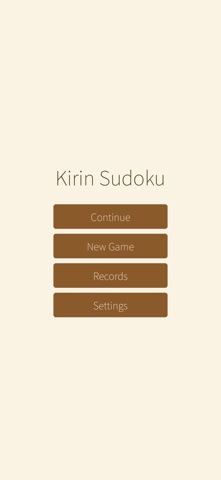
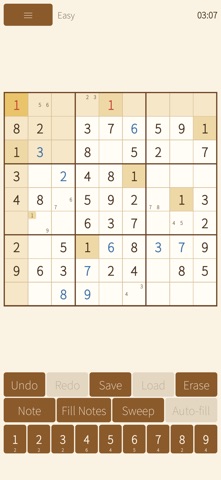

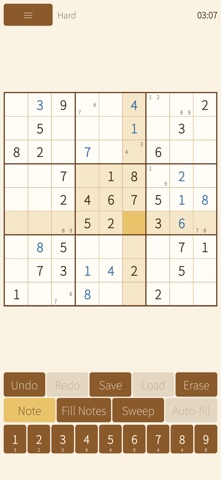


Description by Rikuten Lab Written by the developer, not by AppBrain. Click to read.
Puzzles are generated on the fly inside the app, so there's always a fresh puzzle waiting — anytime, anywhere.
■ Nothing you don't need
• No ads, no in-app purchases
• No internet connection required — play in airplane mode
• No account, no personal data collected
■ Unlimited puzzles
• Standard 9×9 Sudoku generated on the spot, each with a guaranteed unique solution
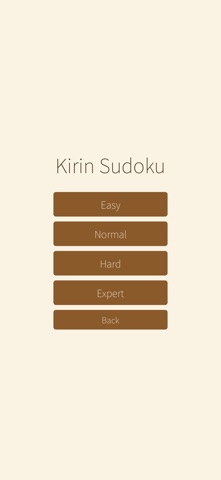
• Four difficulty levels: Easy / Normal / Hard / Expert
■ Comfortable play
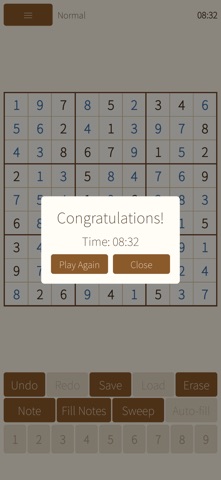
• Highlights the same row, column, box, and matching digits of the selected cell
• Shows how many of each digit remain on the number pad
• Pencil marks (notes), auto-removed when you place a digit (can be turned off)
• Fill Notes: write candidates into every empty cell at once
• Sweep: select a placed digit to clear it from the pencil marks in its row, column, and box
• Unlimited undo / redo
• Mistake highlighting: conflicting cells shown in red (can be turned off)
• Save & Load: mark a position before trying a guess, then jump back with one tap
• Auto-fill: near the end, when only a few cells remain and the answer is settled, fill them all at once
■ Progress and stats
• Timer (can be hidden)
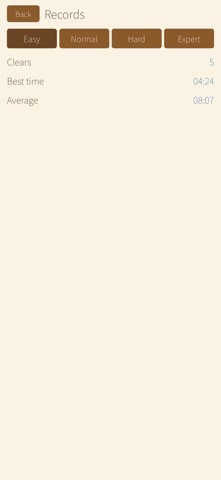
• Completions, best time, and average time per difficulty
• Auto-save: close the app and pick up right where you left off
• Start the next game straight from the pause menu
■ Look and feel
• Three themes: Giraffe (default) / Light / Dark, plus follow-system
• Portrait and landscape, on iPhone and iPad
• English / Japanese
■ How to play
1. Tap "New Game" and choose a difficulty
2. Tap a cell, then tap a digit on the number pad
3. Not sure yet? Switch to note mode with "Note" and jot down candidates
4. Fill every cell without conflicts to solve the puzzle!
Sudoku is a logic puzzle: fill the 9×9 grid with digits 1–9 so that no digit repeats in any row, column, or 3×3 box.
New to Sudoku? Start with Easy. Looking for a challenge? Try Expert.
Feedback and bug reports: customer-hotline@lichtenlab.com
Privacy policy: https://lichtenlab.com/kirin-sudoku/privacy/
Safety and technology
Found in the app by AppBrain- Price
- Free
- App size
- 84.6 MB
- Content rating
- Everyone
Technologies used by Kirin Sudoku
Releases
Updates seen on the App Store- Version
- 1.0
- Launched
- September 2026
No changelog data
Alternatives
Similar apps and more from Rikuten LabAlternatives to Kirin Sudoku



More from Rikuten Lab

Rankings
App Store top chartsApp Store Rankings for Kirin Sudoku
About the app and developer
About Kirin Sudoku
Kirin Sudoku is a games app developed by Rikuten Lab.
User Ratings
The app has no ratings yet.
App Information
Kirin Sudoku is freely available from the App Store. The app size is 84.57 MB. The latest version available is 1.0. The last update was on September 9, 2026.
Technical Requirements
The app has a content rating of Everyone. The app has been available on the App Store since September 2026.
Developer information for Rikuten Lab
Address: