Klarr: Expense Tracker is made and published by
Sidharth Jain.
AppBrain is an independent app data site and isn't affiliated with Sidharth Jain.
The app name, icon, screenshots and description belong to Sidharth Jain and are shown as
published on the App Store.
About Klarr: Expense Tracker
Klarr: Expense Tracker is a finance app developed by Sidharth Jain.
User Ratings
The app has no ratings yet.
App Information
Klarr: Expense Tracker is freely available from the App Store. The app size is 18.91 MB. The latest version available is 2.0. The last update was on October 4, 2026.
Technical Requirements
The app has a content rating of Everyone. The app has been available on the App Store since April 2026.
Description by Sidharth Jain(from the App Store)
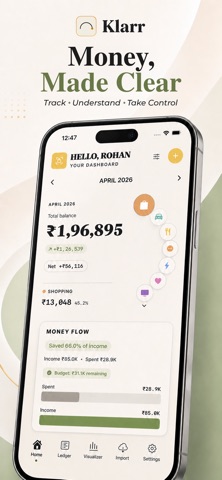
Klarr is a personal finance app that shows you where your money goes. Import your bank statements, add expenses by hand or from a receipt, and keep an eye on budgets and subscriptions - with your data stored on your iPhone and synced through your own iCloud.
IMPORT AND SCAN • Import statements as CSV, Excel (XLSX and XLS) or PDF - including password-protected PDFs • Reads column headings in English, Turkish, German, Spanish, French and Portuguese: separate debit/credit columns, a single amount column, or an amount with Dr/Cr • Re-importing a statement flags duplicates so you can keep or skip each one • Scan a receipt with your camera — Klarr suggests the total, date and merchant for you to check • Your keyword rules sort transactions into categories automatically
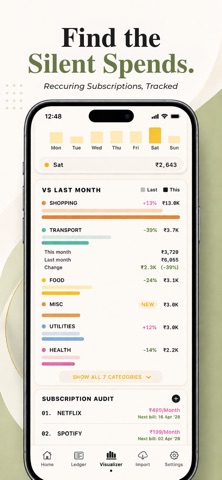
TRACK EVERYTHING • Add bank accounts, credit cards and wallets, each with its own balance • Set an overall monthly budget, or a budget per category • Keep your subscriptions in one list with a monthly total and optional reminders before they bill • Record transfers between your own accounts without counting them as spending
SEE THE BIG PICTURE • A money-flow chart from income to spending • Spending by category and month-by-month comparisons • A daily spending calendar and your weekday spending pattern • Budget progress so you always know where you stand • Ask in plain words: "how much did I spend on food last month", "over 500", "Amazon in March"
YOUR PRIVACY • Your data lives on your iPhone and syncs through your own private iCloud - no Klarr account needed • Your iCloud data is private to you - we can't see it • No ads, and your data is never sold • Anonymous crash reports and usage statistics help us fix bugs; they never include amounts, merchants or notes • Export your transactions as CSV or PDF whenever you want
ORGANIZE YOUR WAY • Create categories with your own colors and icons • Set rules to tag transactions automatically (e.g. "Netflix" goes to Entertainment) • Select many transactions at once to recategorize or delete them
QUICK ENTRY • Log an expense with Siri or the Shortcuts app
Each subscription will automatically renew 3 days before the expiration date for
the same time period. Subscriptions can be cancelled at any time before the renewal.