Kolorcam is FREE to download. The APK download size is 127.74 MB. The latest version available is 1.0.2. The last update was on February 7, 2026.
Technical Requirements
The app has a content rating of Everyone. The app has been available on Google Play June 2025.
Description
Kolorcam was originally designed to solve the problem of no real-time preview in film photography.
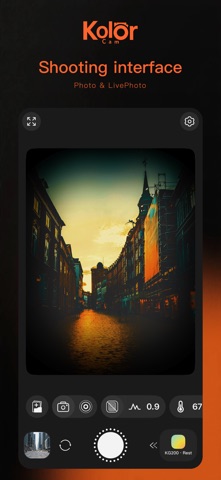
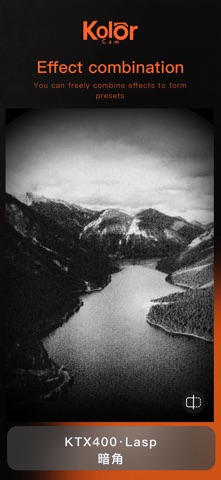
Under the core concept of delivering real-time preview, we have implemented basic color grading features – including hue, tone characteristics, noise adjustment, etc. – as well as classic film effects such as light leak and vignetting. More color grading options and film effects are in the pipeline, so stay tuned!
To cater to the demand for one-click shooting, we have introduced a Preset feature that lets you capture film-style photos instantly with pre-configured settings. We will add official presets in future updates, stay tuned for more!
#Basic Shooting Features - Photo & Live Photo (Video and customizable Live Photo will be added soon) - White Balance (including auto mode) - Exposure (including auto mode) - Zoom (support for preview window and full-interface zoom) - Guide Lines (6 types: Rule of Thirds, Diagonals, Golden Ratio, etc.) - Flash - Timer (3s, 5s, 10s, with repeat option) - Focus Control - Location Tagging - Level Meter - Front/Rear Camera Switch
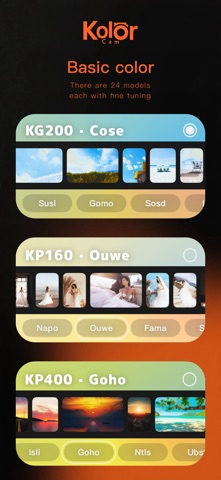
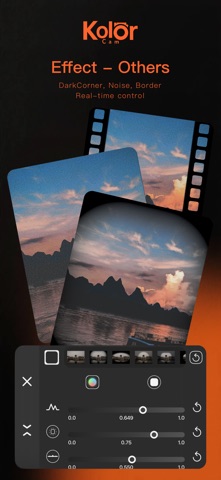
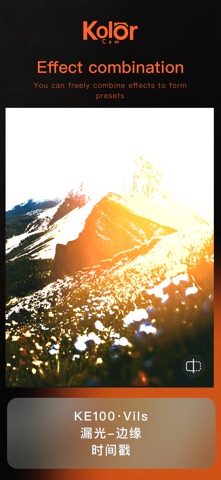
#Film Color Grading & Special Effects - Aspect Ratio (1:1, 3:2, 4:3, 16:9, 2.35:1) - Timestamp (11 font styles) (More customizability and styles coming soon) - Color Grading: A tailored combination of hue, tone characteristics, noise, vignetting for authentic film effects – not just simple LUT grading. (24 presets available now, each with at least 10 fine-tuned variants for different shooting scenarios) New color grading presets will be added continuously. - Special Effects: Light leak, vignetting, noise, and borders – all with preset options, fully adjustable parameters, and real-time preview. New effects will be added on an ongoing basis. - Light Leak - Beam: Simulates multi-point light seeping through camera gaps - Light Leak - Color Shift: Simulates RGB channel separation caused by light penetrating film - Light Leak - Edge: Simulates large-area light leak from the edges of the camera - Vignetting: 3 blending modes (Overlay, Color, Highlight) + 3 shape modes (Circle, Rectangle, Auto) – explore more custom adjustments - Noise: 2 types (Monochrome, Color) - Borders: Cinematic cutout borders (More border styles coming soon)
#Subscription Information - VIP Subscription: Unlock all VIP-exclusive features and resources for the duration of your subscription. - Pricing: Choose between annual auto-renewable subscription or one-time lifetime purchase. - Payment will be charged to your iTunes Account upon confirmation of purchase. - Auto-renewal may be turned off at least 24 hours before the end of the current subscription period; otherwise, your subscription will renew automatically. - Your account will be charged for renewal within 24 hours prior to the end of the current period, based on your selected subscription plan. - Subscriptions can be managed by the user. Auto-renewal may be turned off by going to the user’s Account Settings after purchase.
Privacy Policy: https://www.privacypolicies.com/live/a2ef51c3-afaa-49f4-bc57-bf35d6a4295a Terms of Use: https://www.apple.com/legal/macapps/stdeula/
For any questions or support, please send an email to: haloVisualSupport@163.com
Each subscription will automatically renew 3 days before the expiration date for
the same time period. Subscriptions can be cancelled at any time before the renewal.