

KORG EZ Rec is made and published by KORG INC. AppBrain is an independent app data site and isn't affiliated with KORG INC. The app name, icon, screenshots and description belong to KORG INC. and are shown as published on the App Store.
AppBrain's verdict
- Rating on App Store
- 5.00
- 1 ratings
- Last updated
- February 25, 2025
It doesn't have enough ratings yet to judge what users think.
Rankings
App Store top chartsApp Store Rankings for KORG EZ Rec
Competitors
Similar apps and more from KORG INC.Alternatives to KORG EZ Rec


More from KORG INC.





Releases
Updates seen on the App Store- Version
- 1.1.0
- Launched
- December 2024
No changelog data
User feedback
Ratings and reviews on the App StoreComments on KORG EZ Rec for iOS
We don't have enough comments to show example comments. Please check back later.
Technology
Found in the app by AppBrain- Price
- Free
- App size
- 5.80 MB
- Content rating
- Everyone
Technologies used by KORG EZ Rec
About the app and developer
About KORG EZ Rec
KORG EZ Rec is a music app developed by KORG INC.
User Ratings
KORG EZ Rec is rated 5.00 out of 5 stars. The rating is based on one rating ratings.
App Information
KORG EZ Rec is freely available from the App Store. The app size is 5.80 MB. The latest version available is 1.1.0. The last update was on February 25, 2025.
Technical Requirements
The app has a content rating of Everyone. The app has been available on the App Store since December 2024.
Developer information for KORG INC.
Address:
Store listing
By KORG INC., from the App Store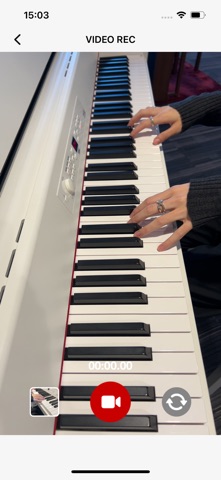


Description by KORG INC. Written by the developer, not by AppBrain. Click to read.
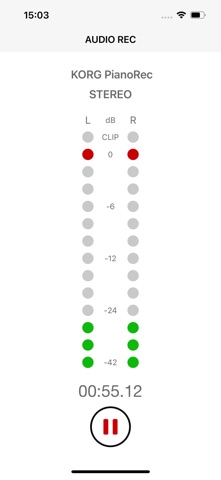
1.Pair with KORG PianoRec to easily and intuitively record piano performances on your iPhone.
2.Record video and audio with ease. No more switching between apps.
3.Add the finishing touches to your recordings with the simple editing tools in EZ Rec, then share them or save them to your camera roll.
4.No annoying ads! Have a fun, stress-free recording experience.
Important notes
- For iPhones with a Lightning connector, an Apple Lightning to USB 3 Camera Adapter is required for use with PianoRec.
- It may take a few seconds for EZ Rec to recognize PianoRec after connecting to your iPhone. If it is not recognized after a few seconds, please check the connection.
- EZ Rec can also be used with the built-in microphone, but all recorded audio will be mono instead of stereo.
- For instructions on connecting to PianoRec, please refer to the "How to connect with PianoRec" screen in EZ Rec.