LapseArc: 8K Smart Stabilizer is made and published by
原 胡.
AppBrain is an independent app data site and isn't affiliated with 原 胡.
The app name, icon, screenshots and description belong to 原 胡 and are shown as
published on the App Store.
About LapseArc: 8K Smart Stabilizer
LapseArc: 8K Smart Stabilizer is a photo & video app developed by 原 胡.
User Ratings
The app has no ratings yet.
App Information
LapseArc: 8K Smart Stabilizer is freely available from the App Store. The app size is 52.80 MB. The latest version available is 1.1. The last update was on September 20, 2026.
Technical Requirements
The app has a content rating of Everyone. The app has been available on the App Store since September 2026.
Description by 原 胡(from the App Store)
8K time-lapse. Smart stabilization. Capture the details of time.
LapseArc brings 8K time-lapse and smart stabilization together in one photography app. Capture change frame by frame with high-resolution photos, then automatically analyze and correct subtle camera shake. Turn drifting clouds, shifting light and the city from day to night into clear, steady time-lapse films. Shoot, color grade and export in one app.
8K TIME-LAPSE, RICH IN DETAIL Turn high-resolution photo sequences into time-lapse videos at up to 8K, with landscape 7680 × 4320 and portrait 4320 × 7680 output. Keep each original frame in Apple ProRAW or HEIF/JPEG for large-screen viewing and further editing. 8K availability depends on source resolution and the export capabilities of your device.
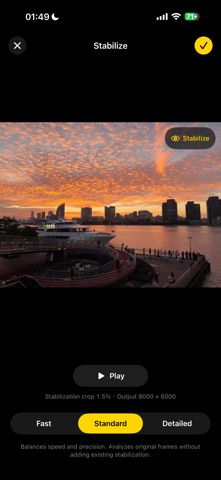
SMART STABILIZATION, STEADIER MOTION Automatically analyze visual features across your sequence to correct small shifts and rotations between frames, reducing jitter during playback. Choose Fast, Standard or Fine analysis, preview the stabilization, then apply it to your final film. Stabilization is nondestructive and preserves your original photos. Results depend on scene detail and the amount of shake, and some cropping around the edges is required.
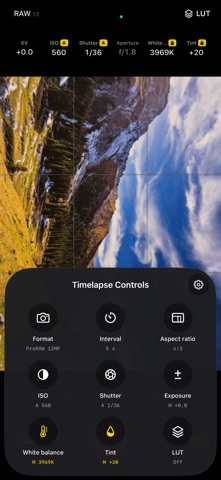
CAPTURE PHOTO SEQUENCES Set a capture interval and start countdown, and shoot in Apple ProRAW or HEIF/JPEG. Choose from the resolutions supported by your device and lens. Each original photo is saved separately, giving you room to refine your work later.
TAKE CONTROL OF YOUR SHOT Adjust ISO, shutter speed, exposure compensation and white balance. Use focus lock, a grid, a horizon level, a histogram and overexposure warnings to guide composition and exposure. Preview your look as you shoot with live LUT monitoring.
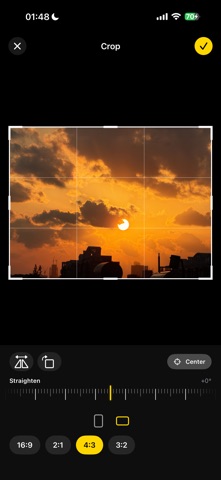
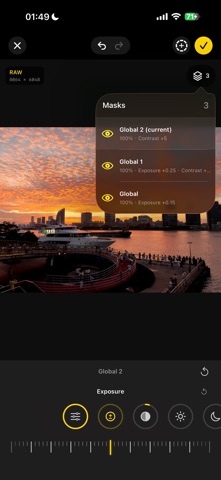
EDIT THE ENTIRE SEQUENCE Browse individual frames and apply LUTs, light and color adjustments across the whole sequence. Shape different areas with global, linear gradient and radial masks, then refine the composition with crop, rotation and stabilization. Edits are saved nondestructively, preserving your original photos.
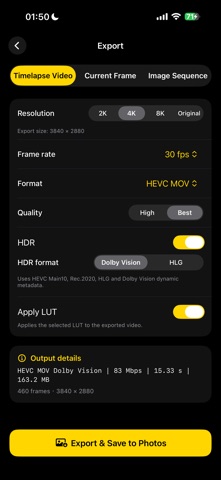
EXPORT YOUR WAY Export a time-lapse video, the current frame or the entire image sequence. Choose from multiple frame rates, resolutions and codecs, including H.264, HEVC and ProRes. Save to Photos when supported, or share files to continue creating elsewhere.
Turn time into poetry, and light into art.
Apple ProRAW, 24MP/48MP capture, 4K/8K, HDR and ProRes availability depends on your device, lens, OS version, source media and encoding capabilities. The app shows the options available for your setup. Before a long capture, make sure you have enough storage space and keep your device steady.
Each subscription will automatically renew 3 days before the expiration date for
the same time period. Subscriptions can be cancelled at any time before the renewal.