

Lattics - "Brain-like" Writing
Lattics - "Brain-like" Writing is made and published by Aura Marker Studio Co., Ltd. AppBrain is an independent app data site and isn't affiliated with Aura Marker Studio Co., Ltd. The app name, icon, screenshots and description belong to Aura Marker Studio Co., Ltd. and are shown as published on the App Store.
AppBrain's verdict
- Last updated
- August 26, 2026
Rankings
App Store top chartsApp Store Rankings for Lattics - "Brain-like" Writing
Competitors
Similar apps and more from Aura Marker Studio Co., Ltd.More from Aura Marker Studio Co., Ltd.


Releases
Updates seen on the App Store- Version
- 1.02
- Launched
- March 2022
No changelog data
User feedback
Ratings and reviews on the App StoreComments on Lattics - "Brain-like" Writing for iOS
We don't have enough comments to show example comments. Please check back later.
Technology
Found in the app by AppBrain- Price
- Free
- App size
- 53.9 MB
- Content rating
- High
Technologies used by Lattics - "Brain-like" Writing
About the app and developer
About Lattics - "Brain-like" Writing
Lattics - "Brain-like" Writing is a productivity app developed by Aura Marker Studio Co., Ltd.
User Ratings
The app has no ratings yet.
App Information
Lattics - "Brain-like" Writing is freely available from the App Store. The app size is 53.95 MB. The latest version available is 1.02. The last update was on August 26, 2026.
Technical Requirements
The app has a content rating of High Maturity. The app has been available on the App Store since March 2022.
Developer information for Aura Marker Studio Co., Ltd.
Address:
Store listing
By Aura Marker Studio Co., Ltd., from the App Store





Description by Aura Marker Studio Co., Ltd. Written by the developer, not by AppBrain. Click to read.
Lattics' design principles follow the divergent thinking and the structured info organization of the human brain, providing an immersive, multi-perspective, multi-dimensional, and interconnected info to stimulate creative efficiency.
iOS version Key Features:
- Good Design: Excellent modern, minimalist, and stylish feel
- Card Library: take note as card
- Non-linear: Allows for chapter-based or card-based writing, with flexible organization and adjustment structure at any time
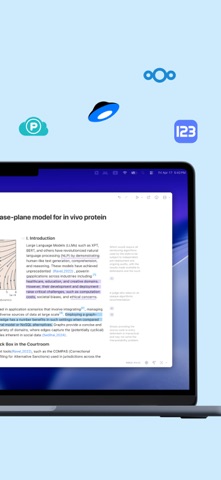
- Rich Editor: Supports text style, inline image and formula, footnote, comment, highlighting, multi-column, and text formatting
- Markdown syntax
- High Performance: A single article can reach 100,000 words without lag
- Block Elements: Use the "/" syntax to insert heading, text, list, image, code block etc
- Local Storage: Content is stored locally and not uploaded to any cloud, protecting data privacy and security
- Third-Party Sync: Supports OneDrive and WebDAV protocol
- Content Interconnection: Use the syntax "@" to establish bidirectional links between articles, cards, PDFs, and web pages. Backtracking through forward or backward links
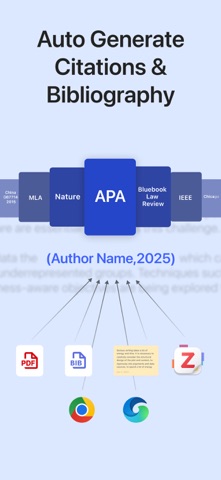
- Citation: Automatically numbers citations and generates biblography. Switch citation styles with just one click
Mac version has more Features:
- AI-Assisted Writing: translation, proofreading, rewriting, and creative writing
- AI Deep Research: analysis of PDF content, and generation of reference citations.
- Visual Writing: Write intuitively with Project Outline, Graph, and Timeline
- Block Elements: Compared to the iOS version, it also supports tables, mathematical formulas, and chemical formulas, and allows dragging and dropping to move block elements.
- Style Template: Precisely set styles, font, font size, alignment, indentation, line spacing, paragraph spacing, list numbering, color, borders, etc
- Interactive Chart: Various table and chart templates
- Math Formula: Provides commonly used operators, easy to write LaTeX code. chemical formula, alignment line, automatic line wrapping, line numbers. Far surpasses MathType
- Image and Table Cross-reference
- PDF Translation: Translate PDF in 92 languages, including scanned PDFs. Preserves original layout, Allows for excerpting, highlighting, and exporting translation result
- OCR: Accurately identify and extract complex table or math formula from PDF
- Zotero Integration: Install the official plugin, you can drag&drop or copy Zotero notes into Lattics and keep their reference
- Browser Plugin: Extract webpage content or save online PDFs to Lattics
- Web App
- Flashcard
- Goal Setting for Article or Project
- Bi-article Comparison
- Sequential Reading
- Hierarchical Tags/Subtags
- High-quality export
- Multi-windows
- .. and more
---- Notice about Auto-Renewal Subscription --
Lattics Pro - Monthly: $5.99 / mon
Lattics Pro - Yeally: $35.99 / 12 mons
The automatic renewal of your Pro membership subscription will be automatically deducted from your iTunes account within 24 hours before the membership expires;
You can go to the account settings to manage the subscription and cancel the subscription after purchase. The specific path is: "Settings" -> Apple ID -> Subscription
Terms of Use: https://www.apple.com/legal/internet-services/itunes/dev/stdeula/
Terms of Service: https://lattics.com/en-US/terms_of_service
Privacy Policy: https://lattics.com/en-US/privacy-policy