

Lecture Recorder: Voice Memo
Lecture Recorder: Voice Memo is made and published by Atsushi Koyama. AppBrain is an independent app data site and isn't affiliated with Atsushi Koyama. The app name, icon, screenshots and description belong to Atsushi Koyama and are shown as published on the App Store.
AppBrain's verdict
New- Rating on App Store
- 2.00
- 1 ratings
- Last updated
- September 25, 2026
Lecture Recorder: Voice Memo came out 29 days ago. It doesn't have enough ratings yet to judge what users think.
Rankings
App Store top chartsApp Store Rankings for Lecture Recorder: Voice Memo
Competitors
Similar apps and more from Atsushi KoyamaAlternatives to Lecture Recorder: Voice Memo




More from Atsushi Koyama


Releases
Updates seen on the App Store- Version
- 59
- Launched
- September 2026
No changelog data
User feedback
Ratings and reviews on the App StoreComments on Lecture Recorder: Voice Memo for iOS
We don't have enough comments to show example comments. Please check back later.
Technology
Found in the app by AppBrain- Price
- Free
- App size
- 48.6 MB
- Content rating
- Everyone
Technologies used by Lecture Recorder: Voice Memo
About the app and developer
About Lecture Recorder: Voice Memo
Lecture Recorder: Voice Memo is an education app developed by Atsushi Koyama.
What is the rating of Lecture Recorder: Voice Memo?
Lecture Recorder: Voice Memo is rated 2.00 out of 5 stars, based on one rating ratings.
Is Lecture Recorder: Voice Memo free?
Lecture Recorder: Voice Memo is free. The app size is 48.63 MB. The latest version available is 59. The last update was on September 25, 2026.
What are the requirements for Lecture Recorder: Voice Memo?
The app has a content rating of Everyone. The app has been available on the App Store since September 2026.
Developer information for Atsushi Koyama
Address:
Store listing
By Atsushi Koyama, from the App Store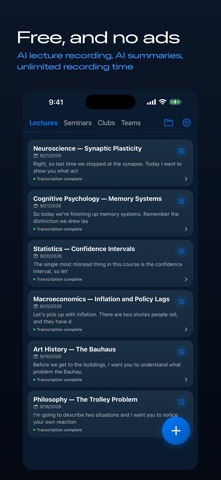


Description by Atsushi Koyama Written by the developer, not by AppBrain. Click to read.
HOW IT WORKS
1. Tap record when class starts. The app keeps recording in the background, so you can lock your phone.
2. When you stop, AI turns the audio into a clean, readable transcript.
3. You also get a structured summary with the key points pulled out.
4. Turn that summary into flashcards and multiple-choice quizzes, generated from what was actually said in your lecture.
BUILT FOR STUDYING
• Flashcards — swipe to mark what you know and what you don't
• Quizzes — multiple choice, drawn from your own notes
• Vocabulary — key terms with meanings and example sentences
• Ask your note — put a question to the AI about anything in the recording
MORE THAN RECORDINGS
• Import audio you already have (m4a, mp3, wav, aac, aiff, flac)
• Scan a handout or a whiteboard with the camera and turn it into text
• Import a PDF, Word file or plain text
• Paste a web link and get a summary of the article
ORGANIZED THE WAY YOUR WEEK IS
Sort notes into tabs you name yourself — by day, by module, by seminar. Rename and reorder them whenever your timetable changes.
Everything works in your device language. Record in English, get English back.
Free to use, with a Premium plan that removes ads and lifts the AI limits.