

LensFix PDF Scanner
LensFix PDF Scanner is made and published by Aure Comet. AppBrain is an independent app data site and isn't affiliated with Aure Comet. The app name, icon, screenshots and description belong to Aure Comet and are shown as published on the App Store.
AppBrain's verdict
- Last updated
- June 9, 2026
Rankings
App Store top chartsApp Store Rankings for LensFix PDF Scanner
Competitors
Similar apps and more from Aure CometAlternatives to LensFix PDF Scanner





More from Aure Comet
Releases
Updates seen on the App Store- Version
- 1.0.1
- Launched
- June 2026
No changelog data
User feedback
Ratings and reviews on the App StoreComments on LensFix PDF Scanner for iOS
We don't have enough comments to show example comments. Please check back later.
Technology
Found in the app by AppBrain- Price
- Free
- App size
- 23.7 MB
- Content rating
- Everyone
Technologies used by LensFix PDF Scanner
About the app and developer
About LensFix PDF Scanner
LensFix PDF Scanner is a productivity app developed by Aure Comet.
What is the rating of LensFix PDF Scanner?
LensFix PDF Scanner has no ratings yet.
Is LensFix PDF Scanner free?
LensFix PDF Scanner is free. The app size is 23.65 MB. The latest version available is 1.0.1. The last update was on June 9, 2026.
What are the requirements for LensFix PDF Scanner?
The app has a content rating of Everyone. The app has been available on the App Store since June 2026.
Developer information for Aure Comet
Address:
Store listing
By Aure Comet, from the App Store



Description by Aure Comet Written by the developer, not by AppBrain. Click to read.
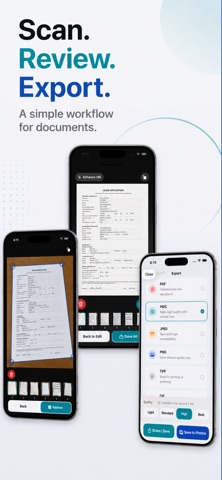
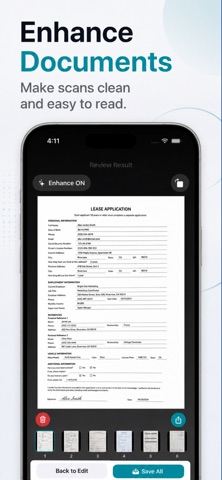
Capture paper documents, import images from Photos, open files from other apps, or load an existing PDF. LensFix detects the document area, lets you adjust the corners, corrects perspective, enhances readability, and exports the result in the format you need.
What you can do with LensFix
- Scan documents from the camera or Photos
- Import images, shared files, and existing PDFs
- Detect document edges and adjust four corners
- Correct perspective for skewed documents
- Use OCR to recognize text from scanned images
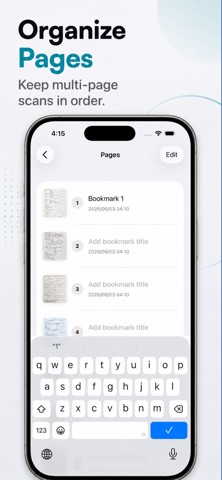
- Create single-page or multi-page PDFs
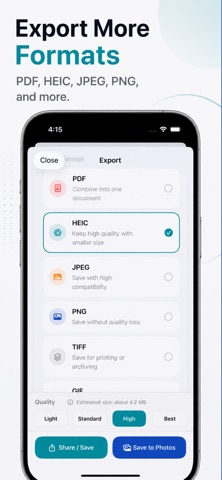
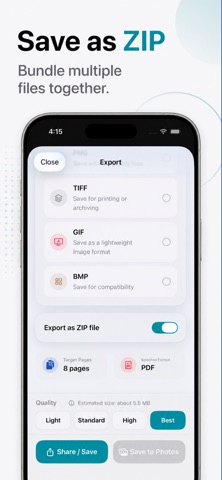
- Export images as HEIC, JPEG, PNG, TIFF, GIF, or BMP
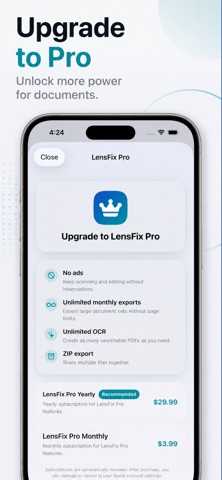
- Export multiple files together as ZIP
- Choose output quality for compact or high-quality files
- Process imported images locally on your device
Private by design
Your imported images are processed locally on your device. LensFix is useful for receipts, forms, notes, contracts, school handouts, IDs, and everyday documents where privacy matters.
Use LensFix when you need a PDF scanner, document scanner, photo to PDF converter, image converter, OCR tool, ZIP exporter, or multi-format image export app.
Terms of Use (Apple Standard EULA): https://www.apple.com/legal/internet-services/itunes/dev/stdeula/
Supplemental Terms for LensFix: https://aurecomet.com/lensfix/en/terms/
Privacy Policy: https://aurecomet.com/lensfix/en/privacy/