

Lexis Audio Editor
Lexis Audio Editor is made and published by Urs Ammann. AppBrain is an independent app data site and isn't affiliated with Urs Ammann. The app name, icon, screenshots and description belong to Urs Ammann and are shown as published on the App Store.
AppBrain's verdict
EstablishedLoved by users- Rating on App Store
- 4.55
- 1,722 ratings
- Last updated
- October 17, 2026
Users love it: 4.6 stars from 1,722 ratings.
Rankings
App Store top chartsApp Store Rankings for Lexis Audio Editor
Competitors
Similar apps and more from Urs AmmannAlternatives to Lexis Audio Editor


 Noise Reducer - audio enhancer
Releases
Updates seen on the App Store- Version
- 2.17.11
- Launched
- October 2017
No changelog data
User feedback
Ratings and reviews on the App StoreComments on Lexis Audio Editor for iOS
We don't have enough comments to show example comments. Please check back later.
Technology
Found in the app by AppBrain- Price
- Free
- App size
- 100.0 MB
- Content rating
- Everyone
Technologies used by Lexis Audio Editor
About the app and developer
About Lexis Audio Editor
Lexis Audio Editor is an utilities app developed by Urs Ammann.
User Ratings
Lexis Audio Editor is rated 4.55 out of 5 stars. The rating is based on 1.7 thousand ratings.
App Information
Lexis Audio Editor is freely available from the App Store. The app size is 100.02 MB. The latest version available is 2.17.11. The last update was on October 17, 2026.
Technical Requirements
The app has a content rating of Everyone. The app has been available on the App Store since October 2017.
Developer information for Urs Ammann
Address:
Store listing
By Urs Ammann, from the App Store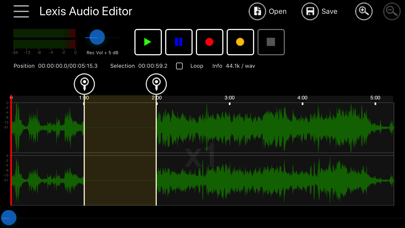
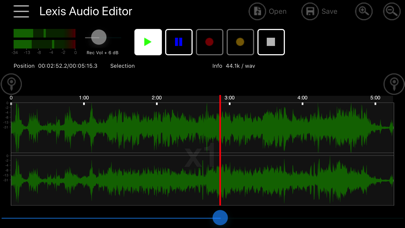

Description by Urs Ammann Written by the developer, not by AppBrain. Click to read.
- Cut, copy and paste
- Delete, insert silence, trim, fade in, fade out
- Normalizing, noise reduction
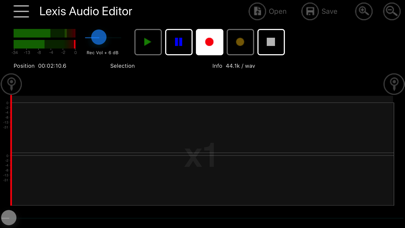
- Record into existing file, import file into existing file
- Mixes the current file with another file
- 10 band equalizer
- Compressor
- Change Tempo, Speed, Pitch
- Splitting in vocals and and accompaniment
- Remove reverb
- Voice cleaner
- Audioformats: mp3 (-320kb/s), wav (16 Bit PCM), flac, m4a, aac and wma, video import: mp4, 3gp, 3g2
- Export and import to iCloud
- Import from iTunes