LifePlan - Goal & OKR Planner is a productivity app developed by 旭 徐.
User Ratings
The app has no ratings yet.
App Information
LifePlan - Goal & OKR Planner is freely available from the App Store. The app size is 54.41 MB. The latest version available is 1.2.3. The last update was on August 30, 2026.
Technical Requirements
The app has a content rating of Everyone. The app has been available on the App Store since December 2023.
Description by 旭 徐(from the App Store)
LifePlan helps you turn vague life goals into small, daily actions you actually finish.
Every year we make a list of things we want to do and skills we want to learn — then life happens. The problem isn't effort; it's that big goals feel too abstract without a path from intention to completion.
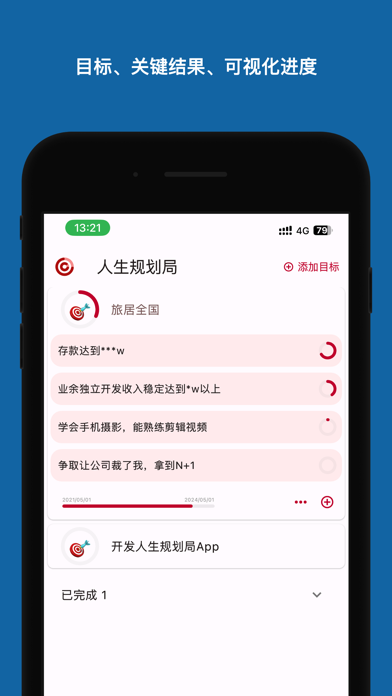
LifePlan uses a lightweight goal method (OKR: Objective → Key Results) to help you:
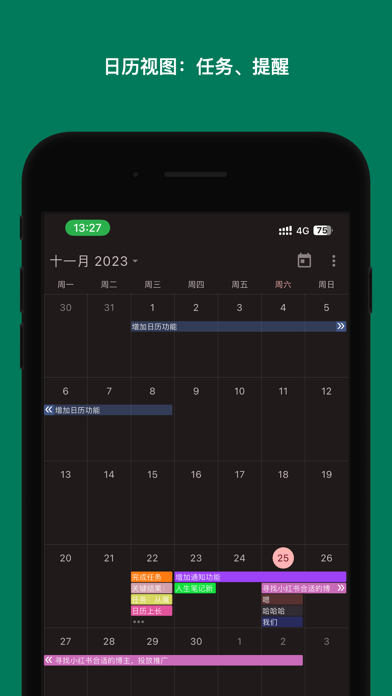
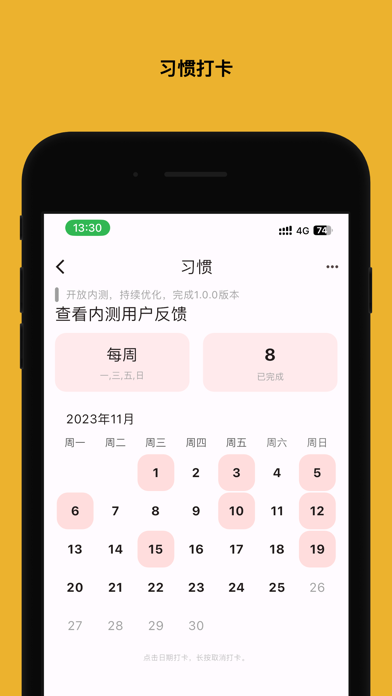
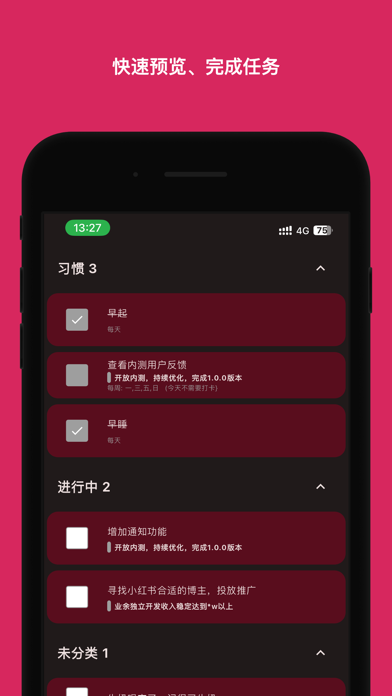
· Set goals: write down what you want to achieve (pass a certification, run a half marathon, read 12 books, save a sum of money). · Break down Key Results: quantify a big goal into a few measurable targets, so progress is visible. · Take action: create tasks under each Key Result; finish them one by one and the Result is achieved. · Never forget: one-time tasks can have start/end times and reminders; recurring check-in tasks support daily / weekly habits. · Review often: every time-tagged task flows into your calendar, so you can look back anytime.
Why LifePlan · Dead-simple to start — no OKR theory required. · Ad-free / local-first privacy / iCloud sync across devices. · Buy-once friendly: lifetime membership only ¥88 — pay once, keep improving, no subscription fatigue. · Indie developer who reads every piece of feedback and ships updates.
Stop letting goals stay "someday". Open LifePlan and start with one small task today.
About subscribing members
· Payment will be charged to your iTunes account upon confirmation of purchase. · Users can cancel their subscription at any time in the subscription management. · To cancel automatic subscription renewal, please cancel the automatic subscription renewal function at least 24 hours before the current subscription period ends. · If the subscription is not canceled, the account will be charged for renewal within 24 hours before the end of the current subscription period, and the subscription period will be automatically extended for one period after successful deduction. · If the membership does not take effect after payment, please click the restore purchase button above. · For first-time purchasers, please bind WeChat Pay, Alipay, or UnionPay card in the App Store. · Membership status is tied to the account at the time of payment.
If you have any questions, you can send an email to `admin@iofree.xyz` for consultation. Terms of use: https://friends.iofree.xyz/terms/ Privacy policy: https://friends.iofree.xyz/privacy/
Each subscription will automatically renew 3 days before the expiration date for
the same time period. Subscriptions can be cancelled at any time before the renewal.