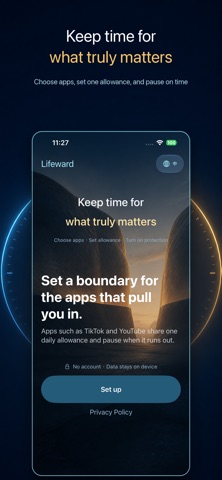
Lifeward-Less Screen,More Life is made and published by
世昌 杨.
AppBrain is an independent app data site and isn't affiliated with 世昌 杨.
The app name, icon, screenshots and description belong to 世昌 杨 and are shown as
published on the App Store.
About Lifeward-Less Screen,More Life
Lifeward-Less Screen,More Life is a productivity app developed by 世昌 杨.
What is the rating of Lifeward-Less Screen,More Life?
Lifeward-Less Screen,More Life has no ratings yet.
Is Lifeward-Less Screen,More Life free?
Lifeward-Less Screen,More Life costs $2.99. The app size is 9.10 MB. The latest version available is 1.1.0. The last update was on September 8, 2026.
What are the requirements for Lifeward-Less Screen,More Life?
The app has a content rating of Everyone. The app has been available on the App Store since September 2026.
Description by 世昌 杨(from the App Store)
Less Screen, More Life. You pick up your phone intending to stay for a moment. Then one video becomes another. One feed leads to the next. Before you notice, time meant for work, rest, family, or yourself has quietly disappeared. Lifeward is not about giving up your phone. It helps you set a boundary while your intentions are clear—and hold that boundary when it becomes difficult to stop. One limit. One clear boundary. Choose the apps and categories that tend to pull you in, then give them one shared daily limit. Time spent across all selected apps counts toward the same allowance. Switching to another app does not start a fresh timer or give you more time. Set individual limits where needed You can also set a smaller individual limit for a particular app or category. Individual limits are included within the shared daily allowance. They do not add extra time. If one app reaches its own limit first, other protected items can continue using the remaining shared allowance. Pause when time runs out When a limit is reached, Lifeward uses Apple’s Screen Time controls to pause access to the affected apps. There is no instant “add more time” shortcut and no judgmental language—just a calm, clear reminder that today’s boundary has been reached. When you truly need access, pause before deciding If you need to open a protected app temporarily, Lifeward provides a deliberate temporary-access flow. Different durations come with different cooldown and confirmation steps, giving you a moment to reconsider before continuing. When temporary access ends, protection returns automatically. See today’s time at a glance Lifeward helps you review: Your shared daily limit, time used, and time remaining Rules for each protected app or category Individual limits and current status Screen Time activity from the last seven days Permission and protection health No rankings. No guilt. Only the information you need to understand and maintain your boundary. Your choices stay private Lifeward requires no account. Core rules and usage records remain on your device and are not uploaded to the developer’s servers. Lifeward does not read browsing content, messages, photos, contacts, accounts, passwords, or keyboard input inside protected apps. App selection and protection are handled through Apple’s Screen Time and Family Controls frameworks. You remain in control. You can adjust your rules, remove an app from protection, stop protection entirely, or clear local records at any time. Set a boundary for the apps that pull you in. Keep more time for the life beyond your screen. Lifeward — Less Screen, More Life.
Each subscription will automatically renew 3 days before the expiration date for
the same time period. Subscriptions can be cancelled at any time before the renewal.