

LightComics is made and published by SeGun Lee. AppBrain is an independent app data site and isn't affiliated with SeGun Lee. The app name, icon, screenshots and description belong to SeGun Lee and are shown as published on the App Store.
AppBrain's verdict
Established- Rating on App Store
- 4.76
- 21 ratings
- Last updated
- September 26, 2024
It doesn't have enough ratings yet to judge what users think.
Rankings
App Store top chartsApp Store Rankings for LightComics
Competitors
Similar apps and more from SeGun LeeAlternatives to LightComics





Releases
Updates seen on the App Store- Version
- 3.8.6
- Launched
- October 2018
No changelog data
User feedback
Ratings and reviews on the App StoreComments on LightComics for iOS
We don't have enough comments to show example comments. Please check back later.
Technology
Found in the app by AppBrain- Price
- Free
- App size
- 65.9 MB
- Content rating
- Everyone
Technologies used by LightComics
About the app and developer
About LightComics
LightComics is an utilities app developed by SeGun Lee.
User Ratings
LightComics is rated 4.76 out of 5 stars. The rating is based on 21 ratings.
App Information
LightComics is freely available from the App Store. The app size is 65.90 MB. The latest version available is 3.8.6. The last update was on September 26, 2024.
Technical Requirements
The app has a content rating of Everyone. The app has been available on the App Store since October 2018.
Developer information for SeGun Lee
Address:
Frequently asked questions about LightComics
Is LightComics free?
Yes. LightComics is free on the App Store.
Is LightComics still available?
Yes. LightComics is on the App Store, and the last update we saw was on September 26, 2024.
How large is LightComics?
LightComics is 65.90 MB.
Is LightComics suitable for children?
App Store rates the content of LightComics as suitable for everyone.
How do people rate LightComics?
LightComics scores 4.76 out of 5 stars, from 21 ratings on the App Store.
Who made LightComics?
LightComics was developed by SeGun Lee. It is listed in the utilities category on the App Store.
What are the best alternatives to LightComics?
People looking at LightComics also look at these utilities apps: AirComix Lite, AirComix, ComicGlass, FunView - Image, Manga viewer, TxtBook - Slim TXT Reader.
Store listing
By SeGun Lee, from the App Store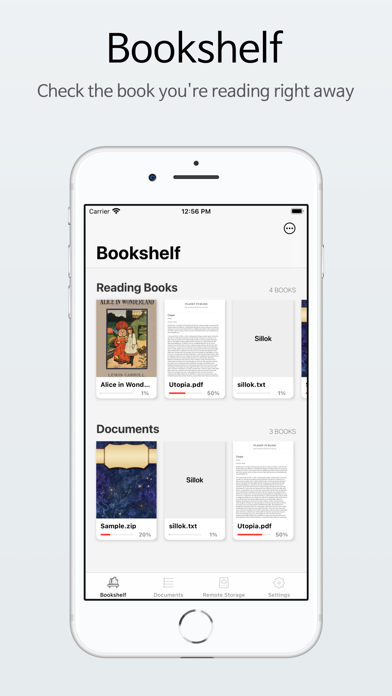



Description by SeGun Lee Written by the developer, not by AppBrain. Click to read.
The following features are supported!
◆ Image Viewer
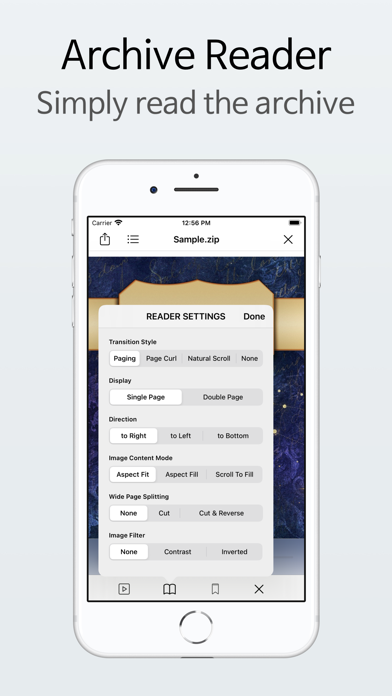
• Supported compressed files: ZIP, RAR, CBZ, and folders are also available.
* Multiple compressed files are not supported (compressed in compression file)
• Supports wide image cropping, cropping, and reverse sequencing.
• Supports image filter [contrast] and [inverted].
• Supports Fit Image Ratio (General), Fill Ratio (Longer Images)
• For large ZIP files, fast indexing is provided.
◆ Text Viewer
• Support file: TXT
* Extensions that can be expressed as a text viewer are also supported (ex. .log, .sh, .md, etc.)
• Supports text content search and shortcuts.
• Support TTS (Text To Speed).
* You can activate the function in [Labatory].
• Offers 3 default fonts and allows for font size and line-to-line adjustment.
* Installed fonts are available (iOS 13 and later)
• You can change the background color and font color of the font.
• Provides fast indexing of large TXT files.
◆ PDF Viewer (iOS 11 and above)
• Supported text files: PDF
• Enables PDF content retrieval and shortcuts.
◆ EPUB Pain Text Viewer
* An experimental feature in which only text is extracted from the EPUB. You can activate the function in [Labatory].
• Support file: EPUB (EPUB2, EPUB3 type)
• Provides features such as a text viewer.
◆ Viewer Common Features
• Background color white and black change support
• Bookmark support
• Enable quick page movement
• Automatic slide support
• Support for scrolling and page curl
• Support two-page split when using page dry transitions
• Support LTR, RTL, and TTB Scroll Direction
◆ Dokutment
• Provides a file tree-like design support.
• Works with Apple's [File] application.
• Supports decompression of compressed files.
• Supports new folders, rename, move, delete, and share files.
• Supports file upload and download via Wi-Fi (HTTP Server).
• Read files directly from external documents and repositories (iOS 13 and later)
* You can activate the function in [Labatory].
◆ Remote Storage
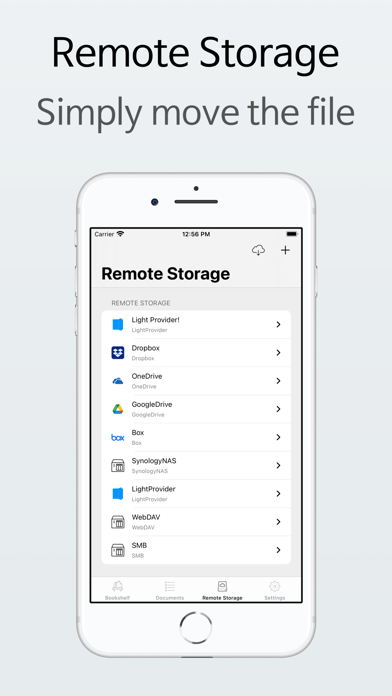
• Support FTP, WebDAV, Dropbox, Onedrive, Google Drive
* Background downloads are not supported.
• You can delete files in remote storage.
◆ Common Features
• Works with Apple's File application.
• Supports dark themes.
• Supports passcode or biometric locking.
• Supports iCloud synchronization. (Sync only the data in the read information, the file will not be synchronized.)
• Support a wide range of other default options
◆ Laboratory functions
• EPUB (epub2, epub3)extracts only text from file to represent viewer
• Page movement using volume up and down physical buttons
• Page movement via Bluetooth keyboard
• Text to Speech (TTS) support
• Status bar always displays
• External documents and storage access
• Hide hidden files
◆ If you have any questions, please send them directly to the app at [Settings] - [Contact] or segunleedev@gmail.com.
◆ The Labatory feature can make some error.
◆ If the app shuts down immediately when running, switch on iOS [Settings]App -> [LightComics] -> reset and re-run
* The saved reading list is deleted.
icon provide: https://icons8.com