lightlist on the go is an overall app developed by Hiroshi Kakuda.
How many times has lightlist on the go been downloaded?
What is the rating of lightlist on the go?
lightlist on the go has no ratings yet.
Is lightlist on the go free?
lightlist on the go is free to download. The APK download size is 8.89 MB. The latest version available is 3.7. The last update was on August 4, 2026.
What are the requirements for lightlist on the go?
The app has a content rating of Everyone. The app has been available on Google Play October 2021.
Description
This checklist app is optimized for using your iPhone or Apple Watch as a shopping or to-do list.
It syncs across iPhone, iPad, and Mac, and integrates with Apple Watch and widgets. It's packed with features that make the most of data you've entered, and the UI makes it easy to check items on the go. You can also create a checklist for each of several stores that sell the same items but have different sales floor layouts, and use them to link the check status.
Use as a shopping list 1. Create a shopping list by store or location in the iPhone, iPad or Mac app 2. Choose what to buy today on the iPhone App when you go shopping 3. Use check-only mode on your iPhone or checklist in the Apple Watch app while shopping. You can use an easy-to-read checklist with only the necessary items.
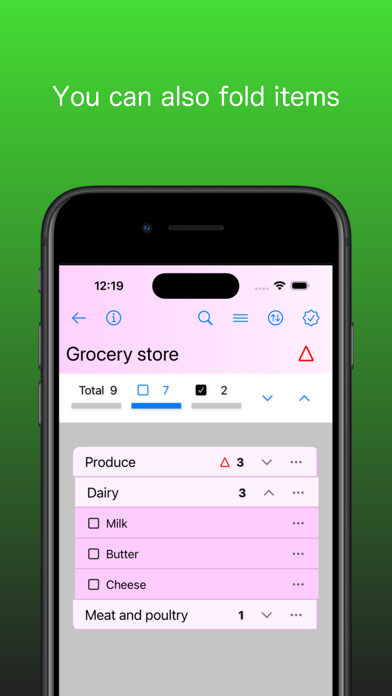
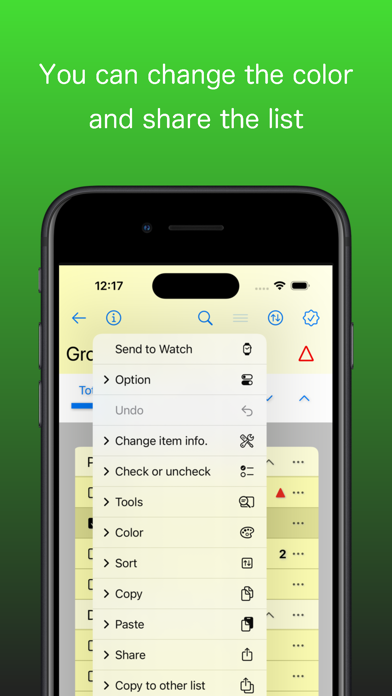
App features - You can set a theme color for each checklist that is easy to distinguish from other lists. - You can set priority and quantity and notes for each item. - You can easily switch to display only unchecked items. - You can create a group in the checklist and check or move them together. - There is a check-only mode that is easy to use for checking only on the go. - Multiple checklists can be linked to synchronize checking of items with the same name. - You can create a shopping list in the order in which items are sold for each store, and even if you buy and check items at any store, you can automatically reflect the check in the list of other stores. - Easily copy checklist items to other lists. - You can display the list on your iPhone's home screen as a widget. - You can also sync data between iPhone, iPad and Mac apps via iCloud. - You can also back up your data just in case. - You can also share or import checklists as text to other apps. - You can also use action in the Shortcuts App.
Apple Watch app features - Only unchecked items can be loaded from iPhone. - You can sort items only on Apple Watch. - You can confirm multiple checked items at once and erase them from the display. At this time, the check state can be reflected on the iPhone. - You can also load checked items from the iPhone and uncheck them to reflect them on the iPhone. - You can immediately see the number of unchecked items. - You can also see today's date immediately. - Place as a complication on your clock face to view top items or launch apps instantly.
If you press the "i" button on the upper left of the iPhone App screen, you can see instructions on how to use it.
Each subscription will automatically renew 3 days before the expiration date for
the same time period. Subscriptions can be cancelled at any time before the renewal.