It doesn't have enough ratings yet to judge what users think.
Lilacpane: Device Mockups is made and published by
文阳 贺.
AppBrain is an independent app data site and isn't affiliated with 文阳 贺.
The app name, icon, screenshots and description belong to 文阳 贺 and are shown as
published on the App Store.
About Lilacpane: Device Mockups
Lilacpane: Device Mockups is a graphics & design app developed by 文阳 贺.
What is the rating of Lilacpane: Device Mockups?
Lilacpane: Device Mockups is rated 4.43 out of 5 stars, based on 7 ratings.
Is Lilacpane: Device Mockups free?
Lilacpane: Device Mockups is free. The app size is 135.50 MB. The latest version available is 4.4.1. The last update was on September 13, 2026.
What are the requirements for Lilacpane: Device Mockups?
The app has a content rating of Everyone. The app has been available on the App Store since October 2023.
Description by 文阳 贺(from the App Store)
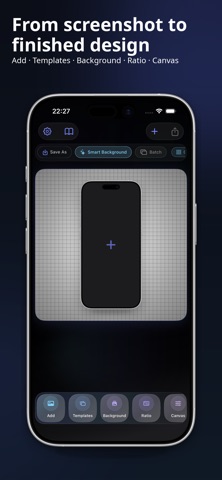
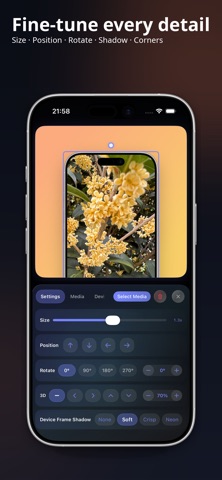
Create clean device mockups from screenshots, photos, and existing videos. Choose a phone, tablet, computer, or watch frame, adjust the media, and finish a presentable visual without starting from a blank design file.
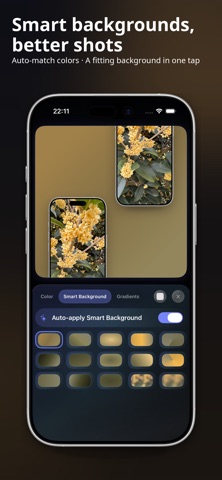
- Device frames for phones, tablets, computers, and watches - Image and video mockups - Showcase, collage, comparison, tutorial, and poster templates - Titles, subtitles, icons, and decorative elements - Solid colours, gradients, custom images, and smart backgrounds - Batch editing to keep a consistent style across a set
Use it for app showcases, product updates, portfolios, tutorials, comparisons, and social posts. Start with a template for a single showcase, collage, comparison, tutorial, poster, or multi-device layout, or arrange everything yourself.
Add titles, subtitles, icons, and small decorative details when the image needs more context. Choose a solid colour, gradient, image, or smart background based on the colours in your media. When several pages need to look alike, batch editing keeps the same frame, spacing, background, and layout across the set.
Import a screenshot, photo, or existing screen recording, place it inside a frame, make a few adjustments, and share the result.
Terms of Use (EULA): https://www.apple.com/legal/internet-services/itunes/dev/stdeula/ Privacy Policy: https://cutedge.site/privacy?lang=en User Agreement: https://cutedge.site/terms?lang=en
Each subscription will automatically renew 3 days before the expiration date for
the same time period. Subscriptions can be cancelled at any time before the renewal.