

LilDisplay is made and published by Saeed Garmeh. AppBrain is an independent app data site and isn't affiliated with Saeed Garmeh. The app name, icon, screenshots and description belong to Saeed Garmeh and are shown as published on the App Store.
AppBrain's verdict
- Last updated
- October 27, 2026
Rankings
App Store top chartsApp Store Rankings for LilDisplay
Competitors
Similar apps and more from Saeed GarmehAlternatives to LilDisplay


Releases
Updates seen on the App Store- Version
- 3.2
- Launched
- January 2026
No changelog data
User feedback
Ratings and reviews on the App StoreComments on LilDisplay for iOS
We don't have enough comments to show example comments. Please check back later.
Technology
Found in the app by AppBrain- Price
- Free
- App size
- 1.60 MB
- Content rating
- Everyone
Technologies used by LilDisplay
About the app and developer
About LilDisplay
LilDisplay is a productivity app developed by Saeed Garmeh.
User Ratings
The app has no ratings yet.
App Information
LilDisplay is freely available from the App Store. The app size is 1.60 MB. The latest version available is 3.2. The last update was on October 27, 2026.
Technical Requirements
The app has a content rating of Everyone. The app has been available on the App Store since January 2026.
Developer information for Saeed Garmeh
Address:
Store listing
By Saeed Garmeh, from the App Store




Description by Saeed Garmeh Written by the developer, not by AppBrain. Click to read.
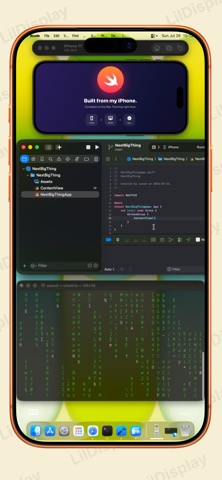
Give your Mac a second screen you can actually touch — and control. No extra hardware, no subscriptions. Just your device, a free Mac app, and you're set.
Super-fast — USB for 5–10ms latency, or Wi-Fi for wireless freedom.
Touch your Mac — Tap, scroll, and drag right on screen.
Take full control — Use your iPhone or iPad as a keyboard and mouse for your Mac. Even run it lid-closed, with your device as the only controller.
A true external display — Extend your desktop and run fullscreen apps.
Works everywhere — iPhone and iPad, back to iOS 15.
FEELS LIKE A MAC TRACKPAD
Swipe with three or four fingers to switch Spaces, open Mission Control or App Exposé.
Download the free Mac app at lildisplay.app
Requires iOS/iPadOS 15+ and macOS 14 (Sonoma) or later.