

Lo-Fly Dirt
Lo-Fly Dirt is made and published by MSXII Sound Design. AppBrain is an independent app data site and isn't affiliated with MSXII Sound Design. The app name, icon, screenshots and description belong to MSXII Sound Design and are shown as published on the App Store.
AppBrain's verdict
Established- Rating on App Store
- 3.55
- 94 ratings
- Last updated
- December 11, 2020
It doesn't have enough ratings yet to judge what users think.
Rankings
App Store top chartsApp Store Rankings for Lo-Fly Dirt
Competitors
Similar apps and more from MSXII Sound DesignAlternatives to Lo-Fly Dirt




More from MSXII Sound Design


Releases
Updates seen on the App Store- Version
- 3.0.1
- Launched
- December 2017
No changelog data
User feedback
Ratings and reviews on the App StoreComments on Lo-Fly Dirt for iOS
We don't have enough comments to show example comments. Please check back later.
Technology
Found in the app by AppBrain- Price
- $4.99
- App size
- 11.2 MB
- Content rating
- Everyone
Technologies used by Lo-Fly Dirt
About the app and developer
About Lo-Fly Dirt
Lo-Fly Dirt is a music app developed by MSXII Sound Design.
User Ratings
Lo-Fly Dirt is rated 3.55 out of 5 stars. The rating is based on 94 ratings.
App Information
Lo-Fly Dirt costs $4.99. The app size is 11.18 MB. The latest version available is 3.0.1. The last update was on December 11, 2020.
Technical Requirements
The app has a content rating of Everyone. The app has been available on the App Store since December 2017.
Developer information for MSXII Sound Design
Address:
Store listing
By MSXII Sound Design, from the App Store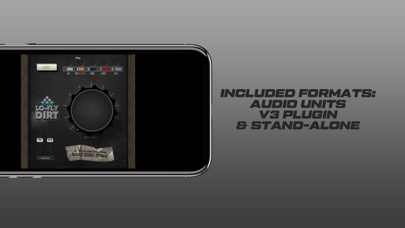
Description by MSXII Sound Design Written by the developer, not by AppBrain. Click to read.
Lo-Fly Dirt installs as an Audio Unit effect for hosts that support the format such as Audio Bus, Beatmaker 3, Garage Band, Cubasis, AUM, etc.
Default Mode:
Adds subtle character of the input sound. Simple saturation and light, preset compression are added to the overall sound bringing out unique tones & textures of your source audio. The wet/dry knob at the 100 or full position would leave source audio "warmed up."
60 Mode:
This preset mode is based on some of our favorite characteristics of an iconic drum machine. Activating this button should invite you to 12 bit nostalgia immediately boasting tasteful saturation, small amounts of compression, and a more rounded high end. Great on drums.
404 Mode [Green Light]:
One of our favorites, this mode is the only mode that should add subtle low-pass filtering to the input signal. This mode will apply low pass filtering at 12db per octave around 11.6Khz. The wet/dry knob will continue to filter the sound to no more than 200Hz. The signal will benefit from some additional signal boosting with minimal make-up gain and small amounts of bit rate reduction, or "dirt."
404 Mode [Orange Light]:
This mode brings the coveted vinyl simulation to Lo-Fly Dirt. Mix knob will tastefully add intensity to your track with it. Try using this mode on an aux/bus channel and send select sounds through it. Very cool stuff!
1200 Mode:
Also built around our love for another iconic drum machine, this mode brings great punch, character, and dirt to any signal it treats. Especially useful for drums and percussion based audio.
more punchier variation of the 60 mode. Enjoy 12 bit goodness by default, but additionally a boost the signals character by our dirt and boost in the low-mid frequencies.
8 Bit Mode:
Simply put, this mode brings back the classic sound of a legendary game console. We've added a bit of punch to the incoming signal and you're able to blend it with great 8 bit artifacts that will allow for some brand new creations...and fun!
SK- 5 Mode:
Also built off the things we love about the classic 8 bit sound, but with a twist...this mode adds HP filtering and punch! Instant dirt is applied when this mode is activated, high pass filtering and punch is applied as you move the signal from dry to wet. The HP filter is set to cutoff at 300Hz.