

Local Desk
Local Desk is made and published by Harun Selcuk Cetin. AppBrain is an independent app data site and isn't affiliated with Harun Selcuk Cetin. The app name, icon, screenshots and description belong to Harun Selcuk Cetin and are shown as published on the App Store.
AppBrain's verdict
- Last updated
- November 23, 2025
Rankings
App Store top chartsApp Store Rankings for Local Desk
Competitors
Similar apps and more from Harun Selcuk CetinMore from Harun Selcuk Cetin






Releases
Updates seen on the App Store- Version
- 1.0.1
- Launched
- November 2025
No changelog data
User feedback
Ratings and reviews on the App StoreComments on Local Desk for iOS
We don't have enough comments to show example comments. Please check back later.
Technology
Found in the app by AppBrain- Price
- Free
- App size
- 24.5 MB
- Content rating
- Low
Technologies used by Local Desk
About the app and developer
About Local Desk
Local Desk is an utilities app developed by Harun Selcuk Cetin.
User Ratings
The app has no ratings yet.
App Information
Local Desk is freely available from the App Store. The app size is 24.49 MB. The latest version available is 1.0.1. The last update was on November 23, 2025.
Technical Requirements
The app has a content rating of Low Maturity. The app has been available on the App Store since November 2025.
Developer information for Harun Selcuk Cetin
Address:
Frequently asked questions about Local Desk
Is Local Desk free?
Yes. Local Desk is free on the App Store.
Is Local Desk still available?
Yes. Local Desk is on the App Store, and the last update we saw was on November 23, 2025.
How large is Local Desk?
Local Desk is 24.49 MB.
Is Local Desk suitable for children?
App Store gives Local Desk a low maturity rating, so it is meant for older children and up.
Who made Local Desk?
Local Desk was developed by Harun Selcuk Cetin. It is listed in the utilities category on the App Store.
Store listing
By Harun Selcuk Cetin, from the App Store


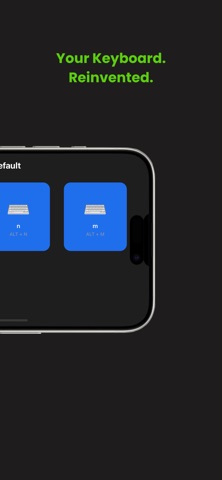
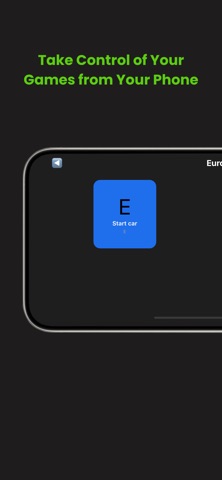

Description by Harun Selcuk Cetin Written by the developer, not by AppBrain. Click to read.
Local Desk lets you control your computer, apps, and games directly from your phone through a fast and secure local connection. Whether you’re streaming, gaming, editing, or working, you can trigger commands, shortcuts, and actions with a single tap.
Key Features
• No Extra Device Needed – Works instantly over your local network. No USB, Bluetooth devices, dongles, or stream deck required.
• Instant PC Connection – Auto-detects your computer on the same Wi-Fi network and connects within seconds.
• Custom Control Pages – Create multiple pages for different apps, games, or workflows.
• One-Tap Shortcuts – Send keyboard shortcuts, media keys, macros, and custom actions effortlessly.
• Gaming Controls – Turn your phone into a game controller for titles like Euro Truck Simulator 2, GTA, racing games, and more.
• Stream & Media Control – Control OBS, music players, media playback, recording, and scenes without touching your keyboard.
• Clean & Modern UI – Designed for speed, simplicity, and a seamless user experience.
Perfect For
• Streamers
• Gamers
• Creators
• Productivity and Workflows
• Music and Media Control
• PC users who want one-tap access to shortcuts
How It Works
Download the Local Desk desktop app.
Make sure your PC and phone are on the same network.
Open the app — your PC will appear automatically.
Tap to control.
No setup, no cables, no tools — just connect and start controlling.
Take control of your computer from anywhere in the room.
Your phone is now your controller.