

LockScreenNotes
LockScreenNotes is made and published by Takumi Banjoya. AppBrain is an independent app data site and isn't affiliated with Takumi Banjoya. The app name, icon, screenshots and description belong to Takumi Banjoya and are shown as published on the App Store.
AppBrain's verdict
Loved by users- Rating on App Store
- 4.75
- 1,619 ratings
- Last updated
- September 25, 2026
- Size
- 195.2 MB
Users love it: 4.8 stars from 1,619 ratings. Its best ranking is #38 in Top Free, Productivity in Japan.
User feedback
Ratings and reviews on the App StoreComments on LockScreenNotes for iOS
We don't have enough comments to show example comments. Please check back later.
Store listing
By Takumi Banjoya, from the App Store


Description by Takumi Banjoya Written by the developer, not by AppBrain. Click to read.
You'll always see them when you pick up your phone, so you'll never forget what matters.
"I wrote it down, but..."
You made a note, but never looked at it again — and forgot anyway. Sound familiar? This app is for you.
LockScreenNotes solves this by displaying your notes right on your lock screen where you can't miss them.
■ Easy to Use
Just tap the note on your lock screen to open the app and jot down what's important. Everything auto-saves, so you can close the app right away without worry. Just focus on writing.
■ Manage Todos Without Opening the App
Check off your to-do items right from the lock screen — no need to open the app. Whether it's a shopping list or today's tasks, just check things off as you get them done.
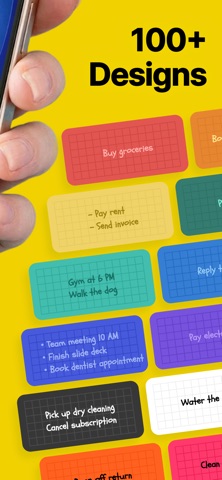
■ Over 100 Designs
Choose from over 100 designs, all completely free. Pick one that matches your lock screen wallpaper. You can also customize everything yourself — paper color, text color, line styles, and more.
■ Doodle Away
It's not just typing — you can handwrite notes too. Scribble freely like you would on a real sticky note. A quick underline might just help you remember better.
■ Add Images
You can paste images from your photo library too. Stick a photo of something you want to buy so you don't get the wrong one, or add a picture of your favorite character to make it cute.
■ Fonts to Match Your Mood
Choose from lovely fonts for free — handwritten styles that feel like real notes, or clean and simple ones. With multilingual support, you can even pick fonts for languages you're studying, like English or Korean, and make learning fun.
■ Note History That Shows Your Effort
Past notes are saved as history, so you can look back and edit anytime. Use as many pages as you like. The history screen also shows your total character count, number of pages, and how many days you've been using the app. It's proof of your effort to never forget what matters.
■ Privacy Protected
No one can see your notes. All data is stored locally on your device and is never sent to any server without your permission. Write down important things with peace of mind.
■ No Account Required
LockScreenNotes doesn't require any account registration or sign-in. You can start using it right after installation without entering any personal information.
■ Contact & Social
Email: lockscreennotes@gmail.com
TikTok: https://tiktok.com/@lockscreennotes
Instagram: https://instagram.com/@lockscreennote
X: https://x.com/lockscreennotes
Threads: https://threads.com/@lockscreennote
---
LockScreenNotes is for people like you and me —
who write things down but still forget.
Starting today, make this your place for notes.
Safety and technology
Found in the app by AppBrain- Price
- Free
- App size
- 195.2 MB
- Content rating
- Everyone
Technologies used by LockScreenNotes
Releases
Updates seen on the App Store- Version
- 1.21.0
- Launched
- May 2026
No changelog data
Alternatives
Similar apps and more from Takumi BanjoyaAlternatives to LockScreenNotes




Rankings
App Store top charts- Highest rank
- #38
- Chart
- Top Free
- Productivity
- Country
- Japan
App Store Rankings for LockScreenNotes
Top rankings
| Rank | Country | Category | List |
|---|---|---|---|
| 38 | Japan | Productivity | Top Free |
Ranking history in Japan
About the app and developer
About LockScreenNotes
LockScreenNotes is a productivity app developed by Takumi Banjoya.
What is the rating of LockScreenNotes?
LockScreenNotes is rated 4.75 out of 5 stars, based on 1.6 thousand ratings.
Is LockScreenNotes free?
LockScreenNotes is free. The app size is 195.15 MB. The latest version available is 1.21.0. The last update was on September 25, 2026.
What are the requirements for LockScreenNotes?
The app has a content rating of Everyone. The app has been available on the App Store since May 2026.
Developer information for Takumi Banjoya
Address: