

LockToDo - Todo on Lock Screen
LockToDo - Todo on Lock Screen is made and published by 晓峰 左. AppBrain is an independent app data site and isn't affiliated with 晓峰 左. The app name, icon, screenshots and description belong to 晓峰 左 and are shown as published on the App Store.
AppBrain's verdict
- Rating on App Store
- 4.40
- 20 ratings
- Last updated
- October 26, 2026
It doesn't have enough ratings yet to judge what users think.
Rankings
App Store top chartsApp Store Rankings for LockToDo - Todo on Lock Screen
Competitors
Similar apps and more from 晓峰 左Alternatives to LockToDo - Todo on Lock Screen





More from 晓峰 左


Releases
Updates seen on the App Store- Version
- 6.6.6
- Launched
- June 2025
No changelog data
User feedback
Ratings and reviews on the App StoreComments on LockToDo - Todo on Lock Screen for iOS
We don't have enough comments to show example comments. Please check back later.
Technology
Found in the app by AppBrain- Price
- Free
- App size
- 58.1 MB
- Content rating
- Everyone
Technologies used by LockToDo - Todo on Lock Screen
About the app and developer
About LockToDo - Todo on Lock Screen
LockToDo - Todo on Lock Screen is a lifestyle app developed by 晓峰 左.
What is the rating of LockToDo - Todo on Lock Screen?
LockToDo - Todo on Lock Screen is rated 4.40 out of 5 stars, based on 20 ratings.
Is LockToDo - Todo on Lock Screen free?
LockToDo - Todo on Lock Screen is free. The app size is 58.13 MB. The latest version available is 6.6.6. The last update was on October 26, 2026.
What are the requirements for LockToDo - Todo on Lock Screen?
The app has a content rating of Everyone. The app has been available on the App Store since June 2025.
Developer information for 晓峰 左
Address:
Store listing
By 晓峰 左, from the App Store




Description by 晓峰 左 Written by the developer, not by AppBrain. Click to read.
LockToDo is a focused to-do list and daily planner built around today's tasks. It brings your checklist to the Lock Screen, Dynamic Island, Live Activities, and Home Screen widgets, so your priorities are visible the moment you wake your iPhone.
Capture a task by typing or voice before the idea disappears. Break larger work into subtasks, set priorities and dates, create recurring reminders, and organize everything across Today, History, and Future.
KEY FEATURES
• View today's to-do list directly on the Lock Screen
• Track daily progress with Live Activities and Dynamic Island
• Check and complete tasks from Home Screen widgets
• Add tasks quickly with voice input
• Organize tasks into Today, History, and Future
• Use subtasks, priorities, dates, categories, and recurring tasks
• Automatically bring unfinished past tasks into Today
• Review completion trends and recent productivity
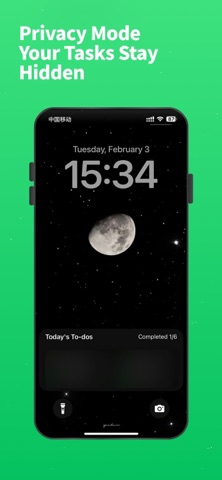
• Hide sensitive content with Lock Screen privacy mode
• Personalize task cards with themes and visual styles
• Back up and restore your data with iCloud
• Refresh today's tasks using Shortcuts automation
LockToDo is made for people who want a simple task manager, fewer steps to check reminders, and a clear view of what matters today. Use it for work plans, study lists, daily routines, personal goals, or quick notes and ideas.
Keep important things where you can always see them.
SUBSCRIPTION INFORMATION
Plan and price: Subscription prices depend on the membership plan you choose. The amount shown in the app and on the App Store payment screen applies.
Renewal: Payment will be charged to your Apple ID account within 24 hours before the end of the current subscription period. Subscriptions renew automatically unless canceled.
Cancellation: Cancel at least 24 hours before the end of the current period. Open Settings, tap your name, choose Subscriptions, select the subscription, and follow the instructions.
Privacy Policy:
https://docs.qq.com/doc/DSVJYcnVyQkJ1YnVD
Terms of Use:
https://docs.qq.com/doc/DSVVBc0hNeUxFR3B6