

LogCalendar - Time Tracker
LogCalendar - Time Tracker is made and published by iLeaf. AppBrain is an independent app data site and isn't affiliated with iLeaf. The app name, icon, screenshots and description belong to iLeaf and are shown as published on the App Store.
AppBrain's verdict
Established- Best rank
- #36
- Top Paid, Germany
- Rating on App Store
- 3.67
- 3 ratings
- Last updated
- September 20, 2026
It doesn't have enough ratings yet to judge what users think. Its best ranking is #36 in Top Paid, Productivity in Germany.
Rankings
App Store top charts- Highest rank
- #36
- Chart
- Top Paid
- Productivity
- Country
- Germany
Competitors
Similar apps and more from iLeafAlternatives to LogCalendar - Time Tracker





More from iLeaf


Releases
Updates seen on the App Store- Version
- 1.6
- Launched
- July 2015
No changelog data
User feedback
Ratings and reviews on the App StoreComments on LogCalendar - Time Tracker for iOS
We don't have enough comments to show example comments. Please check back later.
Technology
Found in the app by AppBrain- Price
- $0.99
- App size
- 2.37 MB
- Content rating
- Everyone
Technologies used by LogCalendar - Time Tracker
About the app and developer
About LogCalendar - Time Tracker
LogCalendar - Time Tracker is a productivity app developed by iLeaf.
What is the rating of LogCalendar - Time Tracker?
LogCalendar - Time Tracker is rated 3.67 out of 5 stars, based on 3 ratings.
Is LogCalendar - Time Tracker free?
LogCalendar - Time Tracker costs $0.99. The app size is 2.37 MB. The latest version available is 1.6. The last update was on September 20, 2026.
What are the requirements for LogCalendar - Time Tracker?
The app has a content rating of Everyone. The app has been available on the App Store since July 2015.
Developer information for iLeaf
Address:
Store listing
By iLeaf, from the App Store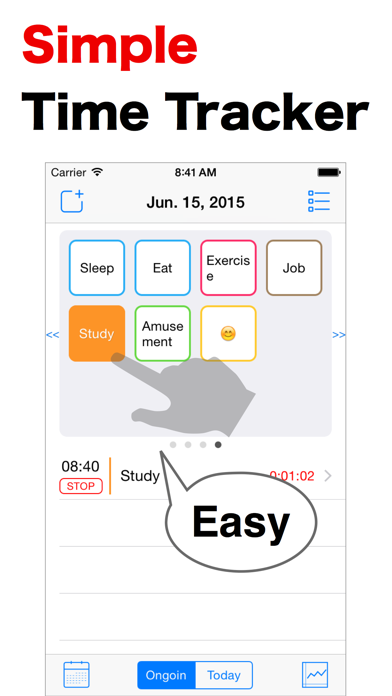
Description by iLeaf Written by the developer, not by AppBrain. Click to read.
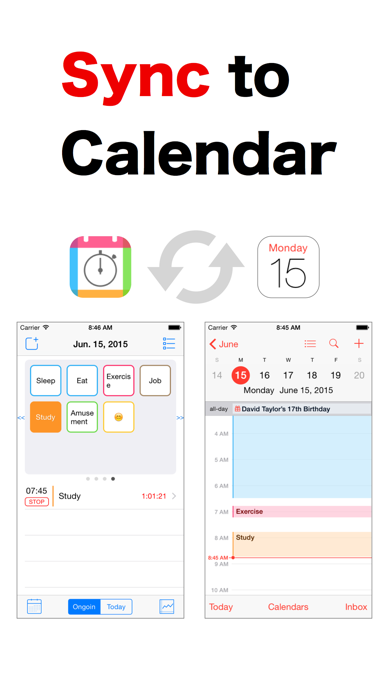
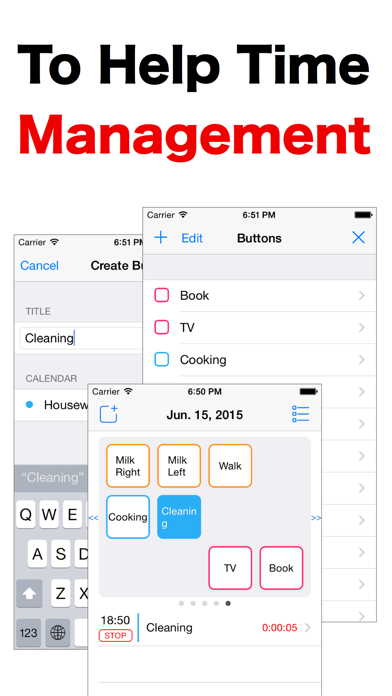
The Log is recorded to iOS Calendar.
It’s very easy because to start the track in one-tap.
Application features:
- Easy operations for start and end (just one tap)
- Record to iOS calendar
- Color-coded multiple calendars
- Recorded events can be edited
- Task buttons can make any number of
- Free placement of the task button by long press
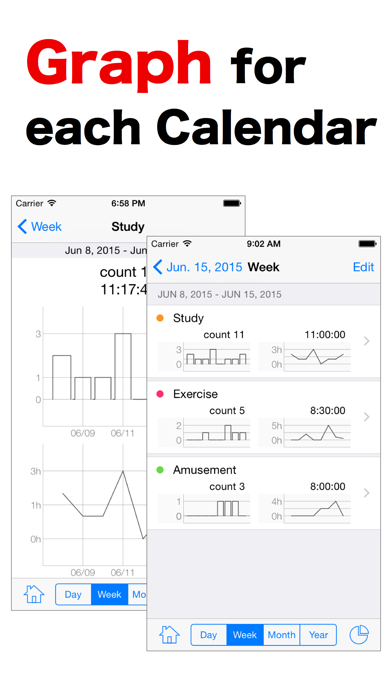
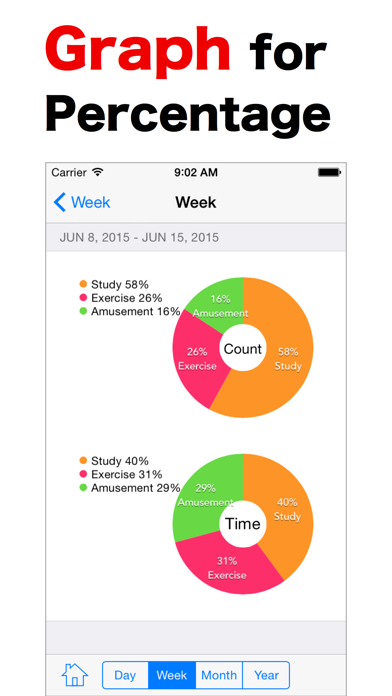
- Graph (day/week/month/year)
- Apple Watch support
- Apple Watch can work without iPhone
- Support for watch complications
Attention:
In the default setting of the iPhone, the event synchronization of calendar has become a [Events 1 Month Back].
Check
[Settings] > [Mail,Contacts,Calendars] > [Sync]
Please change to [All Events] from [Events 1 Month Back].
As an alternative to the diary and time card.
Such as a time log of learning and training.
This app help you time log and time management.
Thank you.