

Logile Connect
Logile Connect is made and published by Logile, Inc. AppBrain is an independent app data site and isn't affiliated with Logile, Inc. The app name, icon, screenshots and description belong to Logile, Inc. and are shown as published on the App Store.
AppBrain's verdict
EstablishedWell rated- Rating on App Store
- 4.42
- 3,475 ratings
- Last updated
- October 14, 2026
Users rate it well: 4.4 stars from 3,475 ratings.
Rankings
App Store top chartsApp Store Rankings for Logile Connect
Competitors
Similar apps and more from Logile, Inc.


Releases
Updates seen on the App Store- Version
- 5.3.0
- Launched
- June 2017
No changelog data
User feedback
Ratings and reviews on the App StoreComments on Logile Connect for iOS
We don't have enough comments to show example comments. Please check back later.
Technology
Found in the app by AppBrain- Price
- Free
- App size
- 70.6 MB
- Content rating
- Everyone
Technologies used by Logile Connect
About the app and developer
About Logile Connect
Logile Connect is a productivity app developed by Logile, Inc.
User Ratings
Logile Connect is rated 4.42 out of 5 stars. The rating is based on 3.5 thousand ratings.
App Information
Logile Connect is freely available from the App Store. The app size is 70.63 MB. The latest version available is 5.3.0. The last update was on October 14, 2026.
Technical Requirements
The app has a content rating of Everyone. The app has been available on the App Store since June 2017.
Developer information for Logile, Inc.
Address:
Store listing
By Logile, Inc., from the App Store
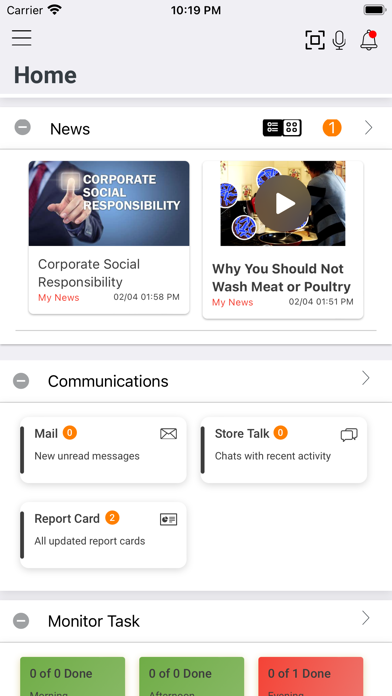
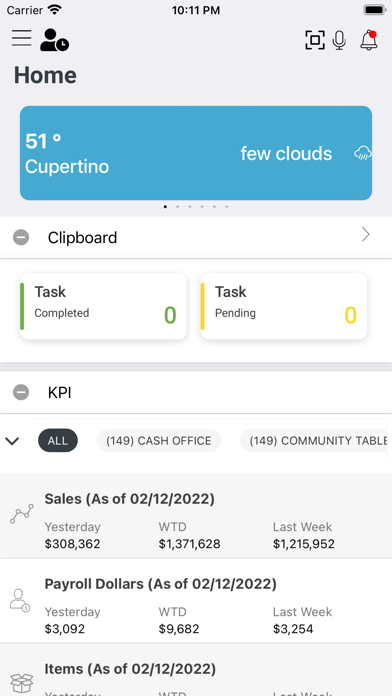


Description by Logile, Inc. Written by the developer, not by AppBrain. Click to read.
Employees can:
View schedules
Swap shifts
Bid on posted shifts
Submit requests for time off
Submit availability changes
Submit punch requests
Complete assigned tasks
In addition, managers can:
View department schedules
Post bid shifts
Respond to requests
Monitor task completion
NOTE: To enable this application your employer must have Logile’s Employee Self-Service, Employee Scheduling, Time & Attendance and/or Execution Compliance modules configured. Individual features must be configured by your employer’s system administrator and may not be available. Contact your system administrator for details.