LumaClock is made and published by
修武 许.
AppBrain is an independent app data site and isn't affiliated with 修武 许.
The app name, icon, screenshots and description belong to 修武 许 and are shown as
published on the App Store.
About LumaClock
LumaClock is an utilities app developed by 修武 许.
What is the rating of LumaClock?
LumaClock has no ratings yet.
Is LumaClock free?
LumaClock is free. The app size is 7.40 MB. The latest version available is 1.0.1. The last update was on September 13, 2026.
What are the requirements for LumaClock?
The app has a content rating of Everyone. The app has been available on the App Store since September 2026.
Description by 修武 许(from the App Store)
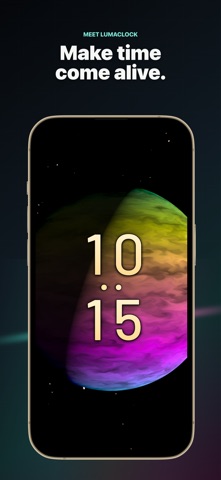
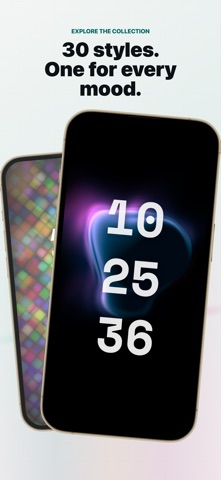
LumaClock turns your iPhone or iPad into an immersive full-screen digital clock. Explore 30 carefully crafted visual styles, from clean graphic faces and animated particles to aurora-inspired scenes and star fields.
Create a clock that fits your space: • Choose 12-hour or 24-hour time • Show hours and minutes, or include seconds • Show or hide the date and battery level • Switch color palettes on supported styles • Use portrait or landscape orientation on iPhone and iPad • Keep the display awake for desk, bedside, studio, or ambient use • Turn the optional ticking sound on or off • Use the app in English or Simplified Chinese
Tap the clock face to hide the controls and enjoy an unobstructed display. Your selected style, color choices, and display preferences are saved on your device.
Privacy by design: • No account or sign-in • No advertising or third-party analytics • Clock rendering and preferences stay on your device • An internet connection is not required for normal clock display
A selection of clock styles is available without purchasing Pro. Lifetime Pro is available as a one-time, non-consumable in-app purchase that unlocks all Pro styles, additional color choices, and future Pro style releases. There is no subscription or recurring charge.
Each subscription will automatically renew 3 days before the expiration date for
the same time period. Subscriptions can be cancelled at any time before the renewal.