

Lyrics View 3 is made and published by Nikolozi Meladze. AppBrain is an independent app data site and isn't affiliated with Nikolozi Meladze. The app name, icon, screenshots and description belong to Nikolozi Meladze and are shown as published on the App Store.
AppBrain's verdict
Established- Rating on App Store
- 4.33
- 6 ratings
- Last updated
- May 14, 2024
It doesn't have enough ratings yet to judge what users think.
Rankings
App Store top chartsApp Store Rankings for Lyrics View 3
Competitors
Similar apps and more from Nikolozi MeladzeAlternatives to Lyrics View 3





More from Nikolozi Meladze


Releases
Updates seen on the App Store- Version
- 3.0.4
- Launched
- August 2017
No changelog data
User feedback
Ratings and reviews on the App StoreComments on Lyrics View 3 for iOS
We don't have enough comments to show example comments. Please check back later.
Technology
Found in the app by AppBrain- Price
- $4.99
- App size
- 363.0 KB
- Content rating
- Everyone
Technologies used by Lyrics View 3
About the app and developer
About Lyrics View 3
Lyrics View 3 is a music app developed by Nikolozi Meladze.
User Ratings
Lyrics View 3 is rated 4.33 out of 5 stars. The rating is based on 6 ratings.
App Information
Lyrics View 3 costs $4.99. The app size is 363.00 kB. The latest version available is 3.0.4. The last update was on May 14, 2024.
Technical Requirements
The app has a content rating of Everyone. The app has been available on the App Store since August 2017.
Developer information for Nikolozi Meladze
Address:
Store listing
By Nikolozi Meladze, from the App Store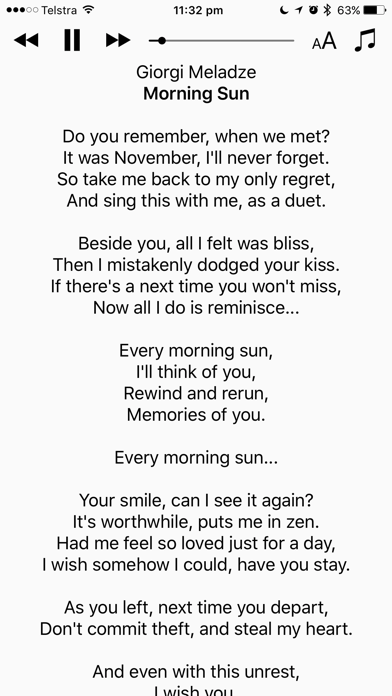
Description by Nikolozi Meladze Written by the developer, not by AppBrain. Click to read.
Focus on the lyrics
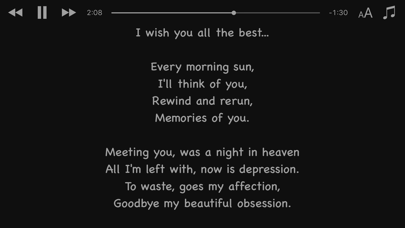
This is version 3 of the popular Lyrics View app. It has been fully rewritten from scratch to support all modern iOS devices. It is used by professional and karaoke singers around the world. The clean and minimal interface lets you focus on the song lyrics played by the iOS music app.
IMPORTANT: Please review the Lyrics View description carefully before making the purchase.
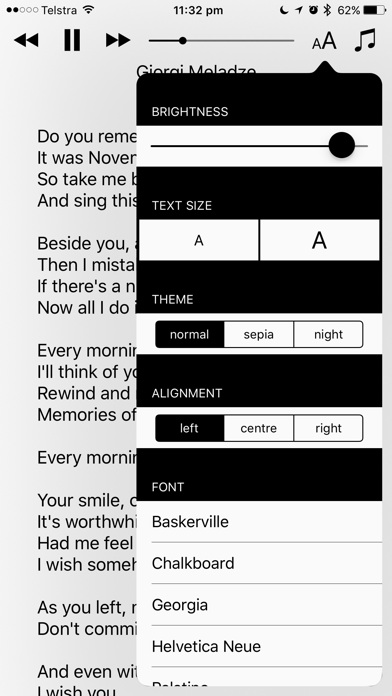
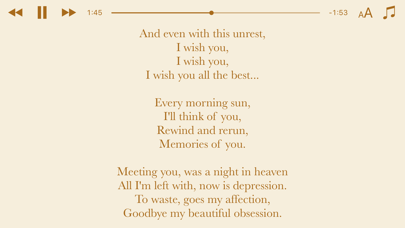
Lyrics View can be used in any orientation on iPhone and fully supports iPad multitasking. With the built-in theme picker, you can change the colour scheme, font, text size and alignment for the best experience.
You can easily control the music player and queue songs from within the app.
Note that the app doesn’t come with any lyrics, nor does it download them from the internet. You need to ensure that your music collection is tagged properly. This means it doesn't support displaying lyrics for songs streamed from services like Apple Music or Spotify. Lyrics View loads lyrics from the song file tags. You can easily edit them using the iTunes or Music application on your desktop computer. For more information and any support queries please visit the product website.