

M3 Studio is made and published by mooncell. AppBrain is an independent app data site and isn't affiliated with mooncell. The app name, icon, screenshots and description belong to mooncell and are shown as published on the App Store.
AppBrain's verdict
- Last updated
- October 9, 2026
Rankings
App Store top chartsApp Store Rankings for M3 Studio
This app is not ranked
Competitors
Similar apps and more from mooncellAlternatives to M3 Studio


More from mooncell


Releases
Updates seen on the App Store- Version
- 4.3.14
- Launched
- January 2025
No changelog data
User feedback
Ratings and reviews on the App StoreComments on M3 Studio for iOS
We don't have enough comments to show example comments. Please check back later.
Technology
Found in the app by AppBrain- Price
- Free
- App size
- 207.7 MB
- Content rating
- Everyone
Technologies used by M3 Studio
About the app and developer
About M3 Studio
M3 Studio is an utilities app developed by mooncell.
What is the rating of M3 Studio?
M3 Studio has no ratings yet.
Is M3 Studio free?
M3 Studio is free. The app size is 207.71 MB. The latest version available is 4.3.14. The last update was on October 9, 2026.
What are the requirements for M3 Studio?
The app has a content rating of Everyone. The app has been available on the App Store since January 2025.
Developer information for mooncell
Address:
Store listing
By mooncell, from the App Store



Screenshots by mooncell, from the the App Store listing
Description by mooncell Written by the developer, not by AppBrain. Click to read.
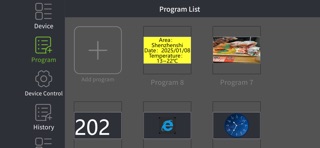
The software includes screen management, program editing, equipment system settings, media library and other functions.
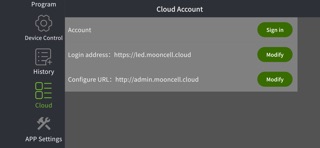
User login: Management of commercial display series products in the LAN, quick screen configuration, real-time monitoring, playback management, cloud server binding and other functions.
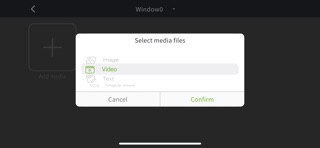
Program management: Quickly create a rich program list for sending to commercial display series products for playback.
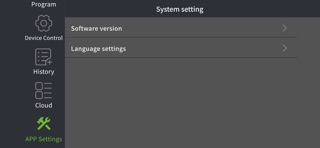
System settings: software language settings, software version.
User login: Management of commercial display series products in the LAN, quick screen configuration, real-time monitoring, playback management, cloud server binding and other functions.
Program management: Quickly create a rich program list for sending to commercial display series products for playback.
System settings: software language settings, software version.