

MaBeeeControl is made and published by whitez. AppBrain is an independent app data site and isn't affiliated with whitez. The app name, icon, screenshots and description belong to whitez and are shown as published on the App Store.
AppBrain's verdict
- Last updated
- February 3, 2025
Rankings
App Store top chartsApp Store Rankings for MaBeeeControl
Competitors
Similar apps and more from whitezAlternatives to MaBeeeControl





More from whitez






Releases
Updates seen on the App Store- Version
- 1.0.3
- Launched
- October 2021
No changelog data
User feedback
Ratings and reviews on the App StoreComments on MaBeeeControl for iOS
We don't have enough comments to show example comments. Please check back later.
Technology
Found in the app by AppBrain- Price
- $2.99
- App size
- 963.0 KB
- Content rating
- Everyone
Technologies used by MaBeeeControl
About the app and developer
About MaBeeeControl
MaBeeeControl is an utilities app developed by whitez.
User Ratings
The app has no ratings yet.
App Information
MaBeeeControl costs $2.99. The app size is 963.00 kB. The latest version available is 1.0.3. The last update was on February 3, 2025.
Technical Requirements
The app has a content rating of Everyone. The app has been available on the App Store since October 2021.
Developer information for whitez
Address:
Frequently asked questions about MaBeeeControl
Is MaBeeeControl free?
No. MaBeeeControl costs $2.99 on the App Store.
Is MaBeeeControl still available?
Yes. MaBeeeControl is on the App Store, and the last update we saw was on February 3, 2025.
How large is MaBeeeControl?
MaBeeeControl is 963.00 kB.
Is MaBeeeControl suitable for children?
App Store rates the content of MaBeeeControl as suitable for everyone.
Who made MaBeeeControl?
MaBeeeControl was developed by whitez. It is listed in the utilities category on the App Store.
What are the best alternatives to MaBeeeControl?
People looking at MaBeeeControl also look at these utilities apps: HotDive, Beam Go, T-Calc-Lite, Revo Scan-3D scanner app, Time’s Up! — Visual Timer.
Store listing
By whitez, from the App Store


Description by whitez Written by the developer, not by AppBrain. Click to read.
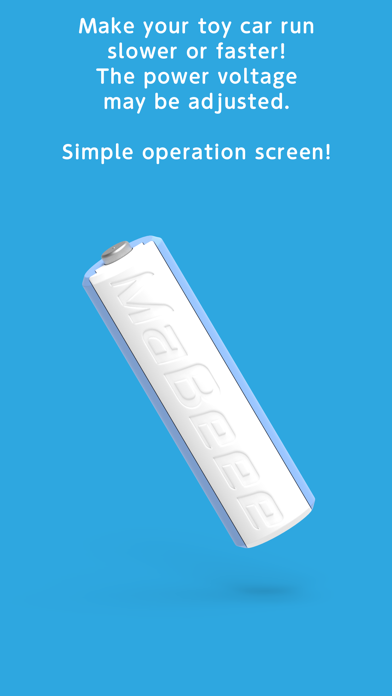
The power voltage can be adjusted to make your toy car run slower or faster.
The operation is simple, anyone can use it easily!
1. Mount MaBeee to a battery-driven device (such as a toy) and turn on the power.
2. Launch MaBeeeControl and connect it to MaBeee.
Multiple devices can be connected!
3. Press and hold the blue area in the center of the screen to start powering up!
*Power is supplied only while the screen is pressed.
*Each device may not be operated individually (when multiple devices are connected).
About MaBeee
https://mabeee.mobi