

Maggy – IGCSE
Maggy – IGCSE is made and published by Omar Bayoumy. AppBrain is an independent app data site and isn't affiliated with Omar Bayoumy. The app name, icon, screenshots and description belong to Omar Bayoumy and are shown as published on the App Store.
AppBrain's verdict
- Last updated
- September 27, 2026
Rankings
App Store top chartsApp Store Rankings for Maggy – IGCSE
Competitors
Similar apps and more from Omar BayoumyAlternatives to Maggy – IGCSE


More from Omar Bayoumy


Releases
Updates seen on the App Store- Version
- 1.0
- Launched
- September 2026
No changelog data
User feedback
Ratings and reviews on the App StoreComments on Maggy – IGCSE for iOS
We don't have enough comments to show example comments. Please check back later.
Technology
Found in the app by AppBrain- Price
- Free
- App size
- 236.7 MB
- Content rating
- Everyone
Technologies used by Maggy – IGCSE
About the app and developer
About Maggy – IGCSE
Maggy – IGCSE is an education app developed by Omar Bayoumy.
User Ratings
The app has no ratings yet.
App Information
Maggy – IGCSE is freely available from the App Store. The app size is 236.71 MB. The latest version available is 1.0. The last update was on September 27, 2026.
Technical Requirements
The app has a content rating of Everyone. The app has been available on the App Store since September 2026.
Developer information for Omar Bayoumy
Address:
Store listing
By Omar Bayoumy, from the App Store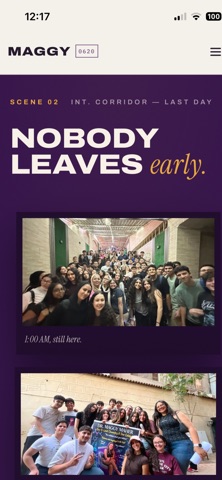


Description by Omar Bayoumy Written by the developer, not by AppBrain. Click to read.
Everything about your course lives in one place: your lessons, the homework you have been set, your marked papers, your attendance and your live classes.
This app is for students who are already taught by Dr. Maggy Maher. Create an account, choose your school and class, and your teacher approves you. Until then, there is no course content to show.
WHAT YOU CAN DO
• Watch your lesson videos and read the notes, chapter by chapter
• See the homework you have been set and when it is due, and hand in your solved paper as a PDF
• Read your marked papers: the mark for each question on the page, and at the top what you wrote, the correct answer and why
• Follow your marks and your progress in each course
• Join your live class inside the app when your teacher starts it
• Mark yourself present by scanning the code your teacher shows in class, or by typing it
• Get announcements and reminders so you do not miss a deadline
YOUR OWN GROUP
Every student has a private group with their teacher, the assistants who mark their work, and their parent. Ask about last night's homework, send a photo of the working you got stuck on, or record a voice note. Photos, videos and voice notes are removed after 10 days; what everyone writes is kept.
FOR PARENTS
Create your own account and link your child with the Student ID their teacher gave them. You will see attendance, homework and marks for each course, open your child's marked papers, and receive progress reports. You are also in the group with your child's teacher, so you can ask rather than wonder.
FOR TEACHERS AND ASSISTANTS
Teaching staff use the app to take attendance, set and mark homework, record marks, run live classes, post announcements and share lessons with their classes.
PROTECTED LESSONS
Lessons are for enrolled students only. Screenshots and screen recordings are not allowed in the app, and taking them can get an account blocked.
FREE TO USE
The app is free to download. There are no in-app purchases and no subscriptions.
PRIVACY
The camera, microphone and photo library are used only when you choose: scanning an attendance code, joining a live class, adding your profile photo, or sending something to your group. You can permanently delete your account and everything in it at any time from Profile.