

Maido Map
Maido Map is made and published by Tsunehisa Noguchi. AppBrain is an independent app data site and isn't affiliated with Tsunehisa Noguchi. The app name, icon, screenshots and description belong to Tsunehisa Noguchi and are shown as published on the App Store.
AppBrain's verdict
- Last updated
- August 31, 2026
Rankings
App Store top chartsApp Store Rankings for Maido Map
Competitors
Similar apps and more from Tsunehisa NoguchiAlternatives to Maido Map


More from Tsunehisa Noguchi

Releases
Updates seen on the App Store- Version
- 1.0.3
- Launched
- July 2026
No changelog data
User feedback
Ratings and reviews on the App StoreComments on Maido Map for iOS
We don't have enough comments to show example comments. Please check back later.
Technology
Found in the app by AppBrain- Price
- Free
- App size
- 14.9 MB
- Content rating
- Everyone
Technologies used by Maido Map
About the app and developer
About Maido Map
Maido Map is a productivity app developed by Tsunehisa Noguchi.
User Ratings
The app has no ratings yet.
App Information
Maido Map is freely available from the App Store. The app size is 14.87 MB. The latest version available is 1.0.3. The last update was on August 31, 2026.
Technical Requirements
The app has a content rating of Everyone. The app has been available on the App Store since July 2026.
Developer information for Tsunehisa Noguchi
Address:
Store listing
By Tsunehisa Noguchi, from the App Store

Description by Tsunehisa Noguchi Written by the developer, not by AppBrain. Click to read.
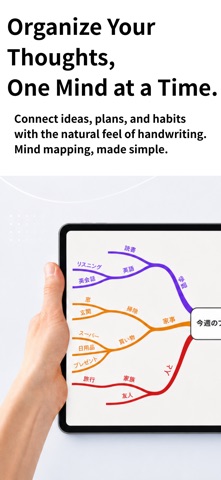
Maido Map is a beautiful idea-mapping app built around one thing: gorgeous, flowing
curved branches. Start with a word in the center and grow your thoughts outward.
The more you draw, the clearer your thinking becomes — and the whole picture stays
easy to read at a glance.
Designed for both delightful sketching and polished results. Every map looks like
something you'd want to show off — in a presentation, a notebook, or just to yourself.
FEATURES
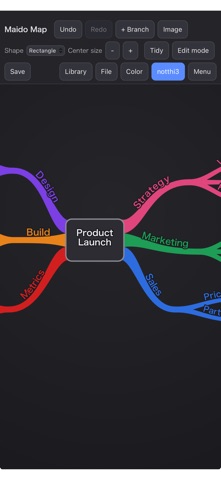
• Flowing curved branches — smooth, organic lines that bend with a touch
• Intuitive controls — tap to add a branch, drag to bend it, pinch to zoom
• Balanced auto-layout — branches never overlap, always easy to read
• Themes — Paper, Sepia, and Dark
• Presentation mode — reveal branches one at a time as you talk through your map
• Center image — drop in a photo or logo as your central image
• Sync across devices — pick up right where you left off on iPhone, iPad, or the web
• Works offline
PRICING
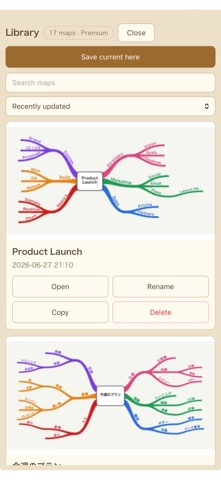
• Free — up to 5 maps, all core features included
• Premium (one-time purchase) — unlimited maps, PNG/SVG/PDF export, file import/export
Pay once, keep it forever. No subscription.
Great for brainstorming, studying, planning a trip, prepping a presentation, or just
organizing your week.
Draw your thinking — beautifully.