

Mainhive is made and published by Mainlink UAB. AppBrain is an independent app data site and isn't affiliated with Mainlink UAB. The app name, icon, screenshots and description belong to Mainlink UAB and are shown as published on the App Store.
AppBrain's verdict
- Last updated
- October 14, 2021
Rankings
App Store top chartsApp Store Rankings for Mainhive
This app is not ranked
Competitors
Similar apps and more from Mainlink UABAlternatives to Mainhive







More from Mainlink UAB


Releases
Updates seen on the App Store- Version
- 1.0
- Launched
- October 2021
No changelog data
User feedback
Ratings and reviews on the App StoreComments on Mainhive for iOS
We don't have enough comments to show example comments. Please check back later.
Technology
Found in the app by AppBrain- Price
- Free
- App size
- 43.0 MB
- Content rating
- High
Technologies used by Mainhive
About the app and developer
About Mainhive
Mainhive is an utilities app developed by Mainlink UAB.
What is the rating of Mainhive?
Mainhive has no ratings yet.
Is Mainhive free?
Mainhive is free. The app size is 43.00 MB. The latest version available is 1.0. The last update was on October 14, 2021.
What are the requirements for Mainhive?
The app has a content rating of High Maturity. The app has been available on the App Store since October 2021.
Developer information for Mainlink UAB
Address:
Store listing
By Mainlink UAB, from the App Store


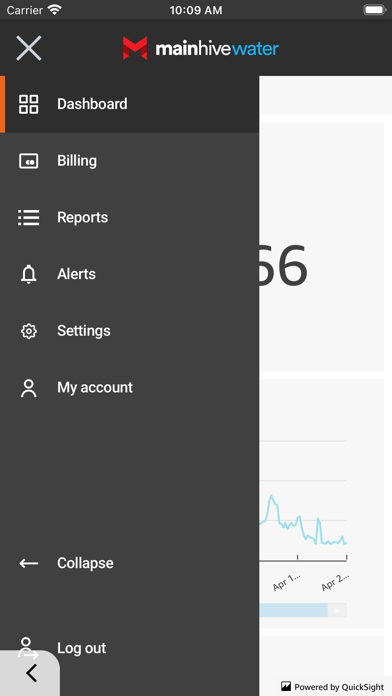


Screenshots by Mainlink UAB, from the the App Store listing
Description by Mainlink UAB Written by the developer, not by AppBrain. Click to read.
Get the official Mainhive app for iOS phones and tablets. With this application Utilities can easily be on track with what is going on with their smart devices not only in the office, but in the field as well. Mainhive mobile application is created to fully undertake all the features that standard web application has.
View your dashboard (an overview of your owned smart meters) :
- View daily consumption
- Monitor device maintenance demands
- Monitor error occurrences
Analyze data of your devices :
- View and analyze detailed consumption report
- Compare consumptions per object/flat
- View and analyze latest records received from your devices
- View and analyze balancing report to prevent non-revenue water cases
- View and analyze detailed meter faults report
- Export data in XLS or CSV formats
Manage Alerts and Alert rules :
- Receive messages when Alert rule conditions are met
- Create new Alert rules with custom conditions
- View/edit Alert rules
Billing files :
- Automatic billing file generation
- Download billing files
- Overview of historical billing files
Fleet Management :
- Overview of your devices
- Add new devices
- Create new addresses, objects, etc.
View your dashboard (an overview of your owned smart meters) :
- View daily consumption
- Monitor device maintenance demands
- Monitor error occurrences
Analyze data of your devices :
- View and analyze detailed consumption report
- Compare consumptions per object/flat
- View and analyze latest records received from your devices
- View and analyze balancing report to prevent non-revenue water cases
- View and analyze detailed meter faults report
- Export data in XLS or CSV formats
Manage Alerts and Alert rules :
- Receive messages when Alert rule conditions are met
- Create new Alert rules with custom conditions
- View/edit Alert rules
Billing files :
- Automatic billing file generation
- Download billing files
- Overview of historical billing files
Fleet Management :
- Overview of your devices
- Add new devices
- Create new addresses, objects, etc.