It doesn't have enough ratings yet to judge what users think. Its best ranking is #43 in Top Paid, Utilities in Norway.
Map Redirect for Map Links is made and published by
Miao Wang.
AppBrain is an independent app data site and isn't affiliated with Miao Wang.
The app name, icon, screenshots and description belong to Miao Wang and are shown as
published on the App Store.
About Map Redirect for Map Links
Map Redirect for Map Links is an utilities app developed by Miao Wang.
User Ratings
Map Redirect for Map Links is rated 3.28 out of 5 stars. The rating is based on 18 ratings.
App Information
Map Redirect for Map Links costs $1.99. The app size is 1.91 MB. The latest version available is 1.14. The last update was on July 12, 2025.
Technical Requirements
The app has a content rating of Everyone. The app has been available on the App Store since October 2021.
Description by Miao Wang(from the App Store)
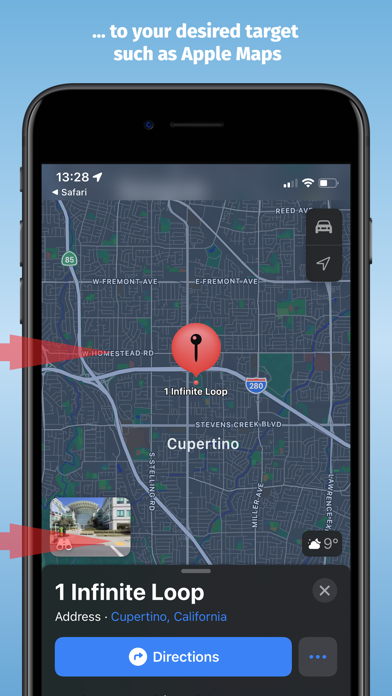
Map Redirect is a Safari Extension to replace all map links on a webpage to be opened with the map app of your choice. You can select your target to always open in Apple Maps, Google Maps, HERE WeGo Maps, Bing Maps, Waze.
Map Redirect will automatically redirect you to the maps app of your choice. If you select "Ask Me" a prompt will appear to ask you where to open the link.
Works on Google Search pages and any other webpage. No need to copy/paste addresses anymore.
Instructions: 1. Download Map Redirect from the App Store 2. Go to Settings -> Safari -> Extensions. Enable Map Redirect as Safari Extension 3. Open Safari. Search for location. For example, type London 4. Click on Context menu (the symbol "aA"). Click on Map Redirect to give it access to the webpage you are visiting. 5. The extension needs to read and alter the web page to change the map links. If asked for access, you may select to allow it for one day or to always allow. 6. In the Map Redirect popup, you can select your target. For example: select Apple Maps 7. Map Redirect will now scan the webpage for map links and convert them to be opened in Apple Maps. 8. Click on any map link 9. Map Redirect will now take you to London in Apple Maps
Note: Map links on websites can appear in various forms with different parameters. Map Redirect tries to detect and convert them as much as possible to your desired target. Therefore, Map Redirect requires permission to read and alter the web page to change the map links. If asked for access, you may select to allow it for one day or to always allow.
In case Map Redirect does not work on a specific webpage, please contact us and let us know the URL to check and fix it. Thank you for contributing.
*HERE WeGo deeplinking support is limited to only links with geo-coordinates *Bing maps will use Apple Maps on iPhones *Waze Deeplinking support is limited to searching from your current location to what is around you
Privacy: Map Redirect does not use any trackers of any sort, nor does it keep, track, sell, rent, or share any information on you throughout your use of the app with any third parties. All processing happens locally on the webpage you visit with the extension. No data is transferred to any central server. For any questions, feel free to contact us directly.
AppBrain offers valuable information about your app and those of your competitors. Join AppBrain for free and claim this app to view more ranking data, view history etc.
Each subscription will automatically renew 3 days before the expiration date for
the same time period. Subscriptions can be cancelled at any time before the renewal.