

MargineMaker
MargineMaker is made and published by Daiki Hirao. AppBrain is an independent app data site and isn't affiliated with Daiki Hirao. The app name, icon, screenshots and description belong to Daiki Hirao and are shown as published on the App Store.
AppBrain's verdict
Established- Rating on App Store
- 5.00
- 1 ratings
- Last updated
- May 5, 2024
It doesn't have enough ratings yet to judge what users think.
Rankings
App Store top chartsApp Store Rankings for MargineMaker
Competitors
Similar apps and more from Daiki HiraoAlternatives to MargineMaker





More from Daiki Hirao







Releases
Updates seen on the App Store- Version
- 1.1.13
- Launched
- November 2019
No changelog data
User feedback
Ratings and reviews on the App StoreComments on MargineMaker for iOS
We don't have enough comments to show example comments. Please check back later.
Technology
Found in the app by AppBrain- Price
- Free
- App size
- 7.54 MB
- Content rating
- Everyone
Technologies used by MargineMaker
About the app and developer
About MargineMaker
MargineMaker is a photo & video app developed by Daiki Hirao.
What is the rating of MargineMaker?
MargineMaker is rated 5.00 out of 5 stars, based on one rating ratings.
Is MargineMaker free?
MargineMaker is free. The app size is 7.54 MB. The latest version available is 1.1.13. The last update was on May 5, 2024.
What are the requirements for MargineMaker?
The app has a content rating of Everyone. The app has been available on the App Store since November 2019.
Developer information for Daiki Hirao
Address:
Store listing
By Daiki Hirao, from the App Store

Description by Daiki Hirao Written by the developer, not by AppBrain. Click to read.
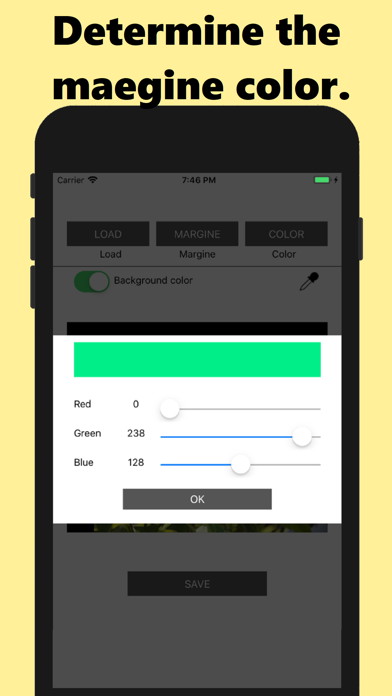
Margin colors can be specified from the original image using the eyedropper function, or you can specify RGB pixel values to create custom colors. Additionally, the app allows you to adjust the size of the margins according to your preferences, giving you more control over the final look of your images.
The margins can be simple, such as black or white, or repeated multiple times to create double or triple colors. ,
Whether you want to add borders to your photos or add space to your illustrations, this app is perfect for all your image editing needs. Great for quick touch-ups and helps optimize images for uploading to social media.
If you're looking for an easy-to-use image editor that helps you add margins to your images, this app is for you.