MatchPix is an overall app developed by Fireburd Productions, LLC.
Download Statistics
User Ratings
MatchPix is rated 4.25 out of 5 stars. The rating is based on 4 ratings.
App Information
MatchPix is FREE to download. The APK download size is 104.28 MB. The latest version available is 1.2. The last update was on June 17, 2024.
Technical Requirements
The app has a content rating of Everyone. The app has been available on Google Play May 2024.
Description
Welcome To Match Pix
A novel idea is finally at your fingertips to make remote therapy, site-based therapy, and screenings interactive and collaborative! The Speech Therapist will no longer have to travel to different sites. You can see, talk, and touch all the materials at the same time - in the same environment!
How To Use Match Pix Match Pix is a supplemental app for language building to help your clients with articulation goals and objectives.
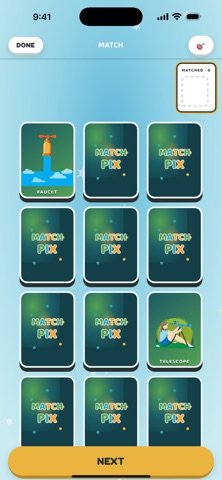
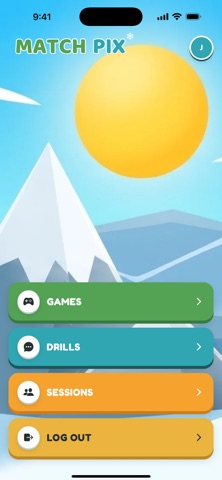
Two Formats 1. Drill Cards. Choose a position, then swipe the cards to master individual sounds. 2. Match Game. Play the 30-card matching game as an interactive supplement to master individual sounds.
Gameplay - Match Game Users: after selecting the sound and position the cards will open the Play Area. Step 1: Tap a card (the card will turn face up). Step 2: Tap another card (The card will face up). Step 3: If the cards don’t match, tap each card individually to turn them back over. Step 4: In Solo mode, if the cards match a piano tone will play and the Player can search for another match. In multiplayer mode, if the cards match a piano tone will play, and the game will prompt the next player to select their cards.
Scoring Each time a match is found it is scored. Each time a match is not found the scoring is documented. Current Compatible Device iPad Special features: There is a timer that starts right away. If there is one client, the 60 second timer will reset until the player begins .
IMPORTANT NOTE: when there are two cards left in the session and the client finishes, the alert session is completed will populate. The client will see session is completed. When the client presses OK, it will go to the home screen for the client using windows. On the speech therapy side it will alert the Speech Therapist that the session is completed. When you press OK it’ll go back to the home screen. Do not press OK if you have other things to say to your clients.
Modification: when there are two cards left, do not have the client turn them over. If you choose to continue therapy, select another sound.
Terms Of Use - https://privacy.fireburdpublicationsor.org/terms-of-use.php Subscription Terms - https://privacy.fireburdpublicationsor.org/subscription-terms.php
Each subscription will automatically renew 3 days before the expiration date for
the same time period. Subscriptions can be cancelled at any time before the renewal.