

MaxxSouth Mail
MaxxSouth Mail is made and published by Mail2World, Inc. AppBrain is an independent app data site and isn't affiliated with Mail2World, Inc. The app name, icon, screenshots and description belong to Mail2World, Inc. and are shown as published on the App Store.
AppBrain's verdict
- Last updated
- February 27, 2026
Rankings
App Store top chartsApp Store Rankings for MaxxSouth Mail
Competitors
Similar apps and more from Mail2World, Inc.Alternatives to MaxxSouth Mail




More from Mail2World, Inc.


Releases
Updates seen on the App Store- Version
- 6.1
- Launched
- September 2020
No changelog data
User feedback
Ratings and reviews on the App StoreComments on MaxxSouth Mail for iOS
We don't have enough comments to show example comments. Please check back later.
Technology
Found in the app by AppBrain- Price
- Free
- App size
- 67.0 MB
- Content rating
- Everyone
Technologies used by MaxxSouth Mail
About the app and developer
About MaxxSouth Mail
MaxxSouth Mail is a productivity app developed by Mail2World, Inc.
What is the rating of MaxxSouth Mail?
MaxxSouth Mail has no ratings yet.
Is MaxxSouth Mail free?
MaxxSouth Mail is free. The app size is 66.97 MB. The latest version available is 6.1. The last update was on February 27, 2026.
What are the requirements for MaxxSouth Mail?
The app has a content rating of Everyone. The app has been available on the App Store since September 2020.
Developer information for Mail2World, Inc.
Address:
Frequently asked questions about MaxxSouth Mail
Is MaxxSouth Mail free?
Yes. MaxxSouth Mail is free on the App Store.
Is MaxxSouth Mail still available?
Yes. MaxxSouth Mail is on the App Store, and the last update we saw was on February 27, 2026.
How large is MaxxSouth Mail?
MaxxSouth Mail is 66.97 MB.
Is MaxxSouth Mail suitable for children?
App Store rates the content of MaxxSouth Mail as suitable for everyone.
Who made MaxxSouth Mail?
MaxxSouth Mail was developed by Mail2World, Inc. It is listed in the productivity category on the App Store.
What are the best alternatives to MaxxSouth Mail?
People looking at MaxxSouth Mail also look at these productivity apps: SFS Fuel Pro, Zero Inbox, Intelelogs HOS, Callegra Community, Side Notes: Pros & Cons List.
Store listing
By Mail2World, Inc., from the App Store


Description by Mail2World, Inc. Written by the developer, not by AppBrain. Click to read.
*** Note: This app is exclusively for residential email accounts powered by MaxxSouth Broadband. Please check with your IT admin to verify that your company's email service is hosted with MaxxSouth Broadband.
Powerful Features in a Small Package
Packed with tons of features, this modern email app is loaded with advanced mobile technologies and capabilities:
Clean Navigation - Beautiful, flat design focuses on what is important – email.
Feature-Rich – With a comprehensive set of easy-to-use tools unmatched by any other mobile email app, manage your email efficiently and optimize productivity.
Optimized for High Performance – With smart features, like pre-loading, caching and auto-detection, doing things like refreshing an Inbox, loading more messages and retrieving contacts, take only a second or two.
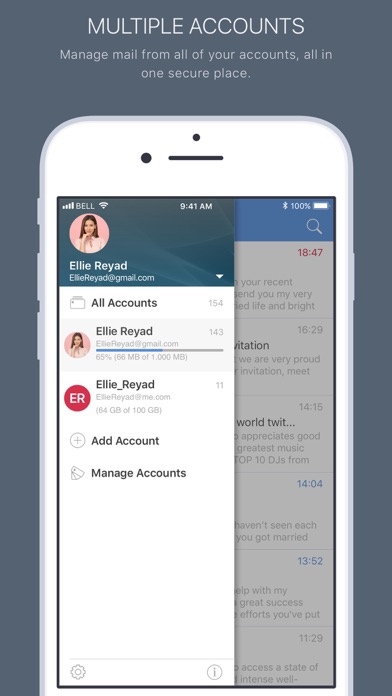
All Accounts in One – Manage emails from Gmail, Google Apps, Outlook, Office 360, Yahoo! Mail, AOL, iCloud or any other IMAP server.
Unified Experience – Combine emails from all of your accounts into a unified mailbox or view each account separately.
PIM Sync – Sync your contacts, calendars, documents, photos and videos between your mobile device and the cloud.
Smart Search – Powerful predictive search allows you to find any email, contact or attachment quickly and accurately from all accounts whether it’s stored locally or on the server.
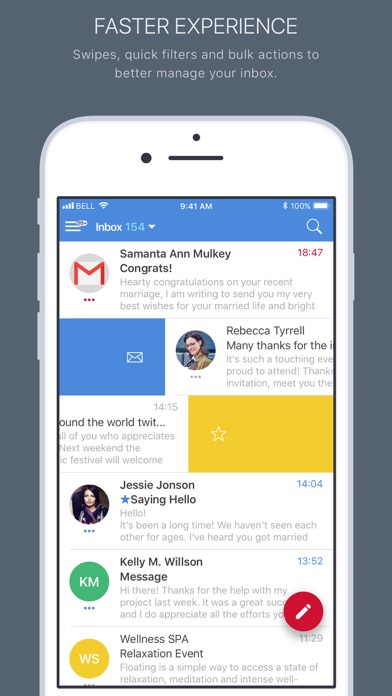
Quick Filters – Use the app’s handy filters to display emails the way you want to see them. Sort email using multiple filters, including Note to Self; From Sender; Unread; Starred; With Attachments; Date; and other criteria.
Swipe Gestures – Part of a responsive design, customizable quick-swipe options make it a breeze to quickly manage your Inbox.
Folders and Labels – Full support for folders, sub folders and Gmail labels.
Visual Inbox – With the Sender Avatar feature, add profile pictures to your contacts so you can find email from important people quickly.
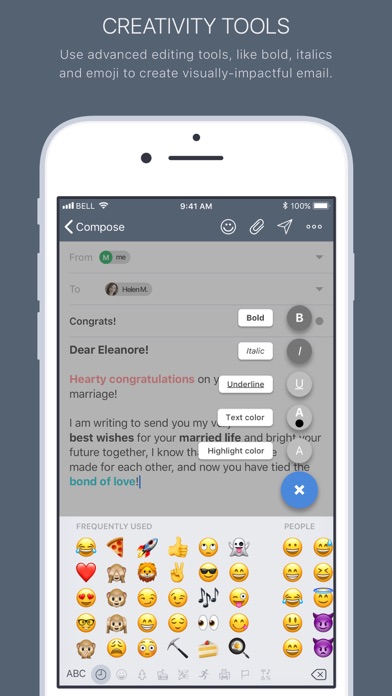
Multiple Attachments – Attach an unlimited number of photos or files from your device or from your favorite cloud storage service with just a few taps. Dropbox, Box, Google Drive, OneDrive, Evernote, iCloud Drive and Amazon Drive are all supported.
In-app Support – Get help with a comprehensive integrated Support Center, which includes a How-†o section, FAQs, trouble-shooting Guide, and tips and tricks. Help is just a tap away.
Private and Secure – Full support for OAuth 2.0 authentication protocol and SSL encryption for all IMAP connections. Account passwords are heavily encrypted.