

MBMimic is made and published by Harpo. AppBrain is an independent app data site and isn't affiliated with Harpo. The app name, icon, screenshots and description belong to Harpo and are shown as published on the App Store.
AppBrain's verdict
- Last updated
- September 18, 2026
- Size
- 8.37 MB
User feedback
Ratings and reviews on the App StoreComments on MBMimic for iOS
We don't have enough comments to show example comments. Please check back later.
Store listing
By Harpo, from the App Store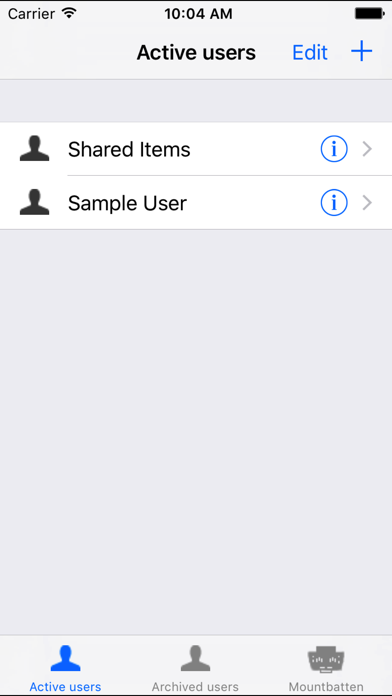
Description by Harpo Written by the developer, not by AppBrain. Click to read.
The MBMimic serves the teachers, parents or blind users that want to:
- chat with a Mountbatten Brailler user using his/her iOS device,
- collect files from Mountbatten Brailler memory for reviewing or editing,
- emboss files using the Mountbatten Brailler,
- upload files to the Mountbatten Brailler.
The app is designed to be accessible for visually impaired users.
The MBMimic connects to one of Mountbatten Braillers available near your iOS device. List of users with subfolders allows for organizing the files in a school situation. Users can be archived to a separate list.
The files imported from a connected Mountbatten Brailler can be moved between user folders, viewed, edited and shared.
Requirements:
- new Bluetooth enabled Mountbatten Brailler Plus, Mountbatten Brailler Pro and Mountbatten Brailler Learning System.
- low-power Bluetooth 4 that can be found in iPhone 4S, 3rd generation iPad, iPad Mini and iPod 4th generation or newer devices.
Important information for new users:
Connecting MBMimic to Mountbatten Brailler
Before you beginning connecting MBMimic to a Mountbatten Brailler, please make sure that the Brailler is turned on and paper is loaded.
1. When you turn the Mountbatten on, the Bluetooth® Smart module gets automatically activated. After two seconds the BT module sends a serial number request to the Mountbatten.
2. NO pairing is necessary. Your Mountbatten will not be listed in the Bluetooth Settings on your iDevice.
3. Run MBMimic on your iDevice.
4. In MBMimic tap on the Mountbatten tab at the bottom of the screen of your iOS device. The program will be looking for any active Mountbatten in the vicinity. After a list appears, select the unit you want to connect to. A connection screen will show up saying "Connecting to Mountbatten"
5. You should hear the Mountbatten beep several times and after a few seconds, your MBMimic will connect with the brailler. Tap Done and you will be taken to the home screen
Safety and technology
Found in the app by AppBrain- Price
- Free
- App size
- 8.37 MB
- Content rating
- Everyone
Technologies used by MBMimic
Releases
Updates seen on the App Store- Version
- 1.24
- Launched
- August 2013
No changelog data
Alternatives
Similar apps and more from HarpoAlternatives to MBMimic







More from Harpo


Rankings
App Store top chartsApp Store Rankings for MBMimic
About the app and developer
About MBMimic
MBMimic is an education app developed by Harpo.
User Ratings
The app has no ratings yet.
App Information
MBMimic is freely available from the App Store. The app size is 8.37 MB. The latest version available is 1.24. The last update was on September 18, 2026.
Technical Requirements
The app has a content rating of Everyone. The app has been available on the App Store since August 2013.
Developer information for Harpo
Address:
Frequently asked questions about MBMimic
Is MBMimic free?
Yes. MBMimic is free on the App Store.
Is MBMimic still available?
Yes. MBMimic is on the App Store, and the last update we saw was on September 18, 2026.
How large is MBMimic?
MBMimic is 8.37 MB.
Is MBMimic suitable for children?
App Store rates the content of MBMimic as suitable for everyone.
Who made MBMimic?
MBMimic was developed by Harpo. It is listed in the education category on the App Store.
What are the best alternatives to MBMimic?
People looking at MBMimic also look at these education apps: Spinne, Practice2Master Abacus, Clicker Books, SymbolSupport Lite, Clicker Talk.