

Merge & Compress PDF: PDFBuddy
Merge & Compress PDF: PDFBuddy is made and published by App Vista Studio. AppBrain is an independent app data site and isn't affiliated with App Vista Studio. The app name, icon, screenshots and description belong to App Vista Studio and are shown as published on the App Store.
AppBrain's verdict
- Rating on App Store
- 5.00
- 3 ratings
- Last updated
- September 26, 2026
It doesn't have enough ratings yet to judge what users think.
Rankings
App Store top chartsApp Store Rankings for Merge & Compress PDF: PDFBuddy
Competitors
Similar apps and more from App Vista StudioMore from App Vista Studio


Releases
Updates seen on the App Store- Version
- 1.0.8
- Launched
- March 2026
No changelog data
User feedback
Ratings and reviews on the App StoreComments on Merge & Compress PDF: PDFBuddy for iOS
We don't have enough comments to show example comments. Please check back later.
Technology
Found in the app by AppBrain- Price
- Free
- App size
- 20.8 MB
- Content rating
- Everyone
Technologies used by Merge & Compress PDF: PDFBuddy
About the app and developer
About Merge & Compress PDF: PDFBuddy
Merge & Compress PDF: PDFBuddy is an utilities app developed by App Vista Studio.
What is the rating of Merge & Compress PDF: PDFBuddy?
Merge & Compress PDF: PDFBuddy is rated 5.00 out of 5 stars, based on 3 ratings.
Is Merge & Compress PDF: PDFBuddy free?
Merge & Compress PDF: PDFBuddy is free. The app size is 20.81 MB. The latest version available is 1.0.8. The last update was on September 26, 2026.
What are the requirements for Merge & Compress PDF: PDFBuddy?
The app has a content rating of Everyone. The app has been available on the App Store since March 2026.
Developer information for App Vista Studio
Address:
Store listing
By App Vista Studio, from the App Store






Description by App Vista Studio Written by the developer, not by AppBrain. Click to read.
PDFBuddy does the everyday PDF jobs properly and gets out of the way. Pick a tool, pick your file, done.
MERGE, SPLIT AND SHRINK
• Merge several PDFs into one, in the order you choose
• Split a long PDF into separate files or page ranges
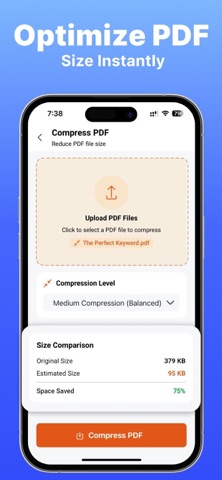
• Compress a PDF that is too large to email
• Turn PDF pages back into photos
CONVERT ANYTHING TO PDF
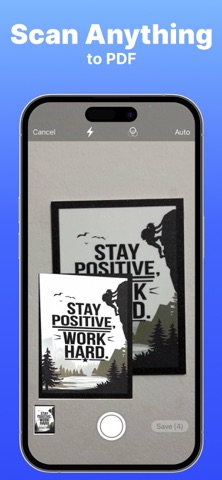
• Photos and camera scans
• Word documents (.doc, .docx) and rich text
• Excel and CSV spreadsheets
• Plain and formatted text
• Any web page, from a link
SIGN WITHOUT PRINTING
• Draw a signature once and reuse it
• Place it anywhere, resize it, set the opacity
• Save the signed copy alongside the original
PROTECT WHAT YOU SEND
• Lock a PDF with a password
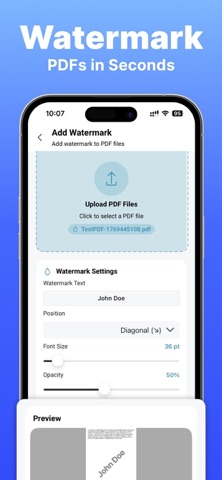
• Add a watermark across every page
• Auto-redact finds card numbers, phone numbers, emails and addresses, shows you the page exactly as it will look, then deletes the text from the file rather than drawing a box over it
READ TEXT OFF A PAGE
• Scan a passport or ID card and get the details as text
• Photo to text turns a handwritten or printed page into editable text, or a clean typed PDF
• Table to Excel points the camera at a table and gives you a spreadsheet
TOOLS THAT READ FOR YOU
• Read aloud plays a document back with the sentence highlighted as it reads
• Summarize gives you the short version, the action items, the dates and the people named
• Smart naming names a scan from what is actually on the page
EVERYTHING STAYS ON YOUR PHONE
Text recognition, redaction and the AI tools all run on the device. Nothing you scan, sign or redact is uploaded, and there is no account to create.
WORKS IN YOUR LANGUAGE
English, Spanish, French, German, Italian, Dutch, Portuguese, Russian, Japanese, Korean and Chinese.
FREE AND PRO
Every tool is free to try, with 7 free documents every 30 days. Pro removes the limit and the ads.
Pro is available as a weekly, monthly or yearly subscription. The price for your region is shown in the app before you buy.
Payment is charged to your Apple Account at confirmation of purchase. A subscription renews automatically unless cancelled at least 24 hours before the end of the current period, and your account is charged for renewal within 24 hours of the end of that period. Manage or cancel your subscription in Account Settings after purchase.
Terms of Use: https://sites.google.com/view/appvista-terms-of-use/home
Privacy Policy: https://sites.google.com/view/appvista-privacy-policy/home