

Merge Pdf-Split, Combine Files
Merge Pdf-Split, Combine Files is made and published by Momina Khalid. AppBrain is an independent app data site and isn't affiliated with Momina Khalid. The app name, icon, screenshots and description belong to Momina Khalid and are shown as published on the App Store.
AppBrain's verdict
- Last updated
- August 25, 2026
Rankings
App Store top chartsApp Store Rankings for Merge Pdf-Split, Combine Files
Competitors
Similar apps and more from Momina KhalidAlternatives to Merge Pdf-Split, Combine Files




More from Momina Khalid


Releases
Updates seen on the App Store- Version
- 1.2
- Launched
- May 2026
No changelog data
User feedback
Ratings and reviews on the App StoreComments on Merge Pdf-Split, Combine Files for iOS
We don't have enough comments to show example comments. Please check back later.
Technology
Found in the app by AppBrain- Price
- Free
- App size
- 10.9 MB
- Content rating
- Everyone
Technologies used by Merge Pdf-Split, Combine Files
About the app and developer
About Merge Pdf-Split, Combine Files
Merge Pdf-Split, Combine Files is a productivity app developed by Momina Khalid.
What is the rating of Merge Pdf-Split, Combine Files?
Merge Pdf-Split, Combine Files has no ratings yet.
Is Merge Pdf-Split, Combine Files free?
Merge Pdf-Split, Combine Files is free. The app size is 10.93 MB. The latest version available is 1.2. The last update was on August 25, 2026.
What are the requirements for Merge Pdf-Split, Combine Files?
The app has a content rating of Everyone. The app has been available on the App Store since May 2026.
Developer information for Momina Khalid
Address:
Frequently asked questions about Merge Pdf-Split, Combine Files
Is Merge Pdf-Split, Combine Files free?
Yes. Merge Pdf-Split, Combine Files is free on the App Store.
Is Merge Pdf-Split, Combine Files still available?
Yes. Merge Pdf-Split, Combine Files is on the App Store, and the last update we saw was on August 25, 2026.
How large is Merge Pdf-Split, Combine Files?
Merge Pdf-Split, Combine Files is 10.93 MB.
Is Merge Pdf-Split, Combine Files suitable for children?
App Store rates the content of Merge Pdf-Split, Combine Files as suitable for everyone.
Who made Merge Pdf-Split, Combine Files?
Merge Pdf-Split, Combine Files was developed by Momina Khalid. It is listed in the productivity category on the App Store.
What are the best alternatives to Merge Pdf-Split, Combine Files?
People looking at Merge Pdf-Split, Combine Files also look at these productivity apps: PDF Scanner - PaperSnap, Novela: Writing app for novels, Photo to PDF Convert - Scanner, todo planner - plan manager, Habit Tracker - Habit Pixel.
Store listing
By Momina Khalid, from the App Store


Description by Momina Khalid Written by the developer, not by AppBrain. Click to read.
Merge PDF files into one clean document in seconds. This fast and offline PDF merger lets you combine, organize, and manage files directly on your iPhone—without watermarks or complicated steps.
Whether you're dealing with work documents, study notes, or scanned files, this app helps you combine PDFs بسرعة, securely, and without losing quality.
Features:
Merge Multiple PDF Files
Combine unlimited PDF files into one organized document instantly.
Fast & Offline Processing
No uploads. No waiting. Everything works مباشرة on your device.
No Watermark
Your files stay clean and professional—always.
Smart File Management:
Reorder pages before merging
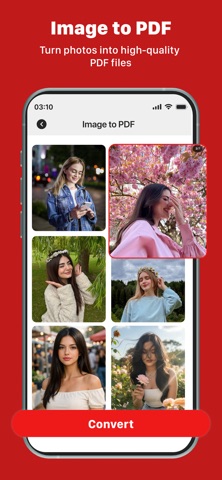
Combine images into PDF
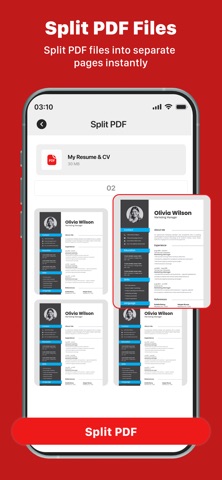
Split large PDF files
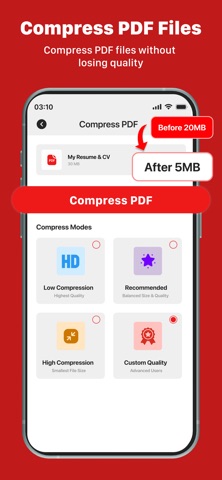
Compress file size
Real Use Cases (Conversion psychology)
Merge assignments into one PDF
Combine invoices & reports
Join scanned documents
Create one file for email sharing
Organize contracts & forms
Differentiation (Kill competitors softly)
Unlike heavy apps like Adobe Acrobat Reader or bloated tools like iLovePDF, this app focuses on one thing:
Fast, simple PDF merging that actually works
Download now and merge PDF files faster than ever. Combine, organize, and manage your documents with a lightweight and powerful PDF merger built for iPhone.
Note:
STEP 1: Payment will be charged to your iTunes account at confirmation of purchase. Your subscription will automatically renew unless auto-renew is turned off at least 24 hours before the end of the current subscription period.
STEP 2: Your account will be charged for renewal within 24 hours before the end of the current subscription period. Automatic renewals will cost the same price you were originally charged for the subscription.
STEP 3: You can manage your subscriptions and turn off auto-renewal by going to your Account Settings on the App Store after purchase. Read our terms of service and Privacy Policy for more information.
Terms of Use:
https://sites.google.com/view/namigamesstudio/terms-of-use
Privacy Policy:
https://sites.google.com/view/mergepdfapp?usp=sharing