

MIC Faenza
MIC Faenza is made and published by Mango Mobile S.r.l. AppBrain is an independent app data site and isn't affiliated with Mango Mobile S.r.l. The app name, icon, screenshots and description belong to Mango Mobile S.r.l. and are shown as published on the App Store.
AppBrain's verdict
- Last updated
- October 23, 2026
- Size
- 35.4 MB
User feedback
Ratings and reviews on the App StoreComments on MIC Faenza for iOS
We don't have enough comments to show example comments. Please check back later.
Store listing
By Mango Mobile S.r.l., from the App Store

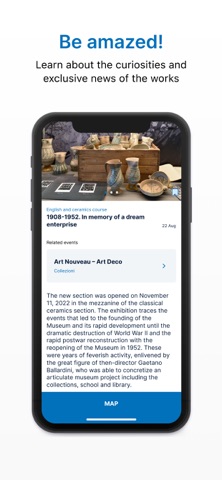


Description by Mango Mobile S.r.l. Written by the developer, not by AppBrain. Click to read.
Thanks to this app, you can explore our collections through audio, text, video and guided tours that are inclusive and accessible to everyone, including adults, children and people with visual and hearing impairments.
You can stay up to date on our initiatives: exhibitions, guided tours and scheduled events, consult practical information to plan your visit and find your way around the museum more easily thanks to an indoor Beacon system (Bluetooth Low Energy) that locates the museum rooms and a digital map.
Features
The app is free and can be downloaded from any app store.
The audio and texts are available in Italian and English.
You can register to save your favourite works.
How to use the app
1. From the main menu at the bottom, click on “visit” and choose one of the itineraries. Each itinerary includes a text and audio introduction, in some cases also video contributions, and various insights into each section of the museum.
2. Each text, accompanied by identifying photos, relates to either a room, a display case or a work of art.
3. Next to the display cases or works of art, you will find the audio guide symbol. Type the code on the app's keypad to listen to comments and other information.
4. To understand which display case or artwork the texts refer to, you will also find information in the app before each audio clip.
5. Use your headphones or hold your phone close to your ear to listen to the audio clips.
6. Create a list of your favourite artworks by adding them to your “favourites” page and create your own personal itinerary (you will need to log in).
If you have any questions, please ask for assistance at the ticket office.
Enjoy your visit!
Safety and technology
Found in the app by AppBrain- Price
- Free
- App size
- 35.4 MB
- Content rating
- Everyone
Technologies used by MIC Faenza
Releases
Updates seen on the App Store- Version
- 1.2.0
- Launched
- October 2025
No changelog data
Alternatives
Similar apps and more from Mango Mobile S.r.l.More from Mango Mobile S.r.l.


Also available on Google Play

Rankings
App Store top chartsApp Store Rankings for MIC Faenza
About the app and developer
About MIC Faenza
MIC Faenza is an education app developed by Mango Mobile S.r.l.
What is the rating of MIC Faenza?
MIC Faenza has no ratings yet.
Is MIC Faenza free?
MIC Faenza is free. The app size is 35.36 MB. The latest version available is 1.2.0. The last update was on October 23, 2026.
What are the requirements for MIC Faenza?
The app has a content rating of Everyone. The app has been available on the App Store since October 2025.
Developer information for Mango Mobile S.r.l.
Address:
Frequently asked questions about MIC Faenza
Is MIC Faenza free?
Yes. MIC Faenza is free on the App Store.
Is MIC Faenza still available?
Yes. MIC Faenza is on the App Store, and the last update we saw was on October 23, 2026.
How large is MIC Faenza?
MIC Faenza is 35.36 MB.
Is MIC Faenza suitable for children?
App Store rates the content of MIC Faenza as suitable for everyone.
Who made MIC Faenza?
MIC Faenza was developed by Mango Mobile S.r.l. It is listed in the education category on the App Store.