

Microphone: stream to speakers
Microphone: stream to speakers is made and published by Simonas Armonas. AppBrain is an independent app data site and isn't affiliated with Simonas Armonas. The app name, icon, screenshots and description belong to Simonas Armonas and are shown as published on the App Store.
AppBrain's verdict
- Last updated
- October 27, 2026
Rankings
App Store top chartsApp Store Rankings for Microphone: stream to speakers
Competitors
Similar apps and more from Simonas ArmonasAlternatives to Microphone: stream to speakers




More from Simonas Armonas


Releases
Updates seen on the App Store- Version
- 8
- Launched
- January 2013
No changelog data
User feedback
Ratings and reviews on the App StoreComments on Microphone: stream to speakers for iOS
We don't have enough comments to show example comments. Please check back later.
Technology
Found in the app by AppBrain- Price
- Free
- App size
- 1.94 MB
- Content rating
- Everyone
Technologies used by Microphone: stream to speakers
About the app and developer
About Microphone: stream to speakers
Microphone: stream to speakers is an utilities app developed by Simonas Armonas.
What is the rating of Microphone: stream to speakers?
Microphone: stream to speakers has no ratings yet.
Is Microphone: stream to speakers free?
Microphone: stream to speakers is free. The app size is 1.94 MB. The latest version available is 8. The last update was on October 27, 2026.
What are the requirements for Microphone: stream to speakers?
The app has a content rating of Everyone. The app has been available on the App Store since January 2013.
Developer information for Simonas Armonas
Address:
Store listing
By Simonas Armonas, from the App Store

Description by Simonas Armonas Written by the developer, not by AppBrain. Click to read.
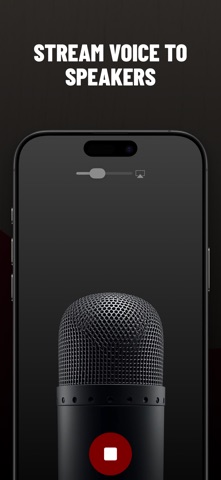
We updated our app. So now your iOS device can live-stream voice to connected speakers or headphones instantly!
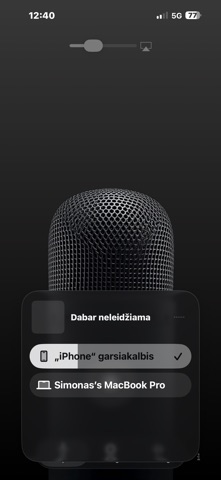
Select Speakers (Bluetooth speakers, AirPort Express, AirPort Extreme, Apple TV, Bluetooth headphones, etc.)
Press the mic button to start
Speak
Press the mic button to stop
Thats it! Your voice will be sounding from sound system connected to your device. It even works with car sound systems, when connected via bluetooth or macOS device.
Alternatively you can plug your sound system's jack straight into your iPhone or iPad and use the app without the AirPlay device.
We do not present any ads (ad-free)
We do not send any annoying push notifications
We do not send you any emails with our app news.
We do not collect any user specific information
We do not use any SDK's to collect user/device actions
No dirty-stuff in the background!
https://www.apple.com/legal/internet-services/itunes/dev/stdeula/